
No products in the cart.
GMKtec AI Mini PC Ryzen Al Max+ 395 (up to 5.1GHz) Mini Gaming Computers, 128GB LPDDR5X 8000MHz (16GB*8) 2TB PCIe 4.0 SSD, Triple Screen 8K Display, WiFi 7 & USB4, SD Card Reader 4.0 EVO-X2 Electronics – Size : 128GB+2TB
$2,498.74
About this item Product GalleryProduct SpecificationsBrandGMKtecSpecific Uses For ProductEveryday Use, Gaming, Video EditingOperating System11 ProCP
| size_name | 128GB+2TB |
|---|---|
| Brand | GMKtec |
| Specific Uses For Product | Everyday Use, Gaming, Video Editing |
| Operating System | 11 Pro |
| CPU Model | Ryzen AI |
| CPU Speed | 5.1 GHz |
| Cache Size | 128 GB |
| Graphics Card Description | Integrated |
| Graphics Coprocessor | AMD Radeon 8060S Graphics 40Cores RDNA3.5 |
| Memory Storage Capacity | 2 TB |
| Personal computer design type | Mini PC |
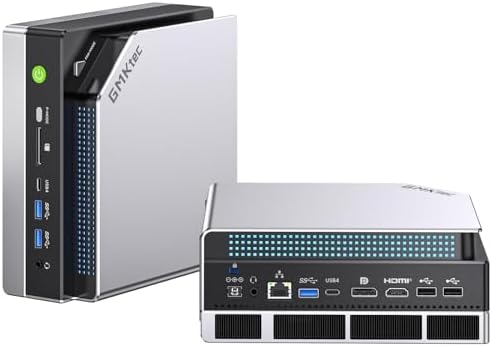
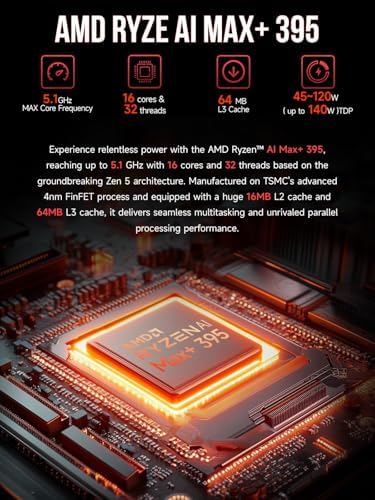
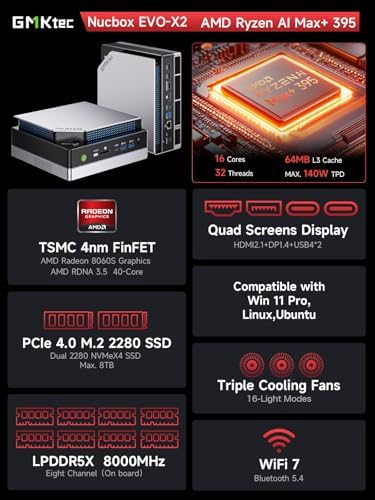
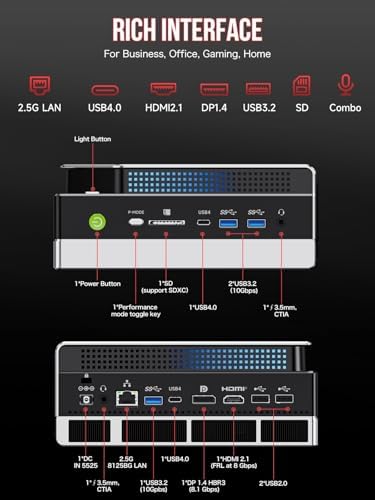
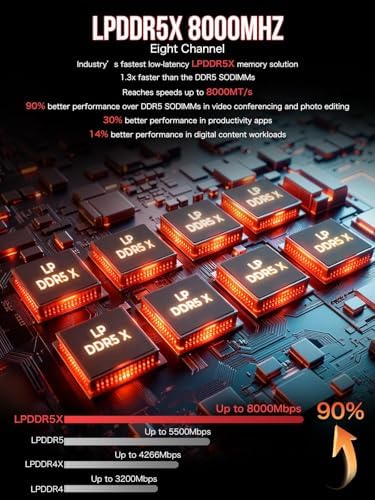
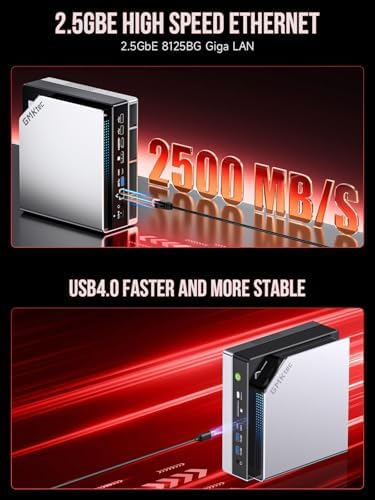
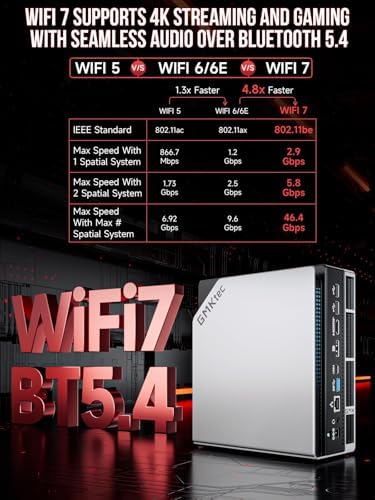
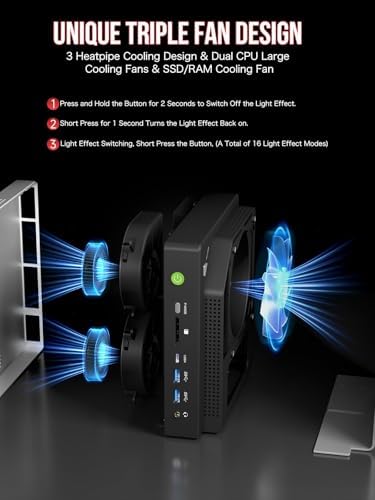
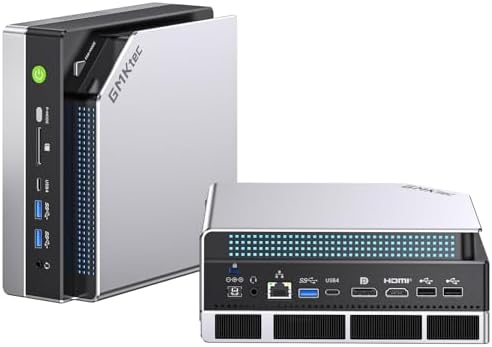
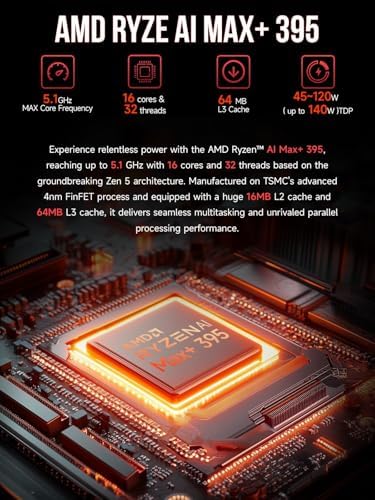
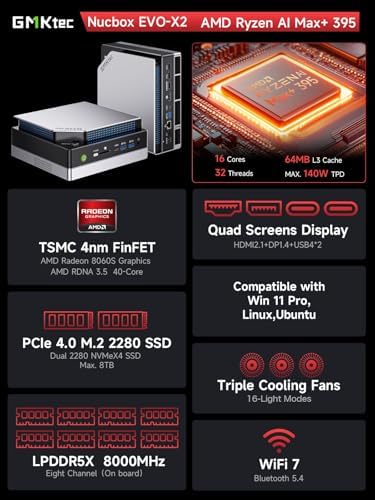
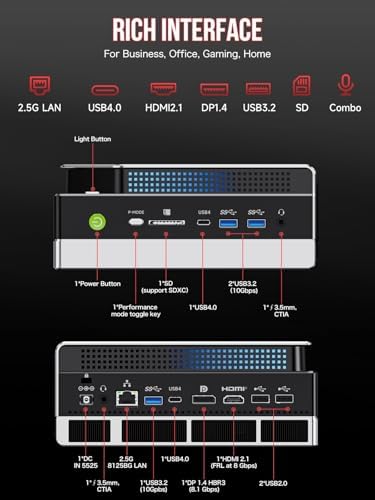
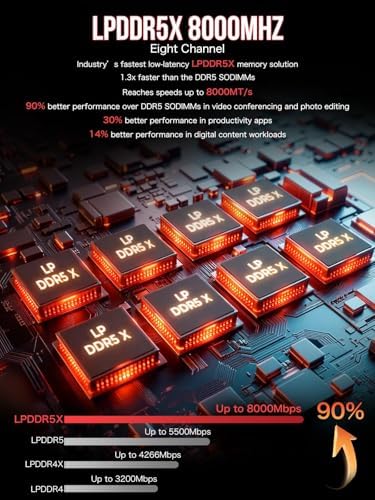
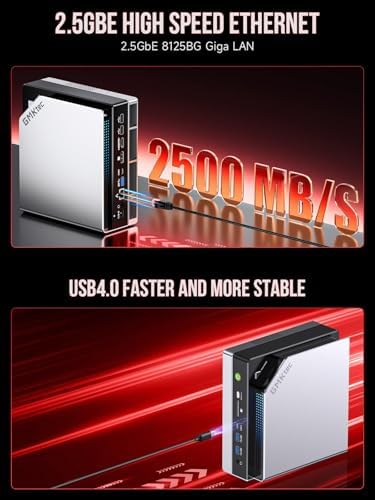
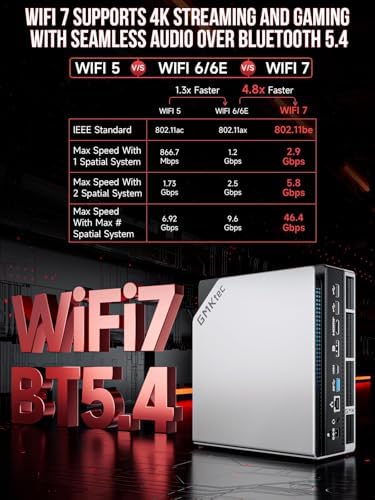
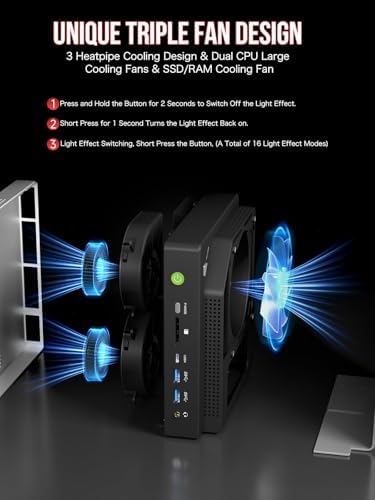
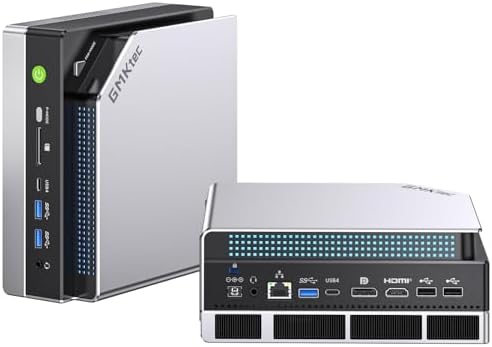
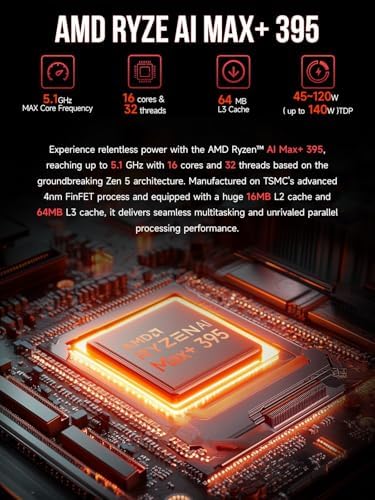
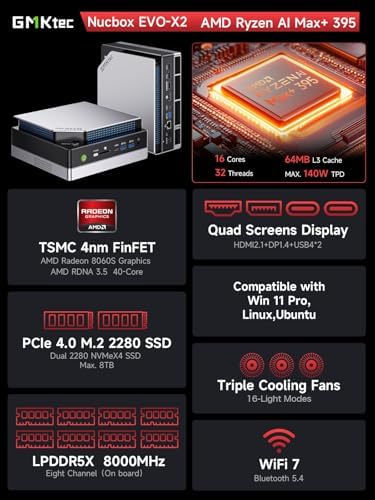
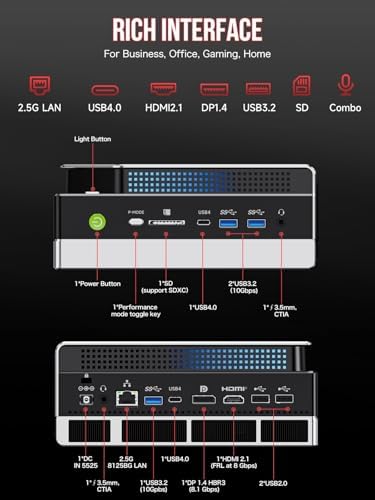
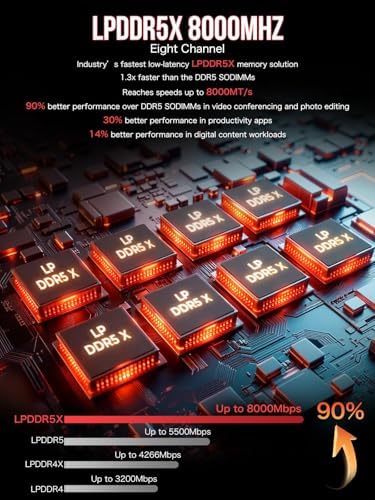
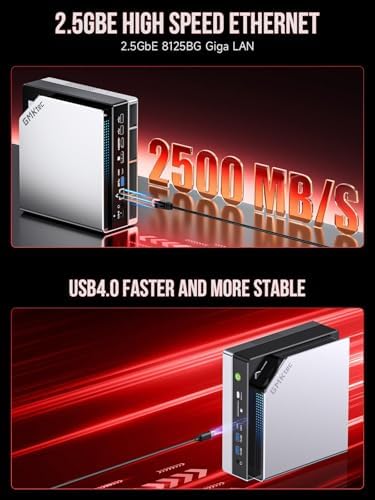
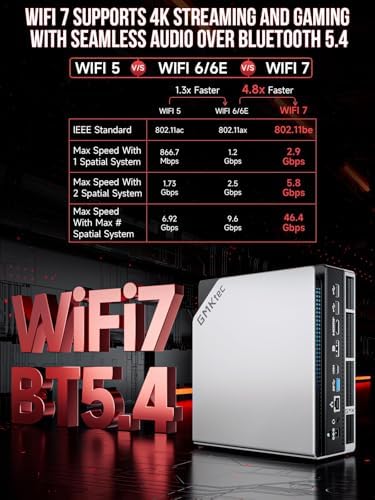
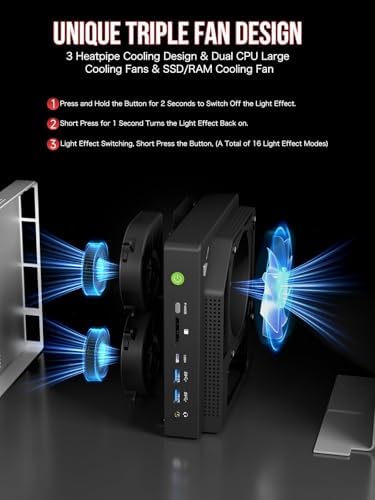
| Feature | EVOLUTION AMD RYZEN AI MAX+ 395 MINI PC – GMKtec EVO-X2 is the next evolution in AI mini PC Ryzen Strix Halo series. Thanks to AMD Simultaneous Multithreading (SMT) the core-count is effectively doubled, to 32 threads. Ryzen AI Max+ 395 has 64 MB of L3 cache and can boost up to 5.1 GHz, depending on the workload. The Ryzen AI Max+ 395 is currently rated as the "most powerful x86 APU" on the market for AI computing., AI NPU with XDNA 2 ARCHITECTURE – Powered by 16 “Zen 5” CPU cores, 50+ peak AI TOPS XDNA 2 NPU and a truly massive integrated GPU driven by 40 AMD RDNA 3.5 CUs, the Ryzen AI MAX+ 395 is a transformative upgrade and delivers a significant performance boost over the competition. The Ryzen AI Max+ 395 excels in consumer AI workloads like the llama.cpp-powered application: LM Studio. Shaping up to be the must-have app for client LLM workloads, LM Studio allows users to locally run the latest language model without any technical knowledge required and unleash their creativity and productivity., AMD RADEON 8090S iGPU GAMING PC – The AMD Radeon RX 8060S offers all 40 CUs with up to 2.9 GHz graphics clock and uses the new RDNA 3.5 architecture. The powerful iGPU is positioned between an RTX 4060 and 4070 laptop GPU and therefore enables gaming in FHD at maximum details in most demanding games. The 8060S can also utilize the full 128GB pool, which is perfect for running LLMs such as Deepseek 70B Q8, which runs comfortably on this machine., EIGHT CHANNEL LPDDR5X – LPDDR5X is a new ground breaking memory small form factor installed on-board. With blazing speeds up to to 8000MT/s, it runs 1.5x faster than the DDR5 SODIMMs; 90% better performance over DDR5 SODIMMs in video conferencing and photo editing; 30% better performance in productivity apps; 12% better performance in digital content workloads., QUAD SCREEN 8K DISPLAY SUPPORT – EVO-X2 AI Mini PC support 4-screen 4K/8K output via HDMI 2.1 (8K@60Hz), DisplayPort 1.4 (4K@60Hz), and dual USB 4 40Gbps Transfer speed (supporting PD3.0/DP1.4/DATA). Ideal for gaming, video editing, and multitasking, it provides expansive and crisp multi-display support., FAST 2.5GBE + WIFI 7 + BT 5.4 – Ethernet 2.5GbE LAN port design provides more applications, such as firewall, multichannel aggregation, soft routing, file storage server, etc. Known as 802.11be, Wi-Fi 7 promises up to 46Gbps theoretical throughput, making it 4.8x faster than Wi-Fi 6 and 13x faster than Wi-Fi 5, while maintaining compatibility with older Wi-Fi versions at lower speeds. Built-in Bluetooth 5.4 is more stable and efficient to connect multiple wireless devices such as projector, printer, monitor, speakers and etc., TRIPLE COOLING FANS WITH LIGHTING – Dual turbo CPU fans + a massive DDR5/SSD cooling fan deliver silent, ultra-efficient cooling (just 35dB in Quiet Mode!), while the 3 advanced heatpipes and 360° airflow keep your Ryzen AI Max+ 395 Mini PC frosty under heavy loads. Plus, 13 dazzling RGB lighting modes let you personalize your rig’s vibe with the touch of a button! Cooler. Quieter. Brighter., THREE PERFORMANCE MODES – Switch seamlessly between Quiet (54W), Balanced (85W), and Performance Mode (140W) with just a tap of the dedicated power button for ultimate convenience—no BIOS hassle! See instant on-screen symbol confirmation when you shift modes. Unlock up to 96GB VRAM (via AMD software) for next-level AI and gaming, plus enjoy Auto Power On & Wake-on-LAN features. Power redefined., SD 4.0 CARD READER – The SD/TF 4.0 Card Reader ensures steady and efficient data transmission, supporting SD/TF 4.0 and UHS-II cards. Faster photo and video transfer speeds ensuring optimal work performance., GMKtec Warranty- GMKtec offers a 1-year limited GMKtec's warranty for each mini PC, starting from the date of the purchase. All defects due to design and workmanship are covered. With a professional after sales team always ready to attend to your needs, you can simply relax and enjoy your mini PC. |
9 reviews for GMKtec AI Mini PC Ryzen Al Max+ 395 (up to 5.1GHz) Mini Gaming Computers, 128GB LPDDR5X 8000MHz (16GB*8) 2TB PCIe 4.0 SSD, Triple Screen 8K Display, WiFi 7 & USB4, SD Card Reader 4.0 EVO-X2 Electronics – Size : 128GB+2TB
Only logged in customers who have purchased this product may leave a review.



Mike Harvey –
Great system!
Installed Arch Linux without any trouble. Replaced the SSD with a pair of 4Tb Samsungs; disassembly was easy (you peel off the rubber feet to reveal the screws) and the build quality is excellent.While I’m planning on experimenting with AI models, so far I’ve run some games on Steam. Everything runs smoothly at maximum settings, and the system runs cool. During a game the fan is on but it’s not too obnoxious in my opinion and never really generates noticeable heat. When I’m not playing a game the fan turns off in the PC just sits there very quietly. It’s very small and sits on the desk next to the monitor. Not a huge number of USB ports on the back, but a USB splitter takes care of that If you need more although these days with Bluetooth keyboard and mouse that might not be necessary. I’ve been using Wi-Fi instead of ethernet and that’s perfectly adequate thus far. Excellent hardware and tons of memory, I’m very pleased.One small nit: under Linux, by default it seems to allocates 32Gb to RAM and 32Gb to GPU, although system reports 128Gb on board. I think this will have to be configured manually and I haven’t gotten around to doing that yet. So it’s not really a problem just something to be aware of.
8 people found this helpful
Dr. History –
Very impressive Local LLM power house
Solid build quality. Easy to open the case and install another NVME m.2. I added another NVME drive and installed Ubuntu 24. On Windows, I was getting about 70 toks/s on Qwen3-30b-a3b-q4_k_m using LMStudio. Under Linux + Vulkan+llama.cpp, I got 86 toks/s for the same model. You can hear the fan under load, but compared to those 300+ watt GPUs, it is nothing to be complained of. For those need info on how to build Llama.cpp with various backends, search for “strix halo toolbox”. Of course the point of this Strix Halo box is to run much larger models, such as the gpt-oss-120b or qwen3-235b. I will update the review when those are tested.ggml_vulkan: Found 1 Vulkan devices:ggml_vulkan: 0 = AMD Radeon Graphics (RADV GFX1151) (radv) | uma: 1 | fp16: 1 | bf16: 0 | warp size: 64 | shared memory: 65536 | int dot: 0 | matrix cores: KHR_coopmat| model | size | params | backend | ngl | threads | test | t/s || —————————— | ———: | ———: | ———- | –: | ——: | ————–: | ——————-: || qwen3moe 30B.A3B Q4_K – Medium | 17.28 GiB | 30.53 B | Vulkan | 999 | 32 | pp512 | 749.37 ± 0.97 || qwen3moe 30B.A3B Q4_K – Medium | 17.28 GiB | 30.53 B | Vulkan | 999 | 32 | tg128 | 85.92 ± 0.33 |UPDATE: CHECK THESEggml_vulkan: Found 1 Vulkan devices:ggml_vulkan: 0 = AMD Radeon Graphics (RADV GFX1151) (radv) | uma: 1 | fp16: 1 | bf16: 0 | warp size: 64 | shared memory: 65536 | int dot: 0 | matrix cores: KHR_coopmat| model | size | params | backend | ngl | threads | test | t/s || —————————— | ———: | ———: | ———- | –: | ——: | ————–: | ——————-: || gpt-oss 120B MXFP4 MoE | 59.02 GiB | 116.83 B | Vulkan | 999 | 32 | pp512 | 447.60 ± 11.58 || gpt-oss 120B MXFP4 MoE | 59.02 GiB | 116.83 B | Vulkan | 999 | 32 | tg128 | 50.51 ± 0.34 |ggml_vulkan: Found 1 Vulkan devices:ggml_vulkan: 0 = AMD Radeon Graphics (RADV GFX1151) (radv) | uma: 1 | fp16: 1 | bf16: 0 | warp size: 64 | shared memory: 65536 | int dot: 0 | matrix cores: KHR_coopmat| model | size | params | backend | ngl | threads | test | t/s || —————————— | ———: | ———: | ———- | –: | ——: | ————–: | ——————-: || qwen3moe 235B.A22B Q3_K – Large | 103.53 GiB | 235.09 B | Vulkan | 999 | 32 | pp512 | 100.73 ± 0.46 || qwen3moe 235B.A22B Q3_K – Large | 103.53 GiB | 235.09 B | Vulkan | 999 | 32 | tg128 | 17.98 ± 0.04 |Update: running the new zImage-Turbo using pytorch + rocm7, smooth. On RTX 3090, the same model chokes due to memory sizeUpdate: Upgrade Linux kernel to 6.18, Install the pre-release pytorch+rocm7.11, (pip install –index-url https://rocm.nightlies.amd.com/v2-staging/gfx1151/ –pre torch torchaudio torchvision). Now, zImage-Turbo generate 1024*1024 images in 30 seconds
14 people found this helpful
TheSHAD0W –
Effectively early-access hardware
Minor gripe: The labels on the “front” are upside down. (If you want to run thhe unit laying down, you need to lay it on one side so as to not block airflow, and the label is in the wrong direction.This is not the best solution for running AI. Other platforms are more flexible, faster, less expensive… But for what’s currently available this gives a lot more bang for the buck than anything else on the market. It’s good if you want to run larger models and don’t want to pay twice the price.This is also (as of this review) fairly cutting edge tech, and you will have to deal with software bugs. I’ve already run into one silly one; Memtest won’t boot off its USB stick. (I was able to get it to run off a Mint installer though.) The AMD-native AI drivers are still very alpha, and you may be able to tweak them enough to run, or not. (It’ll run Vulkan fine though, if probably with a performance penalty.)Build quality is very nice; my only gripe is they hid the screws for the case cover under the rubber feet. (It seems like a lot of mini PCs like to do this.)All in all, I cannot at this time recommend it for mission critical use. Unless AMD is unable to provide future promised software, it should become better in the future. This unit is good for trying things out, seeing if it can run the models you need and how fast you need them to go, and using this to evaluate future implementation.
12 people found this helpful
Steven –
Better AMD AI MAx machines out there.
Loud. Feels cheap. Very basic bios. I wonder if the bios on this thing will ever be udpated? It was very basic. In addition tried to use displayport and it didn’t work as a boot screen. Had to use HDMI. On a sometimes 2.5k machine the NVME lacks any dram?!?! Why?
6 people found this helpful
Dennis –
Excellent Mini PC
For it’s size this system is amazingly fast. It is very well made with solid materials. I bought this to replace my gaming desktop and it’s functioning at almost the same speed. It fits perfectly on my TV stand. My only issue with it is when I went to install another SSD I had to remove the rubber feet that are stuck on with double sided tape and that doesn’t seem like a good design. Otherwise this thing has been a breeze to use.
Victor E. –
Lil Beast of a system! Amazing!
Solid Build quality, got the 128GB RAM/2TB SSD config at another retailer for USD 1799 plus taxes and well worth it at this price point. Gaming is amazing on this unit, I run Ubuntu 25.04 plus Steam and I am able to run games at 1440p on an LG 55″ TV at 60FPS or higher with the visuals maxed out i.e. Ghost of Tsushima, Spider Man 1 and 2, SF6, Tekken 8, MS Flight Simulator, etc. My unit shipped with BIOS v1.05/EC v1.06. The only issue i’ve discovered so far is that this BIOS has the write protect logic for the system SD card reader flipped, if you have the card switch to off the card is read only and if you set the switch to on/read only then the card is actually read/write. Other than that, the system has been great so far!! Everything runs buttery smooth and lightning fast! Since the ram is shared with graphics I recommend the 128GB or 96GB configs so that you can allocate a decent amount of graphics memory but still retain/be able to allocate 64GB to the CPU. Also I personally have no issues with the exterior RGB lighting, it looks good! The system does have to stand vertically for proper airflow, or be flipped horizontally so that the side without vent holes lies against the surface the system is placed on (the side with the AMD logo stickers).
5 people found this helpful
Terry Riner –
My day with the GMKTek Evo X-2 Review – A Small Form Factor Powerhouse for LLMs, AI, and Gaming
GMK-Tech Evo X-2 Review (Revised and Clarified)GMK-Tech has truly outdone themselves with the Evo X-2. While not without caveats, this compact machine delivers an extraordinary amount of performance for the price—especially if your primary goal is running large language models locally without cloud latency, subscription limits, or dependence on external servers.Hardware and SpecificationsThe Evo X-2 features a 16-core / 32-thread CPU paired with an integrated NPU capable of more than 120 TOPS of mixed-precision compute. Its integrated GPU—an RX 8060s-class RDNA 3.5 part with 40 compute units—performed shockingly well in testing, often trading blows with the mobile RTX 4070 (4070 M) in real-world workloads.Importantly, this is an APU, not a discrete GPU setup, which makes the sustained performance even more impressive given its power envelope.Why It MattersLocal AI no longer needs a datacenter. The Evo X-2 can comfortably run open-source models such as DeepSeek, Qwen, or LLaMA 3.3 70B, while still supporting 1080p–1440p gaming. Thanks to its OCuLink port, users can attach an external GPU and, with tuning, achieve PCIe 4.0-class throughput—more than sufficient for CUDA-heavy workloads like image generation.Performance MetricsWith 128 GB LPDDR5X memory (up to 96 GB GPU-shareable) and mild overclocking, the system delivers roughly 14 TFLOPs FP32, or 28 TFLOPs when leveraging dual-instruction workloads. That rivals the ASUS ROG Flow line and, in certain optimized inference tests, can even outperform dual RTX 4090s on throughput-per-watt efficiency.Under Windows with kernel-level access, I replaced Copilot via custom daemons to handle local tokenization and inference through a LAN-served web GUI. In practical creative tasks: • 100–200 TPS on 4 K-token contexts (8 B-class instructs, moderate prompt complexity) • Performance scales downward predictably at larger contexts (≥ 10 K) or higher-parameter models (e.g., 70 B)Earlier drafts of this review referenced “200 TPS at 40 K contexts.” That was a typo—those results applied to smaller models and moderate contexts, not full 70 B runs at 10 K+.CaveatsThermals. The cooling solution is excellent for gaming and short AI bursts, but sustained triple-load (CPU + GPU + NPU) at ≈ 140 W TDP can throttle under warm conditions. That’s an inherent trade-off of compact form factors. Lowering TDP or running at 1080 p mitigates it.OS and Drivers. Windows works well for gaming, but Linux remains the better platform for heavy AI inference. AMD’s iGPU drivers on Linux are improving but still lag behind Windows in stability.Final ThoughtsDespite those limits, the Evo X-2 left me genuinely impressed. In side-by-side tests against Ryzen 7 7840 HS-based mini PCs, both handled LLMs well—but only the Evo X-2 maintained full gaming stability at 1080 / 1440 p without external GPUs.It isn’t the cheapest gaming rig—but as a hybrid workstation that runs LLMs, image generation, creative software, and modern games in one compact box, it’s unmatched. With 40 RDNA 3.5 compute units at 80 W, performance roughly equals or exceeds the Xbox Series X, and enabling Turbo pushes it even higher.Adding an RTX 40- or 50-series eGPU opens another lane entirely for CUDA-based tasks. GMK-Tech’s optional eGPU dock with an RX 7600 M XT is a respectable mid-tier pairing, though NVIDIA still leads in efficiency and software maturity for generative workloads.Bottom LineYou won’t match this level of local AI capability on any Intel NUC or small-form-factor desktop without spending thousands and juggling multi-GPU Linux setups. The Evo X-2 shows what accessible, desktop-class AI looks like.I originally tested it for only a day—but that was enough to convince me: if I hadn’t already invested in RTX hardware, I’d buy one outright.Additional NotesFan noise is audible but not distracting. The chassis gets warm under sustained load, as expected for this class of APU. None of that feels like a flaw—just physics.
41 people found this helpful
David Treacy –
Great mini pc with only a few minor issues.
I found this to be an excellent pc out of the box. So far I only have one nit pick about this machine and that has to do with the case which has a very loose tolerance on the panel that you have to remove to get to the ssd. No matter how tight you screw the plate back in it is not flush with the rest of the body. And if you are moving it around or picking it up to take with you it slaps against the rest of the case. But as for the rest of it it is definitely a little beast of a machine that is fairly quiet. And has handled any task I’ve put it to. And as for startup its plug and play straight out of the box. And while its not the smallest mini pc its not much bigger than an old portable harddrive. Ok I do have one last con about this machine and that is the rubber feet on the bottom that you have to pry away to get to the ssds because I feel that that is going to lose cohesion if I remove them one too many times.
John H. –
Not the memory advertized
This is advertised as having 64G Ram. But it shows 32g Ram, and 32g of video card memory once it is installed. A bit disappointed here. It is my work computer, so it should be fine, but I feel mislead. I have some memory intensive apps, so I do know if it will be enough long term.
9 people found this helpful