
No products in the cart.
INNOCN 49″ 240Hz Curved Monitor Ultrawide Gaming QHD 5120 x 1440P Computer Monitor, R1800, 99% sRGB, HDR400, USB Type C, DisplayPort, HDMI, Built-in Speakers, Height/Tilt Adjustable – 49C1S : Electronics
$937.49
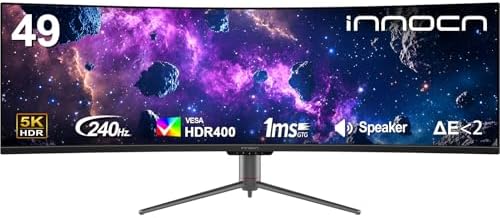
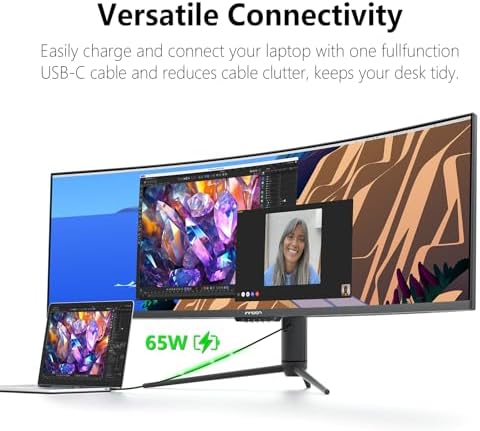
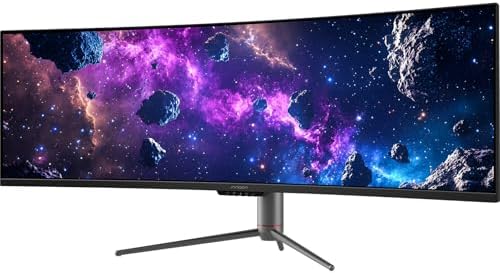
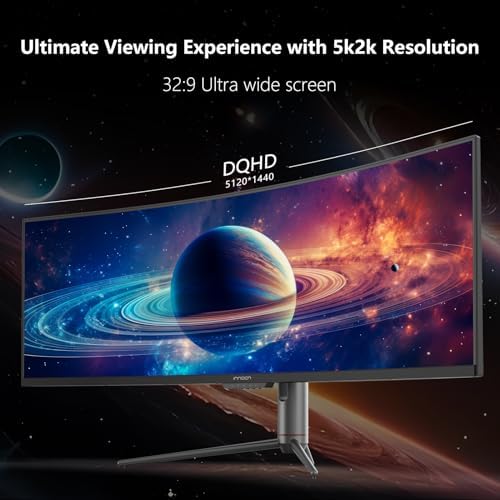
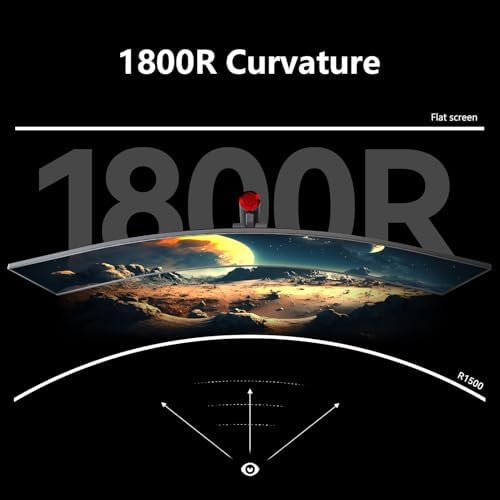
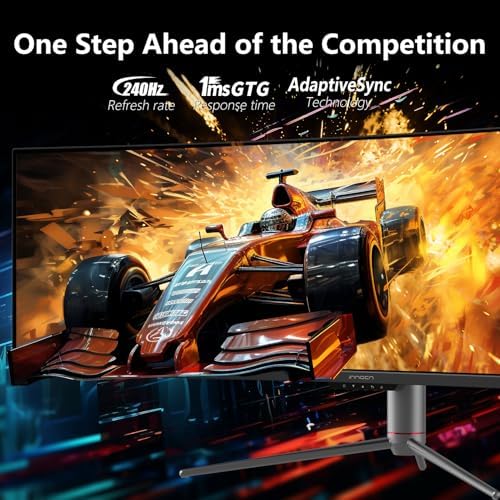
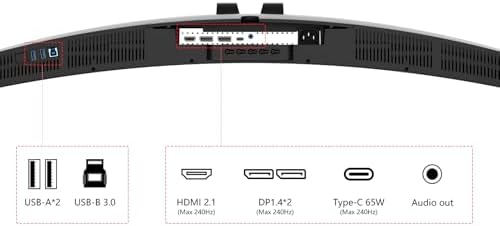
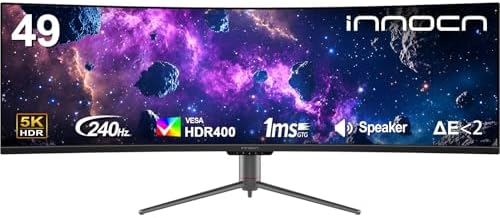
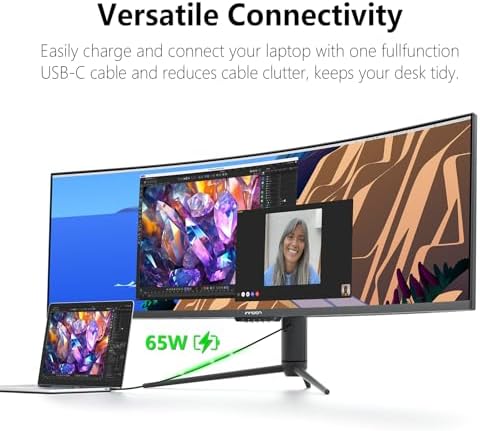
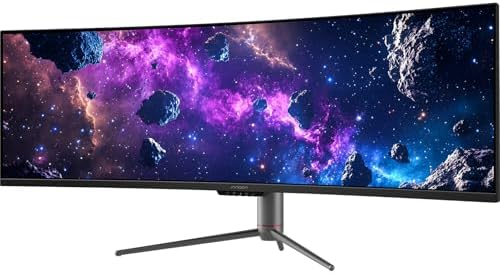
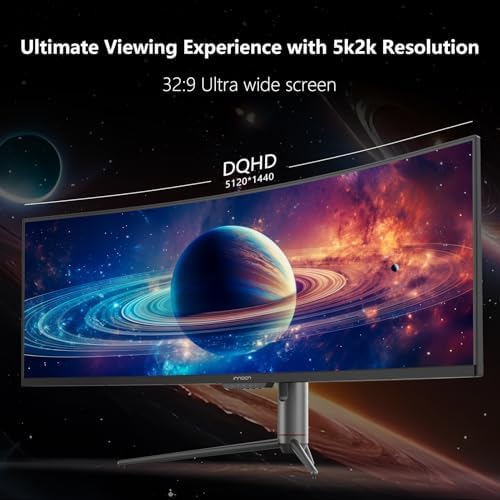
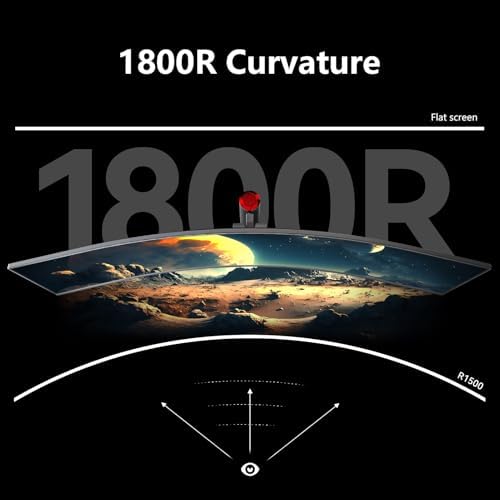
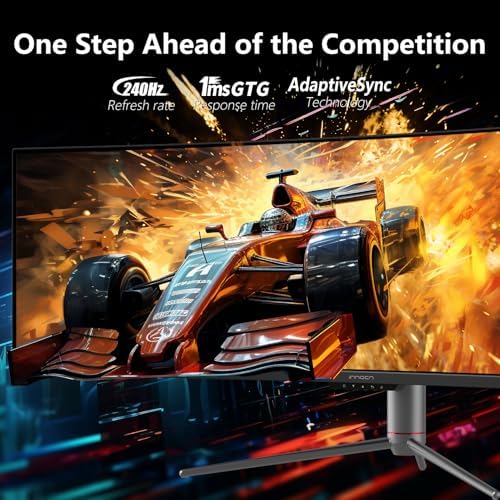
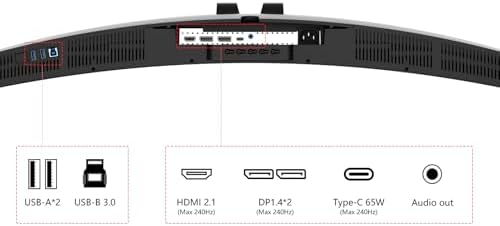
About this item 49 Inch Curved Ultrawide Gaming Monitor - Premium VA Panel delivers double 5K2K 5120*1440 resolution up to 240hz monitor for esport gaming, 32:9 aspect ratio bring more wider visual than ordinary 16:9 monitor, capture game details more clearly for quick response. Tilt / Swivel / Height Adjustable meet different viewing visions USB Type C, DP and HDMI Ports - 49C1S widescreen pc gaming curved monitor delivers powerful USB C power delivery connectivity and have richful interfaces: 2 x DP 1.4, 1 x USB C 65W, 1 x HDMI 2.1, 2 x USB A, 1 x USB-B, 1…
| Size | 49 Inch, 24.5 Inch, 27 Inch, 45 Inch |
|---|---|
| Style | 1440p 240hz, 1080p 240hz, 1440p 320hz, 1440p 120hz |
| Color | Black |
| Aspect Ratio | 32:9 |
| Screen Finish | Glossy |
| Contrast Ratio | 3000:1 |
| Refresh Rate | 240 Hz |
| Display Type | LCD |
| Display Technology | LCD |
| Has Color Screen | Yes |
| Picture Quality Enhancement Technology | HDR, Adaptive-Sync, 99% sRGB |
| Screen Size | 49 Inches |
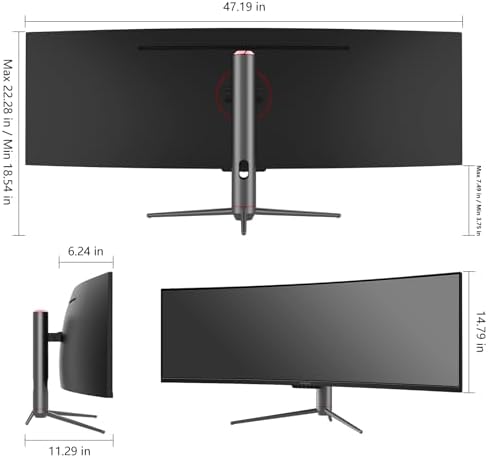
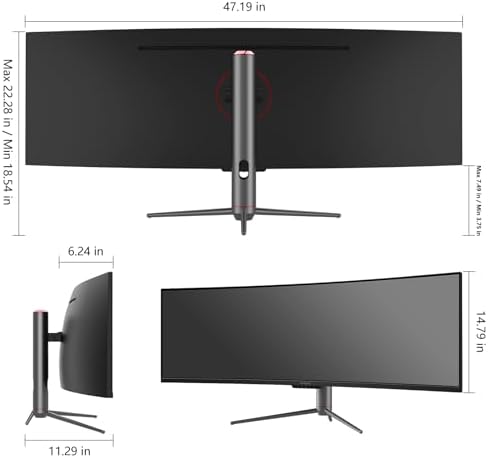
| Item Dimensions D x W x H | 6.28"D x 45.5"W x 14.57"H |
| Resolution | 5K QHD 1440p |
| Display Resolution Maximum | 5120×1440 Pixels |
| Native Resolution | 5120×1440 |
| Response Time | 1 Milliseconds |
| Total Number of HDMI Ports | 2 |
| Total Usb Ports | 3 |
| Number of Component Outputs | 3 |
| Total USB 3.0 Ports | 2 |
| Additional Features | Built-In Speakers, Curved, Flicker-Free, Height Adjustment, Ultrawide Screen |
| Specific Uses For Product | Desktop, Entertainment, Gaming |
| Mounting Type | Desk Mount |
| Compatible Devices | Desktop, Gaming Console, Laptop, Speaker |
| Brand | INNOCN |
| Model Number | 49C1S |
| Model Name | 49C1S |
| Country of Origin | China |
| Manufacturer | Guangxi Century Innovation Display Electronics Co.,Ltd |
| Warranty Description | 1 Year |
| Best Sellers Rank | #1,304 in Electronics (See Top 100 in Electronics) #53 in Computer Monitors |
| ASIN | B0D1VHBPQT |
| Customer Reviews | 4.3 4.3 out of 5 stars (1,249) var dpAcrHasRegisteredArcLinkClickAction; P.when('A', 'cf').execute(function(A) { 4.3 out of 5 stars |
| UNSPSC Code | 43211900 (Computer displays) |
| Connectivity Technology | DisplayPort, HDMI, USB Type A, USB Type B, USB Type C |
| Hardware Connectivity | DisplayPort, HDMI, USB, USB Type C |
| Adaptive Sync | G-Sync Compatible |
| Feature | Boost Productivity with Ultrawide Display Equipped PIP / PBP split screen technology which allowing you to configure your monitor to show content from two separate input sources. Play, watch, stream or work from multiple input sources at the same time, on one screen. You will not go wrong with any details, produce more fun and innovative things with INNOCN monitor. Just turn on and play |
10 reviews for INNOCN 49″ 240Hz Curved Monitor Ultrawide Gaming QHD 5120 x 1440P Computer Monitor, R1800, 99% sRGB, HDR400, USB Type C, DisplayPort, HDMI, Built-in Speakers, Height/Tilt Adjustable – 49C1S : Electronics
Only logged in customers who have purchased this product may leave a review.
Amazon CustomerAmazon Customer –
Best FPS monitor for cheap option 2025 end
I spent a lot of time searching for an affordable gaming monitor and finally chose this one. This monitor boasts an excellent 240Hz refresh rate and 2K resolution. Trust me, once you use it, you’ll never go back; forget 1080p. There are some drawbacks, but they’re acceptable. For example, the screen brightness isn’t very high, but I live in a basement, so it doesn’t bother me. The included stand isn’t height-adjustable, but you can buy a stand mount for $30. Can you believe a monitor at this price has speakers? The sound quality is average, and the volume isn’t loud, but for someone who eats while watching a monitor, this is definitely a plus; I don’t want to wear headphones while eating. This is currently the cheapest monitor with the highest refresh rate you can buy. The monitor is very light, and the casing is cheap plastic, but that’s not important to me. Remember, you’re buying resolution and refresh rate; don’t waste money on expensive packaging and LED lights. They don’t help with gaming.
3 people found this helpful
John –
Almost perfect…
It’s a big monitor. Heavy, so make sure you’re if you’re going VESA mount make sure it’s able to handle it.Cons first:1. Dialing in the controls via the nav nipple is tricky. True of a lot of monitors.2. The power light is BRIGHT and you can’t tape over it sadly. So I have just been turning the monitor off.3. Something related to the monitor is producing some coil whine. I only noticed it when my spouse said something. It’s very minor but worth knowing if you’re hearing is that good.4. Not sure if it came in like this or if I did it, but a minor, minor ‘scuff/scratch’ is on my screen. I run dark mode so I only notice it with non-dark mode things. Turning down the brightness helped. Not worth returning it over an 1/8″ long soft scuff.Pros:I love it. Big enough for your uses. Clear screen. Near enough to OLED in some ways that unless you want those ‘inky blacks’, you can just get this. Plenty of ports. the hub is great. Dimming is pretty good for general use. I game on it with no issue, work with code and text.If you can get it closer to that 400 dollar mark for the 34″ UW model, it’s good for the money. Not so much near the 500 mark maybe cause then you’re close enough to the current budget OLEDs.
54 people found this helpful
Emiliano –
Good monitor
I got this monitor for my Xbox and it runs perfectly and the colors are super good. The brightness is good as well along with its screen size. I play game like Fortnite and it’s way better now with a consistent 120 fps with little to no drops.
2 people found this helpful
Virgil MullinsVirgil Mullins –
Beautiful Picture – Difficult to Mount – Needs Fill Kit or Screws & Spacers – (20mm)
THE MONITORI was skeptical but this is a great monitor – beautiful picture. I use my PC to do a bit of graphic design, video editing and gaming. And it looks great! Brightness is perfect for me. HDR looks nice and crisp. And the high refresh rate lets me know that I am getting the full frame rate and not just what the monitor caps out at — on my old one it was 60hz, so every time I got to 60FPS, I always wondered how much higher it could be. Well — wonder no more.HARD TO MOUNTOnly ONE issue — the way the stand connects to the monitor. The monitor has an inch-deep oddly-shaped hole in it. And you connect the stand into the monitor. That hole is shaped like a triangle on top of a square. Like a “house-drawing” shape.The hole is 1) too small for any mount plate & 2) too deep for the standard screws that come with most mounts and mount kits (either M4 0.7 x12mm (or x 35mm)) 12mm are too short, 35mm are too long. And the 35mm are even too long WITH spacers — by a few millimeters. INNOCN needs to know that MOST people are going to mount their monitor nowadays – as most people have a dual monitor setup OR a small desk area. And either include some screws and spacers that will fit most modern mount kits OR provide a built in piece to fill the hole if you take removed the stand. So that the plate can be flush with the monitor when mounting.PLAN on having to go BUY screws for a tight fit —> (M4 0.7 x 20mm). These were a perfect fit with the plate and the washer.But it still doesn’t feel great that the plate is not flush with the back of the monitor and that it’s essentially hanging on 4 screws.INNOCN — Include a metal block to fill that hole to make the VESA area of the monitor FLAT for a mounting plate.In the picture below — the long screws are screwed all the way in and the small screws are barely screwed in. To show you how both common mounting screws are not a good fit.
2 people found this helpful
FloridaTech –
A lightweight champion
I am not a video connoisseur. I got this to replace an old 1080P with a better 1440P display. It was hard finding one that spec, good color rating, adaptive synch, 24″, etc. and still be reasonably priced. I guess they had to skimp somewhere as this may be the lightest, cheapest feeling monitor I have ever handled. Something to consider if you need to move it around a lot. Me? I stuck it on its shelf and that is not a factor for me at all. The display is rich and sharp and no bad pixels after a few months. I haven’t noticed any ghosting or other issues either. It does take several clicks to move between HDMI and DP but is comparable to other monitors. I am very satisfied with this purchase.
3 people found this helpful
kenny howardkenny howard –
Works as i needed it
Great monitor, took me a minute to figure out how to split screen 2 video outputs from my cpu. I had to actually upgrade my video card aswell, something I already wanted to do. I used an HDMI AND DP1 video cable to split screen.Having in only a single screen mode isn’t really that good , unless maybe playing a game , really great clarity , no dead pixels,
3 people found this helpful
R. Pick –
Great balance of price and features
Great balance of price and features. Perfectly good for office use, can’t say for gaming. Color correctness is quite good, excellent for watching video and office work.
2 people found this helpful
Capt. S –
Monitor failed after a week.
First off, this is a real review from someone with extensive computer experience. My first impression of the 27G2T was good. The monitor has numerous options such as sync, picture in picture, gaming reticle, etc. 320hz is listed as the highest refresh but windows will not see it under the options unless over clock is turned on in the settings. 300hz is the default max. Colors are good and response seemed good. Today when I attempted to adjust the onscreen reticle color before gaming the monitor flashed off and on multiple times, crashed windows and sent the main monitor selection to my other monitor. The resolution that is supposed to be a max of 2560×1440 went up to 3840×2160! This resolution isn’t even listed and shouldn’t be possible. Then I noticed a 3/4″ border of black inside of the plastic frame. After updating drivers and adjusting resolution and scale I wasn’t able to solve the issue. Resetting the monitor did nothing. I wasted hours today searching through INNOCN website and the internet for a solution. I have only had the monitor for 2 weeks. The last test was to connect it to another PC and the black blank area around the outer edge of the screen persists. The other issue I noticed is where the cursor stops. The cursor stops before it hits the bezel on the top and let side and disappears behind the bezel on the bottom and right side. INNOCN website has a lot to be desired.
One person found this helpful
John F Flynn Jr –
Excelent for left right side monitors
Not good enough for a main monitor for me but when on sale they are a great buy for left and right side monitors
KadenKaden –
300hz, not 320hz
everything’s good besides it not being 320hz. the stand is pretty good u can tilt it towards and away from u or rotate the monitor. setup took like 5 minutes