
No products in the cart.
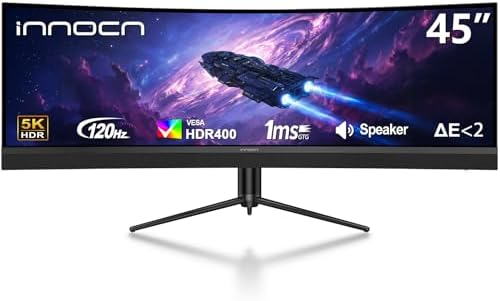
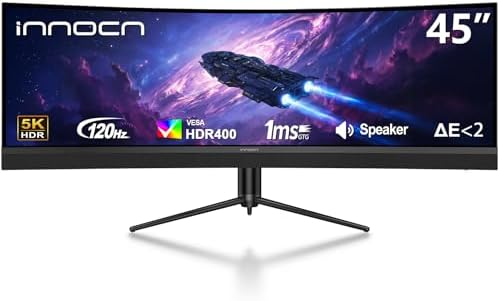
INNOCN 45 Inch 5K2K 5120 x 1440p 120Hz Ultrawide Curved Gaming Monitor, R1500, HDR400, USB Type-C 65W Power Delivery, PIP/PBP, Built-in Speaker, Height Adjustable, Black : Electronics
$847.86
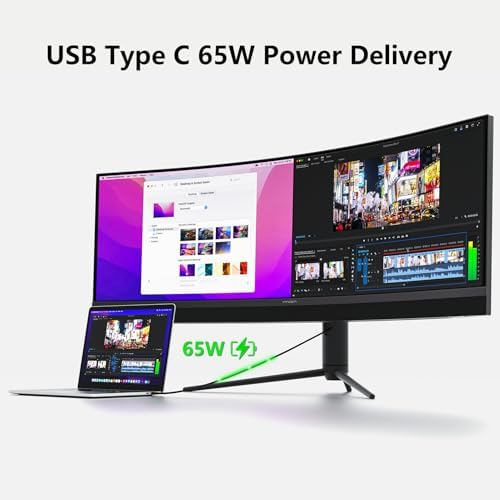
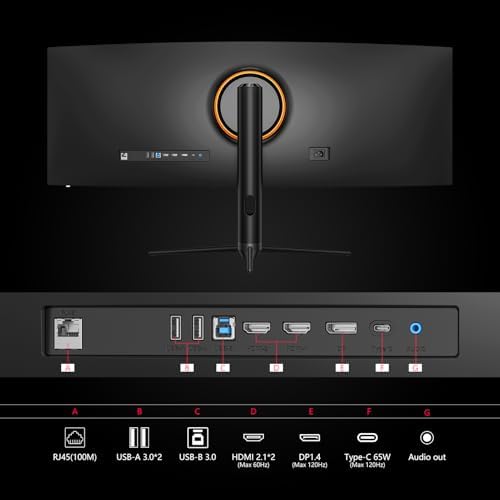
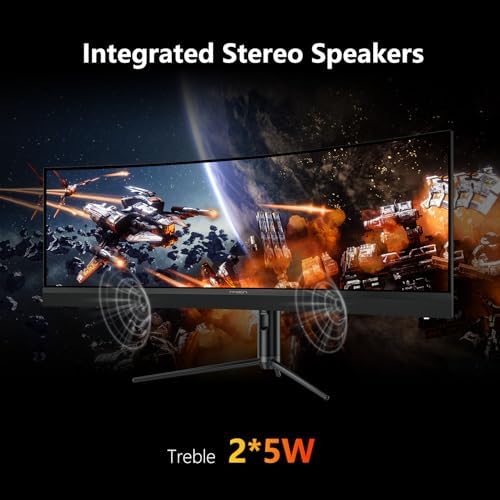
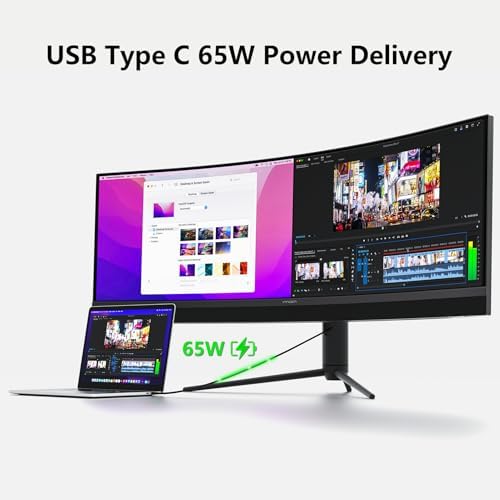
About this item 【Curved Ultrawide Monitor 45" & VA】 Premium VA Panel delivers 5120*1440P resolution up to 120hz monitor for content creation and gaming, 32:9 aspect ratio bring more wider visual than ordinary 16:9 monitor, capture game details more clearly for quick response. Tilt / Swivel / Height Adjustable meet different viewing visions 【USB Type C, DP and HDMI Ports】This new 45C1R widescreen pc gaming curved monitor delivers powerful USB C power delivery connectivity and have richful interfaces: 1 x DP 1.4, 1 x USB C 65W, 2 x HDMI 2.1, 2 x USB A, 1 x USB-B, 1 x…
| Size | 24.5 Inch, 27 Inch, 23.3 Inch, 45 Inch, 24 Inch |
|---|---|
| Style | 1440p 240hz, 1440p 320hz, 1080p 60hz, 1440p 120hz, 1080p 100hz |
| Aspect Ratio | 32:9 |
| Screen Finish | Matte |
| Contrast Ratio | 3000:1 |
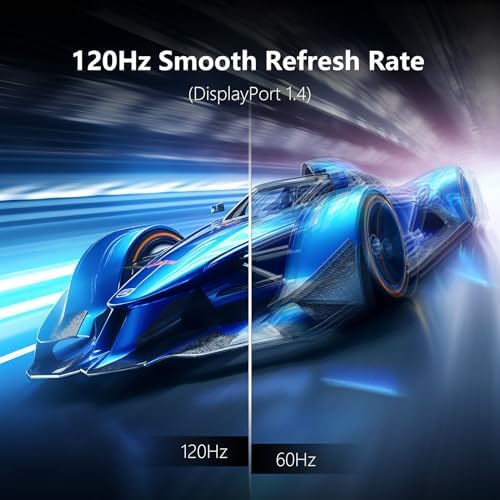
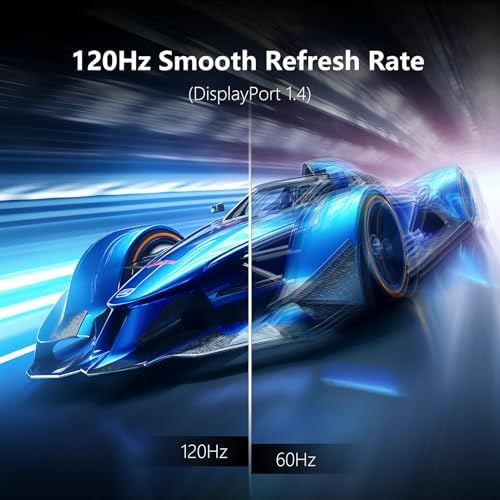
| Refresh Rate | 120 Hz |
| Display Type | LCD |
| Display Technology | Split Screen |
| Viewing Angle | 178 Degrees |
| Has Color Screen | Yes |
| Picture Quality Enhancement Technology | HDR 400, Adaptive-Sync |
| Screen Size | 45 Inches |
| Item Dimensions D x W x H | 10"D x 47"W x 18"H |
| Item Weight | 12.02 Kilograms |
| Resolution | QHD Ultra Wide 1440p |
| Display Resolution Maximum | 5120×1440 Pixels |
| Native Resolution | 5120×1440 |
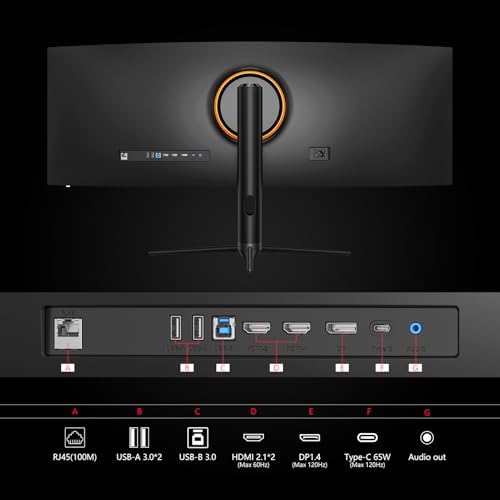
| Connectivity Technology | DisplayPort, HDMI, USB Type A, USB Type B, USB Type C |
| Hardware Connectivity | DisplayPort, HDMI, USB 3.0 Type A, USB 3.0 Type B, USB 3.0 Type C |
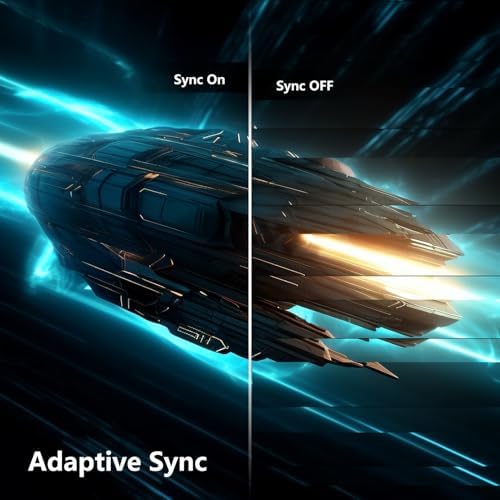
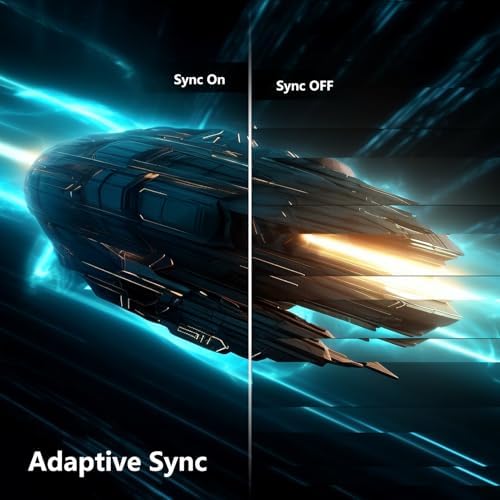
| Adaptive Sync | FreeSync |
| Additional Features | Blue Light Filter, Curved, Flicker-Free, USB Type C, Ultrawide Screen |
| Specific Uses For Product | Business, Gaming, Photo Video Editing |
| Color | Black |
| Mounting Type | Desk Mount |
| Compatible Devices | Desktop, Gaming Console, Laptop, Smartphone, Tablet |
| Brand | INNOCN |
| Model Number | 45E3R |
| Model Name | 45E3R |
| Country of Origin | China |
| Manufacturer | Guangxi Century Innovation Display Electronics Co.,Ltd |
| Warranty Description | 1 Year |
| Best Sellers Rank | #11,564 in Electronics (See Top 100 in Electronics) #373 in Computer Monitors |
| ASIN | B0DFW3PXGM |
| Customer Reviews | 4.2 4.2 out of 5 stars (142) var dpAcrHasRegisteredArcLinkClickAction; P.when('A', 'cf').execute(function(A) { 4.2 out of 5 stars |
| UNSPSC Code | 43211900 (Computer displays) |
| Response Time | 3 Milliseconds |
| Total Number of HDMI Ports | 2 |
| Total Usb Ports | 4 |
| Number of Component Outputs | 3 |
| Total USB 3.0 Ports | 3 |
| Feature | 【Boost Productivity with Ultrawide Display】 Equipped PIP / PBP split screen technology which allowing you to configure your monitor to show content from two separate input sources. Play, watch, stream or work from multiple input sources at the same time, on one screen. You will not go wrong with any details, produce more fun and innovative things with INNOCN monitor. Just turn on and play |
15 reviews for INNOCN 45 Inch 5K2K 5120 x 1440p 120Hz Ultrawide Curved Gaming Monitor, R1500, HDR400, USB Type-C 65W Power Delivery, PIP/PBP, Built-in Speaker, Height Adjustable, Black : Electronics
Only logged in customers who have purchased this product may leave a review.
SESE –
FINALLY a mini led ips for the U.S!
The media could not be loaded.
Purchased before any reviews were up, with coupon at $399.99. This is the one everybody! All the miniled panels at this time in the u.s. have been VA, I’ve tried them, and for someone who needs color and contrast accuracy for photo editing AND a good panel for gaming and hdr.. VA panels have fallen flat on the first category again and again. BUT THIS! this ips is what I was waiting for. I had previously tried the latest KTC miniled and while that got BRIGHT, even with all the adjusting on the world I couldn’t get it accurate for my needs (plus I got 2 and both had dust or stuck pixels on the screen). I also had a nice ips panel but the ips glow in dark scenes and lackluster hdr levels had me searching for something better.This one gets bright, not as bright as the hdr1400 screen I tried previously but plenty, it’s color accurate from the box especially in adobe and srbg modes, I only adjusted it a tic for preference, but it really didn’t even need it. It has SO MANY screen modes with some are actually useful, it’s highly tweakable in color/hue etc that anyone would be pleased. They also include a print out of them color testing your exact panel – I thought that was a nice inclusion.IT REALLY SHINES IN HDR MODE! My previous VA panels looked “eh” at best in SDR and were only really good in HDR, but this is nice and accurate in both.HDMI 2.1 is a lifesaver. Especially if you have apple TVs or Roku plugged in, you can run hdr and extended resolution modes instead of just being locked into 1080p on your 1440p monitor. I’m sure this is important for console players too.Build quality is good, although mine arrived with some mini scratches on the corner bezel. Considering everything I’m able to overlook this. The stand is actually pretty nice too, the base it stands on is metal instead of just plastic. There isn’t a large amount of noticeable light bleeding from the corners like a usual ips. Local dimming mode really takes this from a nice ips panel to a miniled/OLED feel with the touch of a button. I really really like that, I feel like I don’t have to compromise and I really do get the best of both worlds.My only little gripe is the rbg lighting on the back (which is a plus) only has a set of preset colors/modes. I wish at this price you could adjust the levels like a color wheel giving you access to more colors/saturation levels. Otherwise this is everything I was looking for and was worth going over budget, I just won’t be able to afford a second one just yet – but I would 😂
14 people found this helpful
Dee Dee –
Great Monitor!
If you want almost perfect blacks similar to OLED without any worries of burn-in, this is the monitor. The color was also tuned great out of the box. It functions as advertised. The 320Hz gives smooth gameplay. It was easy to set up as well. This monitor also includes HDMI 2.1, which is great for console compatibility. Overall, this is a great monitor for the price.
7 people found this helpful
Ethan –
Great for those of you who, like me, are a bit afraid of destroying an Oled.
I got this monitor on a cyber Monday sale, and no issues so far! It has plenty of settings, some of which I never knew I needed or would use! Namely the pbp/pip modes!! I thought I was going to need another, cheaper and smaller monitor to help with some server tasks while still having access to my main screen, but this monitor takes care of that! for gaming, the 240 Hz allows my GPU to be more fully utilized when playing fast action games, which is nice.This monitor has two HDMI ports, one DisplayPort, and a headphones jack. It can get a bit warm when using high brightness and Hz and HDR, which is the only thing I don’t love, but I am also not surprised, just something to note if you use this monitor with settings that consume a lot of power all the time. I prefer to stuck with 60hz when not gaming to save power regardless.I am not such a stickler for fps, but I do care about color and clarity, and this monitor has massively improved that aspect of gaming and productivity vs my old one. also looks fantastic on my ps5, and allows games to run smoother with raytracing, given the 1440p capabilities. A monitor with 4k might be able to do 1440p too, but my specific 4k TV cannot. Elden ring looks so good on this thing and the game no longer stutters when on quality mode. The Internal speakers are another bonus, which I am very happy to have. While I may miss the size and the curve of my old msi monitor, this monitor blows it clean out of the water in every other aspect, and after like a day of use, the size difference was nearly forgotten. All the buttons work well (and thank god they are BUTTONS that REACT when you press them, and not the stupid little all in one control knob or touch pad style “buttons”. might actually be one of my favorite things about this monitor. I love having buttons that work.
5 people found this helpful
Katriela Lamb –
Won’t stay on… Sad!
The monitor seems to turn off every few minutes then power back up again. It was only happening every once in a while when I first received the item 1.5 months ago, and has been happening more and more frequently. I’ve gone through all of the recovery steps that Amazon provided in the troubleshooting section for this product. Unfortunately, I did not purchase a warranty. I’m here to warn future buyers that the best deal (over 40% off, assuming more bang for your buck) does not always equate to quality.If the monitor stayed on, it would be a perfect, reliable, daily use monitor for all of my work and school! It was easy to set up, I like the picture quality, and is easy to adjust. The widescreen is fun!
8 people found this helpful
Benzo Stanbury –
good enough to keep
Although this INNOCN 25M2S monitor is a little better than my AOC 24G2 (1080p 144hz IPS), perhaps I could have held out another year or two before going all-in on an OLED. But if you need a good gaming monitor right now, then I certainly regard this INNOCN 25M2S as a smart buy.To get Variable Refresh working properly, first ensure that Variable Refresh or Adaptive Sync is ON with your GPU driver. Then use this monitor’s controls to set:Game Settings -> Adaptive-Sync ONGame Settings -> Game Aid -> Refresh Rate ONYou should thereafter see your framerate displayed as blocky green text on-screen. Finally, to ensure Adaptive Sync is working, run a computer game with its FPS between 48-240 Hz and you should see the blocky green text fluctuating as you play.The good:1. Securely packaged box and easy to assemble.2. No dead pixels on the screen I received.3. Vibrant colors.4. HDR1000 adds exciting visual flare to computer games.5. 1440p crammed into a 24.5 inch screen means a crispy image.6. Includes built-in speakers. But I turned them off because I prefer headphones.The bad:1. IPS glow, which can be significantly reduced (but not eliminated) by switching to HIGH local dimming.2. Viewing angles not as good as my AOC 24G2. But this problem pretty much goes away when I’m directly in front of the screen. Perhaps it’s due to this screen having a matte finish instead of a glossy one?3. The instructions included only helped with assembly and didn’t include a guide for all the available settings for adjusting the image.4. Just a minor nit-pick, but I would have liked the option to change to color of text shown for the on-screen Refresh Rate.
3 people found this helpful
leif lathrop –
In many situations this beats my C3
Unlike the Acer version of the same panel, this monitor works really well with SDR and HDR modes, you just flip the windows HDR switch on and off. Acer has had this problem for many years with multiple monitors (I personally experienced) and it’s a huge hassle they should’ve fixed many years ago. So I cancelled my ACER order and went with INNOCN. I think there might be some confusion with how it’s picture defaults\modes are set up, but this is an unbelievable monitor! This will save you a lot of time: First off, if you are playing games with this monitor, HDR games, set the picture mode to SRGB and let NVidia auto switch between standard 8 bit and HDR 10 bit color. Works great, no glitches, huge difference in SDR desktop color and HDR games. Then calibrate HDR in windows, setting the lowest value to 0. You will get great blacks even with low local dimming. Put dynamic overdrive on 3 and local dimming to low. That’s it, it works without effort and you’re done!I’ve been playing on an LG C3 for 2 years, and it’s an amazing experience. I would pick this monitor over it any day. Any day! You get used to the dimness of oled and you think it’s bright. Then you get a monitor that has 1100 nits of glorious HDR with mini led and sooooo many whole bright scenes put my C3 to shame. I’d say around half of the time my games look better with miniled than my oled. I think it has to do with the amount of lighting zones and it’s resolution. It has as many minileds as the 4k versions so it appears 27inches, 1440p is the sweet spot for great miniled local dimming. The clarity, response time are wonderful. The color is wonderful at all times, not overblown, just vivid and clean. The sense of real light in my games is really noticeable with miniled over oled. It’s like oled does a great expression\spin on HDR but miniled just brings the real thing. I don’t worry about burn in anymore or my organic tv slowly degrading.Here’s the thing right now: from a gaming standpoint, the VA panel minileds are vastly inferior to the ips panel minileds. Be sure to nail that down before getting one or you might be really bummed. VA ghosting is unacceptable. Also, until the amount of miniled backlights increase, a 1440p 27 inch miniled monitor works better than the 27inch 4k versions because they have the same amount of backlights, so it’s more accurate at 1440k. I don’t see any blooming, it’s incredible. The only caveat is local dimming on the desktop is just eh.I was impressed with the quality of the monitor, heavy stand, easy controls, zero dead pixels, almost completely uniform backlighting, very little backlight bleed. 1,100 nits, no ghosting, great response, uncomfortably close to oled quality without the dim explosions or bright scenes. On the desktop it’s already calibrated, superb srgb and Adobe gamma accuracy. Overall, the most powerful, accurate and versatile monitor I’ve ever used, hands down.
T. H. Nugent –
Love the combination of small size and really useful screen real-estate at a great price!
Very pleased with this monitor. I wonder why more people don’t look for something just like this – as I assume is the case since there seems to be a lack of products with these specifications. Price-point, size and function are such a great combination. I plan to use my very widescreen but modestly-sized monitor for lots of paper work for work, but also for some graphic design, photography and 3D work. It is modest and wouldn’t likely be to the liking of someone with high performance needs for gaming or the like, but it allows for having two windows open at once on one screen on my small desktop. Yet it doesn’t take up much room and allows for viewing over the top of it to connect me with others in the room when desired. Svelte, inexpensive, good-looking both on its’ exterior and as a display screen which is bright and displays text and images with great contrast, color and detail… very pleased with the purchase. Did I mention?
3 people found this helpful
J. Stevenson –
Wow. Just wow.
Never thought I’d see a mini led 24″ monitor, but here we are. It’s super bright (when tinkering with settings) and the perfect size for my standing desk. Colors look great on it, and the speakers aren’t utter trash. I’d get a second if I has the money.
2 people found this helpful
Amazon Customer –
No Vesa adapter mount included.
This is for INNOCN model 24D1F 24″ monitor. I purchased 4 of these for a 4 monitor set up. Let me start out by saying this seems to be a nice monitor. My only issue is it does not come with the Vesa adapter plate. Searching this monitor before I purchased it said it came with the adapter. Unfortunately reading the instructions provided with the monitor say the vesa adapter bracket is not included. Yes I could have purchased different monitors that were vesa compatible but I liked the price point and looks of this monitor. My real issue is not that they did not come with the adapter but that I cannot even find the part number for the adapter. I have no problem buying the adapters separately but I need the part number and where to purchase them from. I checked INNOCN’s website but found nothing. I purchased some Sceptre monitor adapters hoping I can modify them to make them work but it would have been nice to have the correct ones.
Pepperoni Kid –
Works with Ps5 Pro & using Astro A50X head set/base station with hdmi2.1 pass through.
We imported this from the US to the UK and I’m happy to report that it is suitable for UK power standards. You will need a US to UK plug adapter (bought from Amazon UK @£8.99). We changed the fuse in the plug adapter to 3amps because, the UK adapter arrived with a 10amp fuse. We disabled HDR on the Ps5 Pro & disabled local dimming on the monitor. This made screen much brighter & this is exactly what we wanted. This also gave us full access to all of the monitors settings that were greyed out initially. Honestly, you don’t need HDR or the local dimming on anyway (they both cause lag). There is a ton of screen presets and custom settings available in the monitors menu. You can adjust any of these to fine tune the screen & get the image that suits you. Everything else is set to automatic on the Ps5 Pro such as VRR & ALLM etc. Just remember to reboot everything after you’ve adjusted the settings. We ran through the refresh rate tests on the Ps5 Pro & all is good. We are getting a consistent 119Hz @ 1440p with this setup with no drop offs on Black Ops 7. One note- the Ps5 Pro home screen drops the refresh rate to about 60Hz but, on the home screen you don’t need the monitor running at full wack anyway. The screen is bright, the colours are vibrant & it looks gorgeous. If you are looking for a 24.5 inch monitor with 1440p@ 120Hz for the Ps5 Pro then this is probably the best monitor available in the world right now. Just persevere with the settings, experiment on the console & monitor, make a note of your adjustments, reboot & give it a chance to adjust. We are delighted with it & we highly recommend it..
4 people found this helpful
leif lathrop –
In many situations this beats my C3
Unlike the Acer version of the same panel, this monitor works really well with SDR and HDR modes, you just flip the windows HDR switch on and off. Acer has had this problem for many years with multiple monitors (I personally experienced) and it’s a huge hassle they should’ve fixed many years ago. So I cancelled my ACER order and went with INNOCN. I think there might be some confusion with how it’s picture defaults\modes are set up, but this is an unbelievable monitor! This will save you a lot of time: First off, if you are playing games with this monitor, HDR games, set the picture mode to SRGB and let NVidia auto switch between standard 8 bit and HDR 10 bit color. Works great, no glitches, huge difference in SDR desktop color and HDR games. Then calibrate HDR in windows, setting the lowest value to 0. You will get great blacks even with low local dimming. Put dynamic overdrive on 3 and local dimming to low. That’s it, it works without effort and you’re done!I’ve been playing on an LG C3 for 2 years, and it’s an amazing experience. I would pick this monitor over it any day. Any day! You get used to the dimness of oled and you think it’s bright. Then you get a monitor that has 1100 nits of glorious HDR with mini led and sooooo many whole bright scenes put my C3 to shame. I’d say around half of the time my games look better with miniled than my oled. I think it has to do with the amount of lighting zones and it’s resolution. It has as many minileds as the 4k versions so it appears 27inches, 1440p is the sweet spot for great miniled local dimming. The clarity, response time are wonderful. The color is wonderful at all times, not overblown, just vivid and clean. The sense of real light in my games is really noticeable with miniled over oled. It’s like oled does a great expression\spin on HDR but miniled just brings the real thing. I don’t worry about burn in anymore or my organic tv slowly degrading.Here’s the thing right now: from a gaming standpoint, the VA panel minileds are vastly inferior to the ips panel minileds. Be sure to nail that down before getting one or you might be really bummed. VA ghosting is unacceptable. Also, until the amount of miniled backlights increase, a 1440p 27 inch miniled monitor works better than the 27inch 4k versions because they have the same amount of backlights, so it’s more accurate at 1440k. I don’t see any blooming, it’s incredible. The only caveat is local dimming on the desktop is just eh.I was impressed with the quality of the monitor, heavy stand, easy controls, zero dead pixels, almost completely uniform backlighting, very little backlight bleed. 1,100 nits, no ghosting, great response, uncomfortably close to oled quality without the dim explosions or bright scenes. On the desktop it’s already calibrated, superb srgb and Adobe gamma accuracy. Overall, the most powerful, accurate and versatile monitor I’ve ever used, hands down.
leif lathrop –
In many situations this beats my C3
Unlike the Acer version of the same panel, this monitor works really well with SDR and HDR modes, you just flip the windows HDR switch on and off. Acer has had this problem for many years with multiple monitors (I personally experienced) and it’s a huge hassle they should’ve fixed many years ago. So I cancelled my ACER order and went with INNOCN. I think there might be some confusion with how it’s picture defaults\modes are set up, but this is an unbelievable monitor! This will save you a lot of time: First off, if you are playing games with this monitor, HDR games, set the picture mode to SRGB and let NVidia auto switch between standard 8 bit and HDR 10 bit color. Works great, no glitches, huge difference in SDR desktop color and HDR games. Then calibrate HDR in windows, setting the lowest value to 0. You will get great blacks even with low local dimming. Put dynamic overdrive on 3 and local dimming to low. That’s it, it works without effort and you’re done!I’ve been playing on an LG C3 for 2 years, and it’s an amazing experience. I would pick this monitor over it any day. Any day! You get used to the dimness of oled and you think it’s bright. Then you get a monitor that has 1100 nits of glorious HDR with mini led and sooooo many whole bright scenes put my C3 to shame. I’d say around half of the time my games look better with miniled than my oled. I think it has to do with the amount of lighting zones and it’s resolution. It has as many minileds as the 4k versions so it appears 27inches, 1440p is the sweet spot for great miniled local dimming. The clarity, response time are wonderful. The color is wonderful at all times, not overblown, just vivid and clean. The sense of real light in my games is really noticeable with miniled over oled. It’s like oled does a great expression\spin on HDR but miniled just brings the real thing. I don’t worry about burn in anymore or my organic tv slowly degrading.Here’s the thing right now: from a gaming standpoint, the VA panel minileds are vastly inferior to the ips panel minileds. Be sure to nail that down before getting one or you might be really bummed. VA ghosting is unacceptable. Also, until the amount of miniled backlights increase, a 1440p 27 inch miniled monitor works better than the 27inch 4k versions because they have the same amount of backlights, so it’s more accurate at 1440k. I don’t see any blooming, it’s incredible. The only caveat is local dimming on the desktop is just eh.I was impressed with the quality of the monitor, heavy stand, easy controls, zero dead pixels, almost completely uniform backlighting, very little backlight bleed. 1,100 nits, no ghosting, great response, uncomfortably close to oled quality without the dim explosions or bright scenes. On the desktop it’s already calibrated, superb srgb and Adobe gamma accuracy. Overall, the most powerful, accurate and versatile monitor I’ve ever used, hands down.
leif lathrop –
In many situations this beats my C3
Unlike the Acer version of the same panel, this monitor works really well with SDR and HDR modes, you just flip the windows HDR switch on and off. Acer has had this problem for many years with multiple monitors (I personally experienced) and it’s a huge hassle they should’ve fixed many years ago. So I cancelled my ACER order and went with INNOCN. I think there might be some confusion with how it’s picture defaults\modes are set up, but this is an unbelievable monitor! This will save you a lot of time: First off, if you are playing games with this monitor, HDR games, set the picture mode to SRGB and let NVidia auto switch between standard 8 bit and HDR 10 bit color. Works great, no glitches, huge difference in SDR desktop color and HDR games. Then calibrate HDR in windows, setting the lowest value to 0. You will get great blacks even with low local dimming. Put dynamic overdrive on 3 and local dimming to low. That’s it, it works without effort and you’re done!I’ve been playing on an LG C3 for 2 years, and it’s an amazing experience. I would pick this monitor over it any day. Any day! You get used to the dimness of oled and you think it’s bright. Then you get a monitor that has 1100 nits of glorious HDR with mini led and sooooo many whole bright scenes put my C3 to shame. I’d say around half of the time my games look better with miniled than my oled. I think it has to do with the amount of lighting zones and it’s resolution. It has as many minileds as the 4k versions so it appears 27inches, 1440p is the sweet spot for great miniled local dimming. The clarity, response time are wonderful. The color is wonderful at all times, not overblown, just vivid and clean. The sense of real light in my games is really noticeable with miniled over oled. It’s like oled does a great expression\spin on HDR but miniled just brings the real thing. I don’t worry about burn in anymore or my organic tv slowly degrading.Here’s the thing right now: from a gaming standpoint, the VA panel minileds are vastly inferior to the ips panel minileds. Be sure to nail that down before getting one or you might be really bummed. VA ghosting is unacceptable. Also, until the amount of miniled backlights increase, a 1440p 27 inch miniled monitor works better than the 27inch 4k versions because they have the same amount of backlights, so it’s more accurate at 1440k. I don’t see any blooming, it’s incredible. The only caveat is local dimming on the desktop is just eh.I was impressed with the quality of the monitor, heavy stand, easy controls, zero dead pixels, almost completely uniform backlighting, very little backlight bleed. 1,100 nits, no ghosting, great response, uncomfortably close to oled quality without the dim explosions or bright scenes. On the desktop it’s already calibrated, superb srgb and Adobe gamma accuracy. Overall, the most powerful, accurate and versatile monitor I’ve ever used, hands down.
leif lathrop –
In many situations this beats my C3
Unlike the Acer version of the same panel, this monitor works really well with SDR and HDR modes, you just flip the windows HDR switch on and off. Acer has had this problem for many years with multiple monitors (I personally experienced) and it’s a huge hassle they should’ve fixed many years ago. So I cancelled my ACER order and went with INNOCN. I think there might be some confusion with how it’s picture defaults\modes are set up, but this is an unbelievable monitor! This will save you a lot of time: First off, if you are playing games with this monitor, HDR games, set the picture mode to SRGB and let NVidia auto switch between standard 8 bit and HDR 10 bit color. Works great, no glitches, huge difference in SDR desktop color and HDR games. Then calibrate HDR in windows, setting the lowest value to 0. You will get great blacks even with low local dimming. Put dynamic overdrive on 3 and local dimming to low. That’s it, it works without effort and you’re done!I’ve been playing on an LG C3 for 2 years, and it’s an amazing experience. I would pick this monitor over it any day. Any day! You get used to the dimness of oled and you think it’s bright. Then you get a monitor that has 1100 nits of glorious HDR with mini led and sooooo many whole bright scenes put my C3 to shame. I’d say around half of the time my games look better with miniled than my oled. I think it has to do with the amount of lighting zones and it’s resolution. It has as many minileds as the 4k versions so it appears 27inches, 1440p is the sweet spot for great miniled local dimming. The clarity, response time are wonderful. The color is wonderful at all times, not overblown, just vivid and clean. The sense of real light in my games is really noticeable with miniled over oled. It’s like oled does a great expression\spin on HDR but miniled just brings the real thing. I don’t worry about burn in anymore or my organic tv slowly degrading.Here’s the thing right now: from a gaming standpoint, the VA panel minileds are vastly inferior to the ips panel minileds. Be sure to nail that down before getting one or you might be really bummed. VA ghosting is unacceptable. Also, until the amount of miniled backlights increase, a 1440p 27 inch miniled monitor works better than the 27inch 4k versions because they have the same amount of backlights, so it’s more accurate at 1440k. I don’t see any blooming, it’s incredible. The only caveat is local dimming on the desktop is just eh.I was impressed with the quality of the monitor, heavy stand, easy controls, zero dead pixels, almost completely uniform backlighting, very little backlight bleed. 1,100 nits, no ghosting, great response, uncomfortably close to oled quality without the dim explosions or bright scenes. On the desktop it’s already calibrated, superb srgb and Adobe gamma accuracy. Overall, the most powerful, accurate and versatile monitor I’ve ever used, hands down.
leif lathrop –
In many situations this beats my C3
Unlike the Acer version of the same panel, this monitor works really well with SDR and HDR modes, you just flip the windows HDR switch on and off. Acer has had this problem for many years with multiple monitors (I personally experienced) and it’s a huge hassle they should’ve fixed many years ago. So I cancelled my ACER order and went with INNOCN. I think there might be some confusion with how it’s picture defaults\modes are set up, but this is an unbelievable monitor! This will save you a lot of time: First off, if you are playing games with this monitor, HDR games, set the picture mode to SRGB and let NVidia auto switch between standard 8 bit and HDR 10 bit color. Works great, no glitches, huge difference in SDR desktop color and HDR games. Then calibrate HDR in windows, setting the lowest value to 0. You will get great blacks even with low local dimming. Put dynamic overdrive on 3 and local dimming to low. That’s it, it works without effort and you’re done!I’ve been playing on an LG C3 for 2 years, and it’s an amazing experience. I would pick this monitor over it any day. Any day! You get used to the dimness of oled and you think it’s bright. Then you get a monitor that has 1100 nits of glorious HDR with mini led and sooooo many whole bright scenes put my C3 to shame. I’d say around half of the time my games look better with miniled than my oled. I think it has to do with the amount of lighting zones and it’s resolution. It has as many minileds as the 4k versions so it appears 27inches, 1440p is the sweet spot for great miniled local dimming. The clarity, response time are wonderful. The color is wonderful at all times, not overblown, just vivid and clean. The sense of real light in my games is really noticeable with miniled over oled. It’s like oled does a great expression\spin on HDR but miniled just brings the real thing. I don’t worry about burn in anymore or my organic tv slowly degrading.Here’s the thing right now: from a gaming standpoint, the VA panel minileds are vastly inferior to the ips panel minileds. Be sure to nail that down before getting one or you might be really bummed. VA ghosting is unacceptable. Also, until the amount of miniled backlights increase, a 1440p 27 inch miniled monitor works better than the 27inch 4k versions because they have the same amount of backlights, so it’s more accurate at 1440k. I don’t see any blooming, it’s incredible. The only caveat is local dimming on the desktop is just eh.I was impressed with the quality of the monitor, heavy stand, easy controls, zero dead pixels, almost completely uniform backlighting, very little backlight bleed. 1,100 nits, no ghosting, great response, uncomfortably close to oled quality without the dim explosions or bright scenes. On the desktop it’s already calibrated, superb srgb and Adobe gamma accuracy. Overall, the most powerful, accurate and versatile monitor I’ve ever used, hands down.