
No products in the cart.
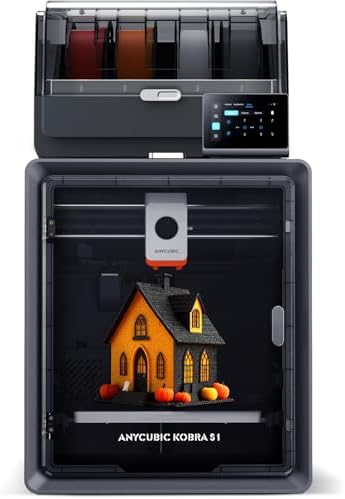
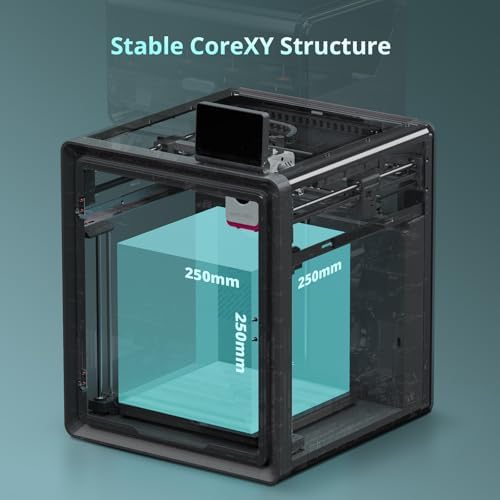
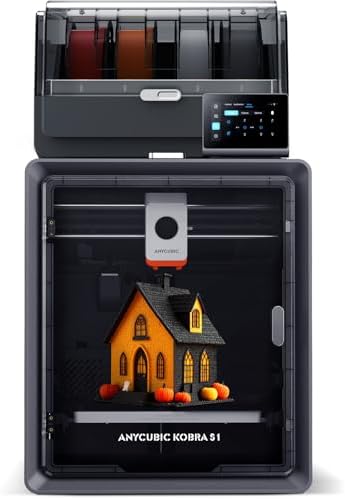
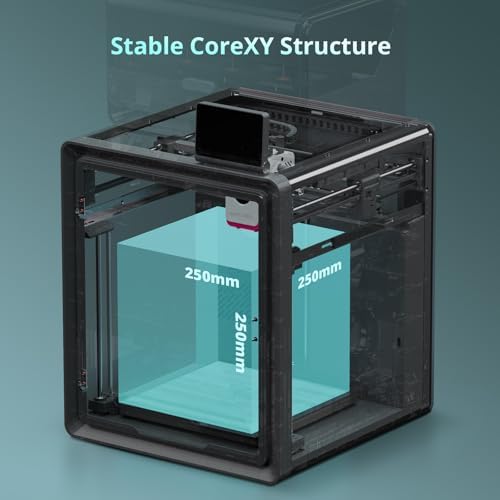
Anycubic Kobra S1 Combo Multi-Color 3D Printer, Fast 600mm/s Printing Auto Leveling with Auto Calibration Anycubic App One-Click Printing 250 x250x250mm Build Size : Industrial & Scientific
$809.99
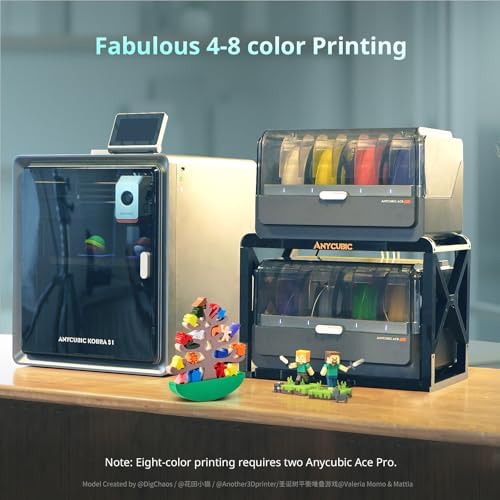
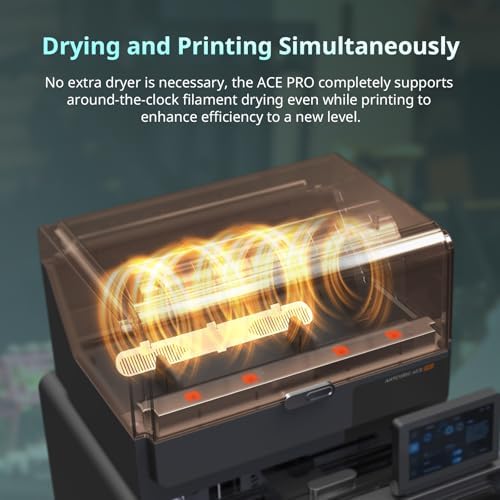
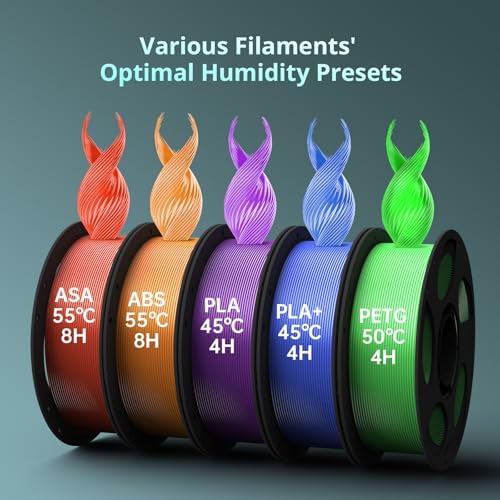
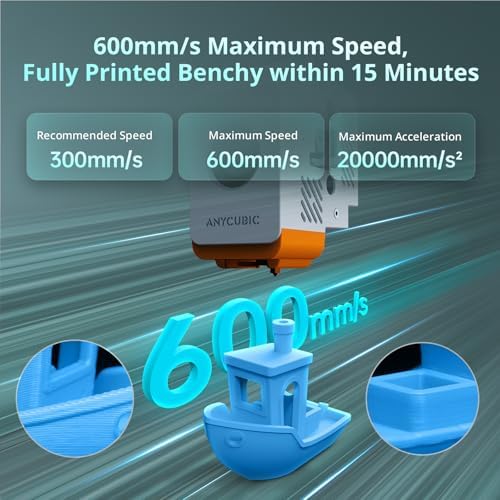
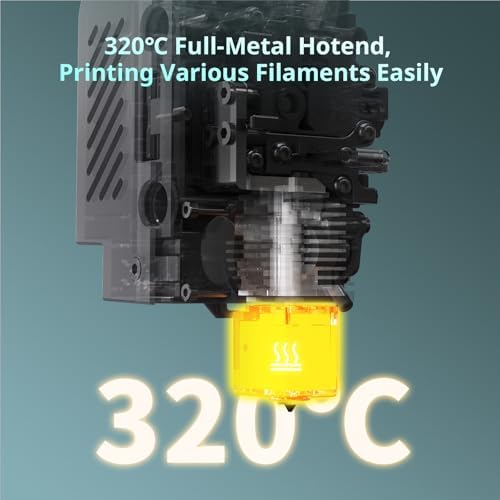
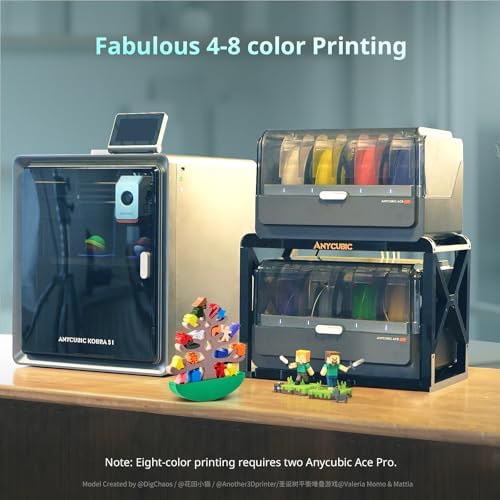
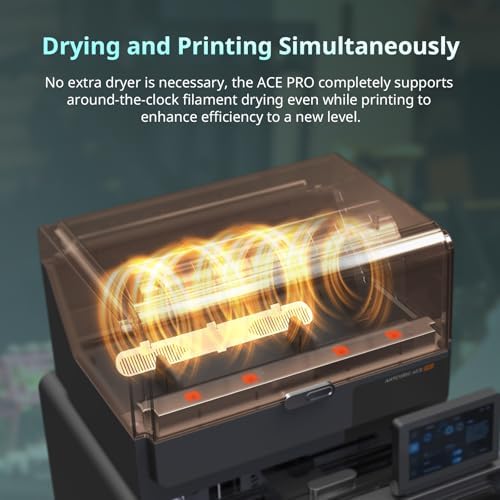
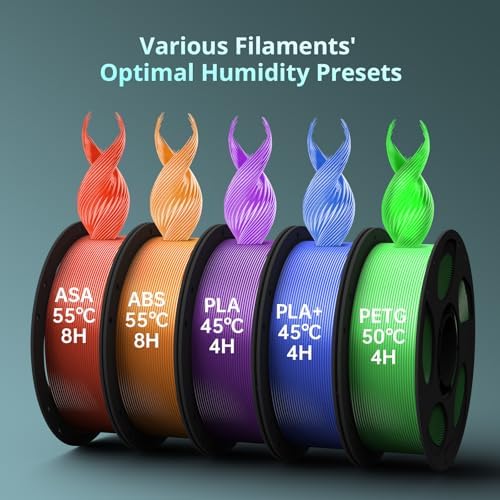
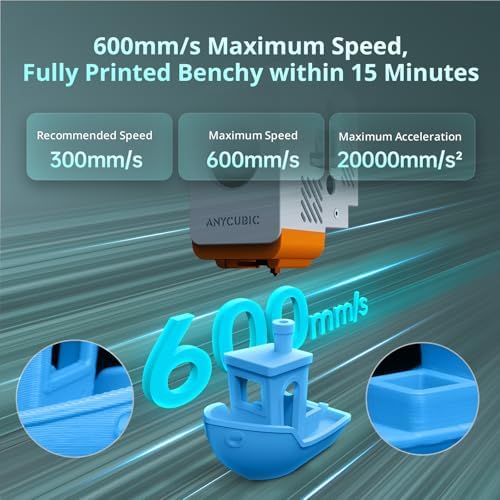
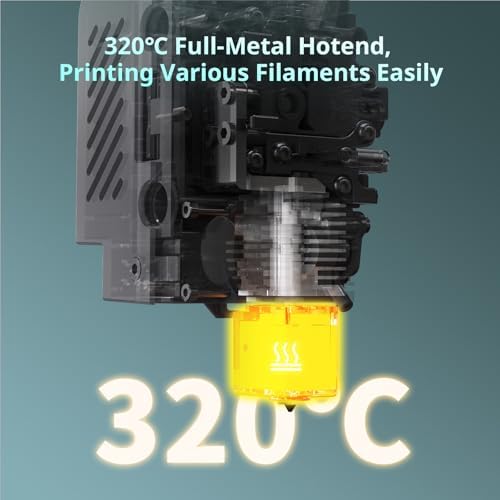
About this item 【Vibrant Multi-Color Printing】With 4-color printing, Anycubic ACE PRO delivers stunningly vibrant and vivid prints. When two Anycubic Ace Pros are combined, you can then unleash eight-color printing to bring you even more unimaginable possibilities 【Unrivalled Printing Speed】Printing at an astonishing Max 600mm/s and 20,000 mm/s² acceleration, Anycubic Kobra S1 Combo 3D Printer effortlessly delivers superior accuracy and detail so you can print up to 12 times faster than regular FDM printers 【Efficient Filament Drying】Dual PTC heating module + 360° hot air circulation drying technology ensures even heating of the filaments, keeping the them in optimal printing condition…
| Compatible Devices | Laptop, Personal Computer |
|---|---|
| File Format | Input:.STL,.OBJ,.3mf Output: GCode |
| Operating System | Linux |
| Power Consumption | 325 Watts |
| Printing Technology | FDM |
| Compatible Material | PLA, PLA+, ABS, ASA, PETG、PA、PC、Matte PLA、Silk PLA |
| Connectivity Technology | Anycubic APP, Anycubic Slicer Next, USB |
| Item Dimensions D x W x H | 20"D x 20"W x 25"H |
| Enclosure Material | Metal |
| Nozzle Primary Material | Multiple Colors |
| Nozzle Tip Material | Copper or Bronze |
| Brand | ANYCUBIC |
| Global Trade Identification Number | 00840432414071, 00840432430217 |
| Manufacturer | ANYCUBIC |
| Customer Reviews | 3.5 3.5 out of 5 stars (186) var dpAcrHasRegisteredArcLinkClickAction; P.when('A', 'cf').execute(function(A) { 3.5 out of 5 stars |
| Best Sellers Rank | #18,843 in Industrial & Scientific (See Top 100 in Industrial & Scientific) #39 in 3D Printers |
| UNSPSC Code | 45100000 (Printing and publishing equipment) |
| ASIN | B0FLQ73XMW |
| Built-In Media | 3d printer |
| Country of Origin | China |
| Item Height | 8 inches |
| Warranty Description | Technical Support |
| Color | Black |
| Feature | 【Convenient App Remote Control】Start your print process anytime, anywhere with just one click using your remote devices with the Anycubic App. Multi-plate document parsing is also supported for intricate designs |
10 reviews for Anycubic Kobra S1 Combo Multi-Color 3D Printer, Fast 600mm/s Printing Auto Leveling with Auto Calibration Anycubic App One-Click Printing 250 x250x250mm Build Size : Industrial & Scientific
Only logged in customers who have purchased this product may leave a review.


Larry Brown –
Best multicolor printer on the market for the price.
This printer performs just as well and just as reliably as printers much more expensive. I have not had a bad print and I have several thousand hours in less than a year. I did have to replace a fan that went out but (my own fault for not watching the video they recommended before changing the hot end), but support was awesome and sent out a replacement part and a step by step instructions along with a detailed video showing how to replace the part. I really love this printer. This is truly a plug and play printer that produces high quality prints at up to 600mm/s. Everything about this printer is excellent, the inner light, the time lapse camera, auto-level, and the ACE pro unit that also dries filament. That is what really sets this machine apart from the others in my opinion. And again it is hands down the best multicolor printer option on the market in an affordable price range. I highly recommend this printer for all skill levels from beginner to professional creators. Seller shipped as soon as my order was confirmed and the Item arrived undamaged and works as intended.
Joshua Zvirzdys –
Errors, errors, errors
Worked great for a week and then started throwing errors left and right. Issues started once I tried to do a print that would finish a spool off and transfer to another spool of PLA. Printer kept throwing errors like abnormal extrusion and system errors. I followed the wiki on how to properly clean the nozzle. That didn’t fix it. I followed the wiki on a more extensive cleaning. That fixed it the extruder errors. I made sure the cables were all connected and it started to print like normal again. I did a test print and had no issues. Started a longer print and it kept giving a system error 10414 or something like that. Telling me to reboot. I did this twice. Resumed printing. The second time, the printer just stopped in the middle of printing. No noise no error the screen still showed the print stuff but nothing worked on the panel. The light had even turned off on the printer and the fans had completely turned off. I turned the printer off for a third time. I resumed the print and it must’ve forgot the level it was on because it started dragging across the print in a bumping motion I immediately canceled the print. Ran a full calibration, following a test print. Getting 10414 again. Going to follow the wiki guide for solving this to check on firmware updates and cables again. Definitely annoying to run into these issues within one week of purchase.Also, the Ace feeder. One of the ports on it has a weird thing where if the filament sometimes comes out through a seam in the plastic back into the compartment the spools are in, instead of funneling into the Teflon tube. I’ve basically given up on that port because it keeps causing errors in the prints every time I’ve tried to use that port.For the first week it was great. I was super impressed and happy with it. The print quality was great. I was only using ports 1 and 2 on the ace and had full spools to start with. The larger chamber size was awesome because I could make bigger prints. The ace feeder was great because i didn’t have to manually change a single spool like my other printer.But having to spend 4 hours to rebuild the enter print head section and the constant errors is really turning me off. Was contemplating getting a second one before this happened. Kind of happy I didn’t right now.If I can resolve these issues I’ll update my review but for now I wouldn’t recommend.Updated 12-12-25:Struggled with the product over thanksgiving. Getting constant errors and resuming prints started on the wrong level. I followed a few additional guides on trying to fix this. Eventually the product worked again without an issues for about a week. Out of nowhere it’s getting constant errors every print again. Printing the same object using the same brand filament. I wish I refunded this when I had the chance. It’s been a nightmare coming back from work with projects that got to 5% and went to error. Tons of wasted filament. Would never recommend.
2 people found this helpful
joan151joan151 –
Kobra S1 just gets better
Pretty awesome device. I have a Flashforge AD5X which works amazing. The Anycubic is just better in every way. Build quality is much better with a full enclosure right out of the box that matches the sturdiness of a minifridge. The ACE filament system is very solid and well priced as part of the combo package. Out of the box, easy to set up and fire up within 30 minutes for a new user. Loading filaments in the Ace pro can be a bit tricky if the feed is not straight however you will manage through it after a few attempts. Filament dryer is an absolute game changer for PETG filaments. This ACE pro alone is worth the printer in the combo. Screen is awesome and easy to use. Bed leveling has not failed and worked right through every print. Dont ever print without leveling first!!!!! So far about 300hrs in and no clogs or issues. I have cleaned off some of the rails to ensure that debris and dust dont cause any issues. Quality is much better than other printers however not as fast. On average about 3 minutes slower per print per hour relative to FF AD5x. Both are my daily machines however AKS1 serves as my PETG setup for now. Best part about it is that it was a better financial choice than most others at the same pricepoint.Update 12-13-2025Bought one more and convinced 3 others to buy the same. No issues 500 hours in of printing. Some maintenance as recommended but that’s all
7 people found this helpful
SV –
3.5 stars out of 5 because I had to return the first one
I really want to love this 3D printer I really do. I’ve printed over a hundred things now and this one (my second one) seems to be holding up well. As I mentioned this is my second Anycubic Kobra S1, my first one had a catestrophic clog on day 3 so it was exchanged. This is my first (or second) experience with my own 3D printer and I purchased it purely for hobby printing. I have a friend who has a Bambu P1S and an H2C, and I’ve messed around with the H2C a bit but I can’t really compare as I have a lot more experience with the Kobra S1 at this point.Where this printer really shines:- Value for the money: the price for this printer with the ACE Pro (especially on sale) is very hard to beat.- Ease of use: very beginner friendly, even initial setup is very intuitive.- Speed: the speed does leave a bit to be desired, but for a hobbiest it’s better than expected.- Camera: it’s a really nice touch to be able to look in on your prints from the Anycubic slicer app, although the camera quality isn’t amazing.- Anycubic Slicer: the slicer is a fork of the Orca slicer so it’s very easy to look up how to use certain features online.- Size: the print bed size is pretty impressive, you can print some pretty large prints with ease.- Automatic features: bed leveling, resonance, filament drying, and ai detection are all automatic features you can run from the app.- Cover: this is a fully enclosed printer, which is a steal at the sale price.Now for the cons:- Noise level: it’s not loud but it’s not quiet either. The print head motors almost make a beeping sound when it moves, after a while it’s easy to forget you are hearing it but you can definitely hear it.- Online 3D model support: the included 3D model site isn’t the best, but with the help of a quick online search you can find plenty of free or low cost medels to download then manipulate in the Anycubic slicer.- Printer section in the slicer: so this drive me absolutely nuts until I figured out what was going on. In the provided slicer when you open a 3D object from the online site it will default to certain printers like say the S3. If you save a project and try and print it later from the app, it won’t let you and if you e already delete the file you have to start all over. This isn’t the end of the world but definitely a learning curve situation.- Print bed object detection: I really wish there was better AI or some sort of object detection in place to check if something is on the bed before you print. I left a prime tower that I didn’t see on the print bed a it knocked my print head cover off. Total rookie move but this could be solved by some sort of detection system.- Print bed adhesion: I’ve had a few prints that were having issues sticking to the print bed which lead to wasted time and filament. I’m thinking this is part of the learning process as some of this has been solved by adding a skirt to the model, which I originally didn’t have experience with. A few other times this wasn’t the issue and I had to cancel and reprint and for whatever reason it came out fine the second time.- ACE Pro rack: I wish there was an included Ace pro rack to have the ACE Pro on top but still have access to the top panel in order to remove it. I’d also like a rack that would allow you to stack the ACE Pro units so you can run 8 colors and have the printer and ACE units stacked without damaging anything.Aside from these very few cons, I think this printer has a lot of potential. This would be a 5 star printer if my first one wouldn’t have had such a bad clog on day 3. I even tried to troubleshoot this issue but after a solid day of online research and tinkering with the print head I decided it wasn’t worth the time and requested an exchange. This second unit has been working much better, so much so that I’m in the process of saving up for the Kobra 3 V2 combo so I can hook both ACE Pros up to the S1 and then have the 3 V2 to run single colors. Ultimately I think time will tell how good this printer really is or isn’t but I’d say so far this is about a 3.5 star printer and that is including my experience with the first one.I think this is a great printer to learn on especially if you can get the combo on sale like I did, but without the sale price I think I’d honestly go a different route.
One person found this helpful
astainless –
Amazing printer. They seem to have fixed any issues that were there.
UPDATE:Spoke with support. They have made several upgrades that seem to have fixed the issues I was having. For example the plastic tabs in the sensors on both the ACE and the extruder that were giving me most of the problems have been replaced with metal ones. The hot end has also had some upgrades. The new one has no PTFE tube in it which was causing clogs. I ordered a new unit and have not had a single issue with the new unit in about a month. I have only had 2 failed prints and both were due to the filament being tangled which is not the machines fault. If you get a new unit it should run about perfect. If you are having any issues contact Anycubic support. They will help make it better.OLD REVIEW:(When it prints it is amazing. I had to return mint because in nearly 4 weeks of ownership 1 1/2 of those weeks were down for maintenence. Replaced extruder, replaced parts in the ace (sensors for 1 and 2) heater failure, clogging errors. I must have had the extruder apart a dozen times. If they fix the extruder and ace problems this machine would be amazing. Maybe I received a problematic unit. Prints that it did were fantastic.)
3 people found this helpful
Anonymous –
FRUSTRATING BEYOND BELIEF- DO NOT RECOMMEND
1 Friggin STAR! here is why1st – initially received a beat up printer- scuffed up, assembled and missing the USB- Awesome quality check on that return. NOT.- Replacement received.2nd – NOT easy set up. (Assembly was easy enough (don’t forget about those extra 3 screws that have the bed locked) the blue clips were a pain to put back on, so don’t lose those. Other than that, no problems. 15 minutes unless you take your time. That’s the easiest part of this machine. On to more frustrating WHY.3rd – WILL NOT STAY CONNECTED. When I FINALLY got it connected by app- still hasn’t connected to the computer.4th- Firmware – will NOT complete update because it wont stay connected – It uses 2.4 wifi btw-5th – APP IS CRAP- NOT User friendly6th – IS NOT OUT OF THE BOX READY – unless you want to count all 6 maybe of the test prints7th- FRUSTRATING BEYOND RELIEF! I have a real out of the box 3D printer connects to real wifi, app friendly, software friendly. NOT THIS ONE!I have spent 5 hours trying to figure out wth is wrong with this connection, There is ZERO information in a manual for easy set up and how to set it up with the network. I turned wifi off on the unit and then it connected to my phone. Then it disconnected as I tried to print to it. Turned network back on unit that matched phone, connected, acted like it was downloading firmware then failed. APP shows printer is offline and yet updating software, printer is on LAN. The menu screen is horrible, it doesn’t show there is any kind of data being received or any status update information at all, the app sure as heck doesn’t show it either. the APP is web based and its crap. NOT A REAL APP. IF i figure this out I MIGHT come back and edit this review. I really wanted this to be as good as my other OUT of the BOX printers, but the frustration level this has cause its NOT WORTH the rewrite! BUY SOMETHING ELSE!I DO NOT RECOMMEND this printer to anyone who is new- and I honestly wouldn’t recommend this to anyone is not new.Everyone saying its great, doesn’t even mention an app- All software for a computer is the same. APPs are NOT created equal. HUGE efforts are needed for the APP.
6 people found this helpful
Andrew Powers –
Good without the Ace and don’t use Anycubic Filament
Generally this is a decent beginner printer. I’ve got nearly 1000 hours of printing so far so I at least have a decent amount of run time to review off of. Generally the S1 does a good job of identifying and correcting its own problems or at least stopping the print before too much damage is caused or waste is generated. The auto-calibration works reasonably well and the camera plus app is nice to be able to monitor prints while at work.Why the 2 star review?1. Avoid using Anycubic filament in this printer. I’ve tried about 7 brands of filament in this printer to include 5 rolls of Anycubic filament. The only one to consistently cause problems was the Anycubic. Clear sparkly ZIRO filament? No problem! Matte Sunlu? Prints like a dream. Anycubic? Clogs, holes in prints, completely stops printing, wavy sides, etc.2. The Ace, while a good idea doesn’t work very well. It doesn’t have a way to calibrate itself and the main drive shaft gets out of sync due to poor design meaning that it’ll feed more than one filament at a time (started happening around 700 hours of print time). This causes 2 filaments to eventually try to squish into a single tube causing significant blockages.3. Multi-color prints have a LOT of waste with very little in the way of options to reduce the waste (as is possible in some other brands of printer). Not too bad when printing a full plate, but awful when there is 150g of waste for a 30g print. (wasn’t too bad when printing 20 of them since the 150g stayed the same).4. Their tech support is either illiterate or at least doesn’t bother to read anything in writing sent to them, so if you have any issues you’ll be better off searching for help online (since their tech support just sends you links to their own troubleshooting guides that didn’t work in the first place).Overall this would have gotten 3 stars if their tech support at least made a reasonable attempt to assist (if Anycubic reads these: Gavin). I’d probably push it back up to 4 stars if the Ace would stop feeding 2 filaments at once. I want to like the printer, but it is difficult when certain functions aren’t working due to poor design.
3 people found this helpful
danny –
when it worked it worked…but it broke after just 3 weeks. maybe 10hr total of use.
I’ll just list something to be ready for, i just returned the printer because it was defective, bed motor grinding really bad after 3rd week of use can’t home without bad grinding. from bed motors.-work great with PLA-clogs a lot with PETG-troubleshooting literature is very limited-does not like mesh networks- at time of writing could not choose generic all steel hot end from print options on the screen though it is listed. you have to have an account and logged on to monitor your printer . the slicer’s maker store fails to load a lot of the stls that are advertised, i had to login with a web browser and save the file to my hard drive then load it in the slicer once I open up the slicer again and log on, i cant ” remote print” unless the software and printer are both logged on to anycubic server.when it worked it was great but in the 3 weeks i had it it only worked about half the time. I returned it and am waiting to get another one, hopefully this one was just a flook, I’ll update once i get my new one, btw, i was not offered a replacement option so i have to wait for my refund before re purchasing the printer.
2 people found this helpful
Reid –
Processing/shipping promises stink, printer good
Why 3 stars, you ask? Well, I deducted 2 stars because of the false advertising of next day or 2 day delivery.My first order had to be canceled by Amazon after they have determined that nearly 2 weeks at a warehouse in Mississippi was considered lost/stolen. Why was it coming from Mississippi (I live in Austin, TX) when I go back to the same product page and says 2 day Prime delivery? Yet, Amazon kindly reordered the printer for me and it arrived in 2 days as promised… But this one was shipped directly from the Austin warehouse? Makes no sense to me.But! As far as the printer goes, it has a nice quality weight to it, stable while printing, and prints fairly well. This is just from 4 days of printing since this review.The cons so far I’ve noticed is that it wastes a lot of filament switching colors. If you do this, make sure you create multiple copies on the same bed. Seperate different solid colors on their own seperate plate, and mixed colors on one plate.Another is not having some sort of filament poop chute bin. All it does is plop it out to an exit from the back of the printer to nothing catching it. Kinda funny but come on… This should be simple common sense for any 3d printing company to include.I do, for now, recommend this printer if you’re getting into multi-color printing.
AaT –
Still has flaws
The printer so far has been great…except for bed adhesion issues. On the other hand, the Ace Pro (the multicolor filament holder/dryer/extractor) is not the best engineering. It is very touchy- sensors only accept filament at certain angles and if you don’t have 1kg spools, the filament doesn’t retract and feed correctly so you have to print off spool adapters. It has been a hassle and huge learning curve from my old printer. I sent back my first machine and customer service was great about getting me a new machine. I have done several prints with the new machine, and although not as bad as the first, the Ace Pro still has its issues. I think the sale price I got this at was a steal but will send it back again if there are any more issues with it. I also have to say, it prints well, once you get the filaments loaded, BUT flush time is insanely long. So if printing multicolor prints it can take this printer 5 hours out of a 6 hour print just to change filaments. I am disappointed in that ratio. Needs to have the ability to switch colors faster than that. Over all, 3.5 stars
4 people found this helpful