
No products in the cart.
AOC 22B35HM23 22″ Full HD (1920 x 1080) 120Hz LED Monitor, Adaptive Sync, VGA & HDMI, Flicker-Free, Low Blue Light, HDR Ready, VESA, Tilt Adjust, Eco-Friendly : Electronics
$81.24
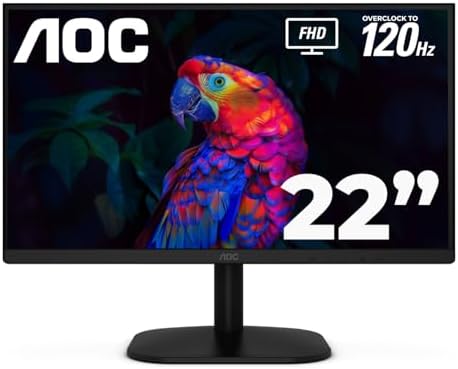
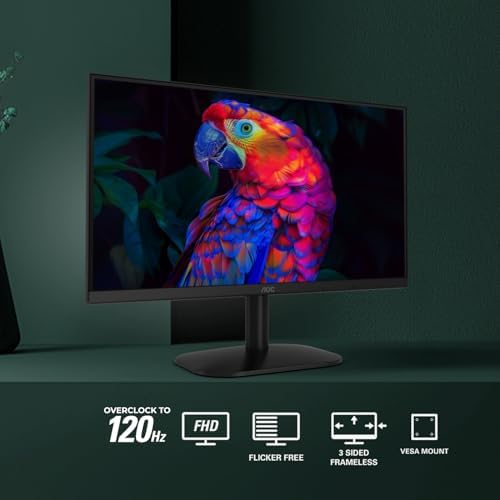
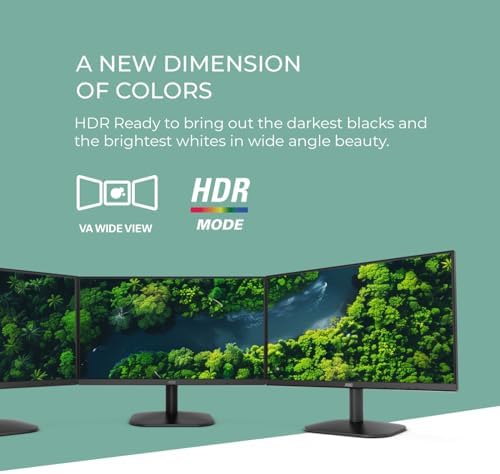
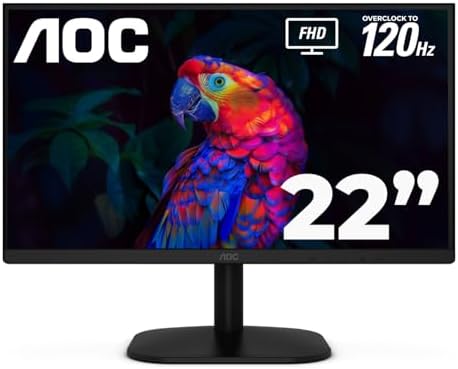
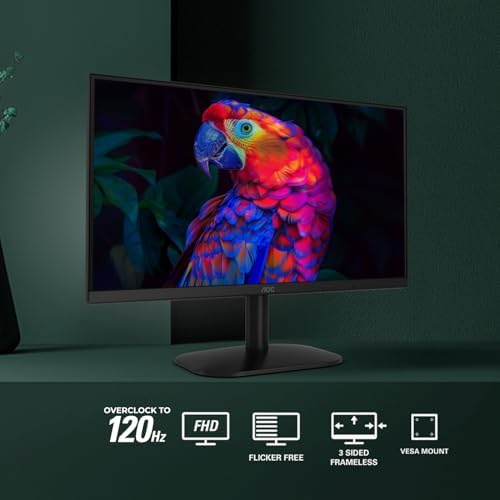
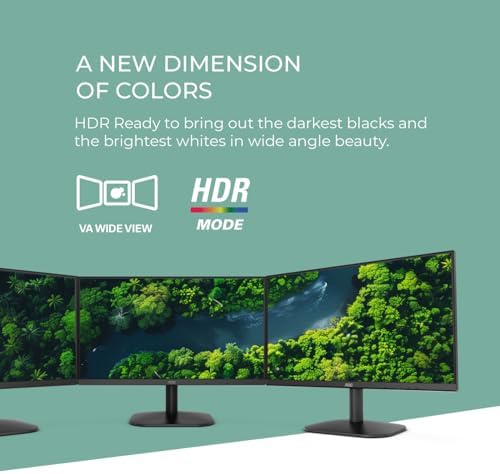
About this item FULL HD DISPLAY: Enjoy this 22 inch class (21.5″ viewable) crisp and clear visuals with a Full HD 1920x1080 resolution, perfect for work, multimedia, and light gaming. HIGH PERFORMANCE: Enjoy seamless gameplay and video with a 120Hz refresh rate via HDMI, Adaptive Sync for smooth visuals, and a quick 4ms response time. VIBRANT COLORS: Boasts 100.1% sRGB and 81% NTSC color gamut for brilliant and true-to-life colors. HDR Ready to elevate your viewing with dynamic contrast. COMFORT & CONVENIENCE: Tilt adjustment for optimal viewing angles, earphone out for private listening, and VESA mount compliant for flexible installation.…
| Size | 27" FHD, 22" FHD, 24" FHD |
|---|---|
| Style | IPS Panel 100Hz, VA Panel 100Hz, VA Panel 120Hz |
| Aspect Ratio | 16:9 |
| Screen Finish | Glossy |
| Contrast Ratio | 16:09 |
| Refresh Rate | 120 Hz |
| Display Type | LED |
| Display Technology | FHD |
| Has Color Screen | Yes |
| Picture Quality Enhancement Technology | HDR, Wide Color Gamut |
| Screen Size | 21.5 Inches |
| Item Dimensions D x W x H | 8.6"D x 19.4"W x 14.5"H |
| Item Weight | 3.79 Kilograms |
| Resolution | FHD 1080p |
| Display Resolution Maximum | 1920 x 1080 Pixels |
| Native Resolution | 1920×1080 |
| Power Consumption | 22 Watts |
| Response Time | 1 Milliseconds |
| Total Number of HDMI Ports | 1 |
| Number of Component Outputs | 2 |
| Additional Features | Adaptive Sync, Eye Care, Frameless |
| Specific Uses For Product | Business, Desktop, Gaming |
| Color | Black |
| Mounting Type | Desk Mount |
| Compatible Devices | Desktop, Gaming Console, Laptop |
| Warranty Type | 3 Years Manufacturer Warranty |
| Brand | AOC |
| Model Number | 22B35HM23 |
| Model Name | 22B35HM23 |
| Country of Origin | China |
| UPC | 685417740888 |
| Manufacturer | AOC |
| Built-In Media | HDMI Cable, Monitor, Power Cord, User Manual |
| Warranty Description | 3 year manufacturer |
| Best Sellers Rank | #903 in Electronics (See Top 100 in Electronics) #38 in Computer Monitors |
| ASIN | B0DY99NW1N |
| Customer Reviews | 4.5 4.5 out of 5 stars (1,672) var dpAcrHasRegisteredArcLinkClickAction; P.when('A', 'cf').execute(function(A) { 4.5 out of 5 stars |
| UNSPSC Code | 43211900 (Computer displays) |
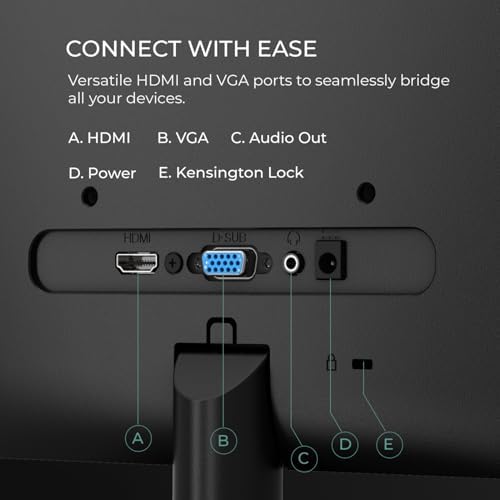
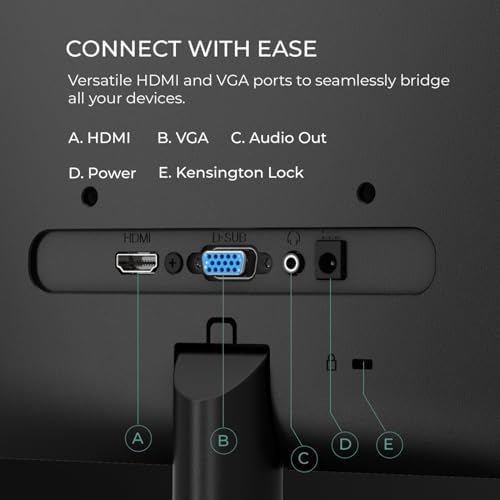
| Connectivity Technology | HDMI, VGA |
| Hardware Connectivity | HDMI, VGA |
| Adaptive Sync | FreeSync |
| Feature | ECO-FRIENDLY & USER-FRIENDLY: Consumes only 13W in eco mode. Features include Flicker-Free technology, User-Friendly OSD menu, and eSaver & i-Menu software for easy settings adjustment |
10 reviews for AOC 22B35HM23 22″ Full HD (1920 x 1080) 120Hz LED Monitor, Adaptive Sync, VGA & HDMI, Flicker-Free, Low Blue Light, HDR Ready, VESA, Tilt Adjust, Eco-Friendly : Electronics
Only logged in customers who have purchased this product may leave a review.
R.S.J. –
AOC 24B2H2 24″ Monitor & HOMEWORX HW250STB HDTV Tuner Make the Perfect Team!!!
My 15 year old LG M237WD 23″ Flatron Monitor/HDTV finally died on me leaving me in a strange new world where you can no longer find a new, low-cost Monitor/HDTV with a built-in antenna input and tuner. Today you need a monitor with 2 HDMI inputs and a separate HDTV tuner with antenna input to do the job. The question today is which ones do the best job at the lowest price? After extensive online research, I decided on the AOC 24B2H2 24″ LCD Monitor and the Mediasonic HOMEWORX HW250STB Convertor Box/Tuner. In short, I am extremely happy with the choices I’ve made. Before you make your decisions, I highly recommend you download and read the online user manuals available by searching for them online. In particular, you need the online AOC user manual to properly describe and utilize the the 5 tiny buttons on the bottom edge of the screen used to power on and access monitor settings. The paper guide included with the AOC monitor does NOT describe how how to use these buttons. The HOMEWORX manual omits fully describing how to prepare for, record, and playback TV programs on a USB flash drive. If you are computer savvy, formatting, recording, playback and deletion of TV programs is easy to figure out. If not savvy, you may need to ask HOMEWORX for help.The AOC monitor is very easy to set up. You just need to insert the neck at the bottom of the screen into the base. The screen can be tilted from 20° up to -5° down. You plug in your 1 or 2 HDMI cables from the HOMEWORX tuner and your computer, the power cord, and your speaker or earphone 3.5mm connector cable, and you’re done! The HDMI button under the bottom screen edge allows you to easily switch between the tuner and your computer. Audio is automatically switched between devices with the HDMI button. On Windows 10, a 24B2H2 Intel(R) Display Audio interface is automatically installed by the AOC monitor and becomes the Default Playback Device. I have an audio cable running from my computer to my speakers in addition to the HDMI cable. If needed, I can switch the Default Playback Device back to Realtek High Definition Audio to enable me to record audio using Audacity software, which I use to record stock market Earnings Webcasts. (Note: Audacity requires a wire connection between the Realtek audio output and input to enable recording audio off the Internet.) The AOC display itself is excellent, strong clean colors and high definition. The screen is matted, NOT glossy as incorrectly listed by Amazon.The HOMEWORX tuner has a handy easy to use large remote control along with manual control bottons on the tuner itself. In addition to the HDMI port, it also has RCA jacks and can act as a HDTV converter box for an old analog TV or as audio output for a stereo amplifier. It has a USB-A port for a USB flash drive or other form of storage drive. When not turned on, the HOMEWORX digital display acts as a clock showing the time of day. Signal reception by the HOMEWORX is excellent. This has the best reception of any HDTV tuner I’ve used so far, and I receive stations I could not receive before so long as the weather and temperature inversions permit.AOC 24B2H2, 27B2H2 LCD Monitor User Manualhttps://mmd-aoc2.oss-cn-hongkong.aliyuncs.com/Products/Monitors/B%20Line/B2/24B2H2/24B2H2_manual.pdfMediasonic HOMEWORX HW250STB User Manualhttps://www.teklib.com/library/mediasonic-homeworx-hw250stb-user-manual/
7 people found this helpful
Jason –
Great for great price
So, I needed a new monitor for my Xbox. and I wasn’t looking to break the bank. I stumbled across this monitor and figured for the price, it was worth a shot. Here’s the lowdown after using it for a few weeks:What I Liked: * Easy on the Wallet: Seriously, this thing was a steal! I was able to snag it on sale, and it was way cheaper than a lot of the other monitors I was looking at. * Looks Pretty Slick: I’m not gonna lie, the “frameless” design gives it a modern vibe that I dig. It definitely elevates the look of my desk setup. * Movies and YouTube Look Great: The picture quality is pretty darn good for everyday use. Colors seem vibrant, and I haven’t noticed any weird blurring or anything when watching videos. * No More Eye Strain: I tend to spend hours staring at a screen, and I’ve noticed my eyes don’t feel as tired with this monitor. I think those “Flicker-Free” and “Low Blue Mode” things actually make a difference.What Could Be Better: * Not So Great for Photo Editing: I tried touching up some photos on this monitor, and the colors seemed a bit off compared to how they look on my laptop. It’s fine for casual use, but if you’re a pro, you might need something more color-accurate. * Not Enough Ports: This is kind of annoying. It only has one HDMI port, and I need to switch cables depending on whether I’m using my work laptop or my gaming console. * The Stand is Meh: The stand is kind of bulky and only lets me tilt the screen. I wish I could adjust the height too.Overall Thoughts:For the price, its a solid monitor. It’s perfect for everyday tasks like browsing the web, working on documents, and watching videos. If you’re a casual user who needs a decent monitor without spending a fortune, this one’s definitely worth checking out. Just don’t expect it to be perfect for professional-level color work or hardcore gaming.
13 people found this helpful
Abby –
Great for the Switch 2!
I love this monitor for my switch 2! I needed something 120hz, 1080p and not super expensive! This delivers for sure. It looks great, and is a high quality monitor! I love using it to game on my switch and the performance is amazing! Just wish it came with built in speakers! No problem, I just bought a small sound bar to plug in to my switch 2 dock, changed the audio output to automatic (there is USB to select as well!) and also use a headset with my controller if playing with friends! This was a great purchase!
3 people found this helpful
taliatalia –
good for what im using it for.
it runs well but it has no audio, I REPEAT IT DOESNT HAVE AUDIO FOR THE PEOPLE SCROLLING REVIEWS. if others say it does come with audio they either lie or they call the little jiminy cricket voice that’s actually 1 db loud coming from the computer as audio. good graphics though and easy to install, but doesnt have many ports, think if youre considering getting more than one monitor or connecting anything else to the monitor its not the right option for you. its very attractive and thin profile though, ill give it that. it doesnt move up and down though, only tilts.
3 people found this helpful
Dante –
Pretty good monitor, but potentially misleading advertising.
Opinion after 1 week of use–PROS: – Very good price for the quality – Great color gamut – Good refresh rate (100hz) – Good form factor (thin bezels, fairly light, easy to put together and move around.) – Decent resolution (1080p is enough for most daily tasks, but 1440p may be more preferable for gaming, and 4K for movies/video.) – Has not had any connectivity issues (yet). – Not uglyMAIN CON:Despite being advertised as an “HDR-Ready” display with an “HDR mode”, it *DOES NOT SUPPORT HDR!!!* The “HDR Mode” just saturates the display colors and increases the contrast to fake an “hdr look”, but actual HDR video signals are *not* supported for any computer. If you are looking for an HDR monitor, this is not one of them. LG makes several perfectly good *actual* HDR monitors.MINOR GRIPES: – Cannot move vertical stand up and down like some monitors, only one height. Not a huge issue if you have a wall/desk mount (which this monitor does support). – 100hz is kind of a weird framerate that falls in between more common 60/144/240hz displays, so it may be a little jarring. – Obviously this isn’t a high-DPI monitor. If you use a Windows laptop, your desktop icons and UI will be scaled up to fit it. If you want the ui scale to be the same as your laptop display, look for a 1440p or 4K monitor, as Windows does not support sub-100% display scaling.All in all, despite a sprinkle of just-barely-false advertising, this is a pretty good general-purpose monitor. I highly recommend it.
29 people found this helpful
JuankJuank –
monitor for everyday use
I bought the AOC 22B35HM23 monitor for everyday use and it has impressed me for its size and price. The 22‑inch Full HD screen looks sharp and the VA panel delivers good colors and strong contrast, which works great for office work.Eye comfort features like Low Blue Light and Flicker‑Free are also very welcome if you spend several hours in front of the screen. It includes HDMI and VGA inputs, a headphone jack, and VESA mount compatibility, so you can easily put it on a monitor arm or wall mount
SoCal Nana –
Great Quality Monitors for a Minimal Price
Using two monitors is essential for my online business life. I recently started having trouble with one of the monitors that I’ve had for about two years. It could have been the cable, but the dysfunction was showing up on the screen. I decided to order a new monitor overnight because I have too much work to do to limp along.I was impressed with the ease of set up, and the color quality. The first one I was able to get with free overnight delivery, with it arriving before 8 AM the next morning. I decided to get a matching one, rather than a cobbled together computing environment. That one took a couple of days, but it was worth the wait.This brand isn’t a familiar name to me, but I’m a fan. The visual clarity is outstanding. Colors are rich and vibrant. I’m quite pleased with these monitors, which I was able to get for a reasonable price.
4 people found this helpful
Needsmorenails –
Good and inexpensive
I have have been happy with AOC displays for years so when I needed to upgrade a workstation for multiple displays, these were an easy choice. Very low price and great quality and reliability.
Sharon –
Clear & Light Monitor
This monitor was well priced and the perfect size for a desk in my child’s room. It worked good with her Mac book.
Shalom thompson –
Computer monitor
Works great as monitor for my security cameras