
No products in the cart.
Creality Ender-5 Max 3D Printer, Large Build Volume 400 * 400 * 400mm, Up to 700mm/s Printing Speed, X-axis with Linear Rail & Dual Z-axis Motors, Creality OS Smart Control for Print Farm : Industrial & Scientific
$1,053.09
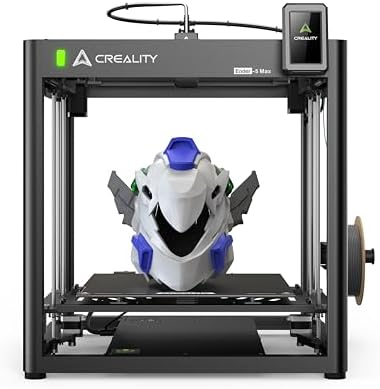
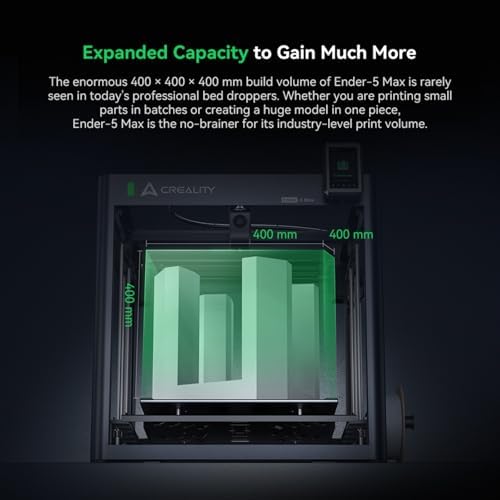
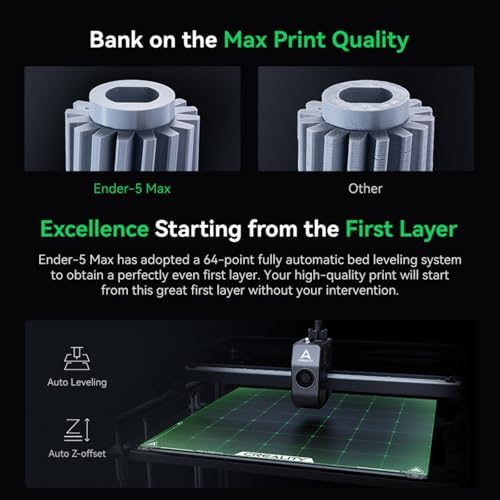
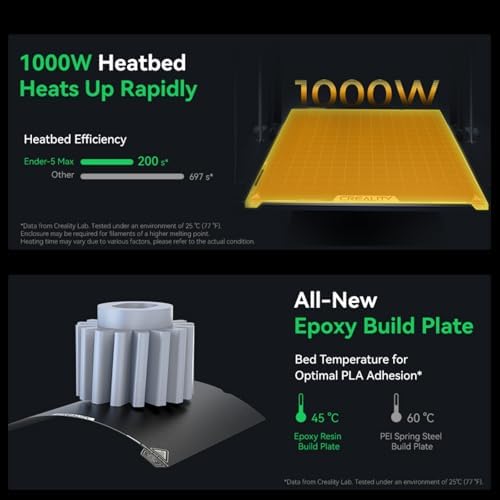
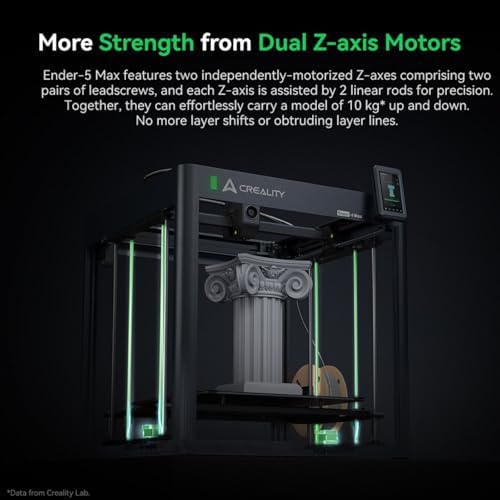
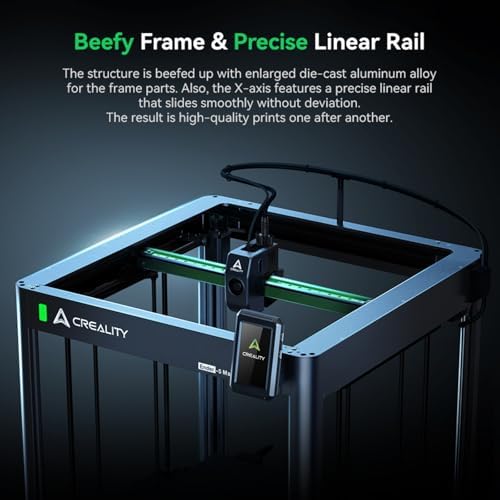
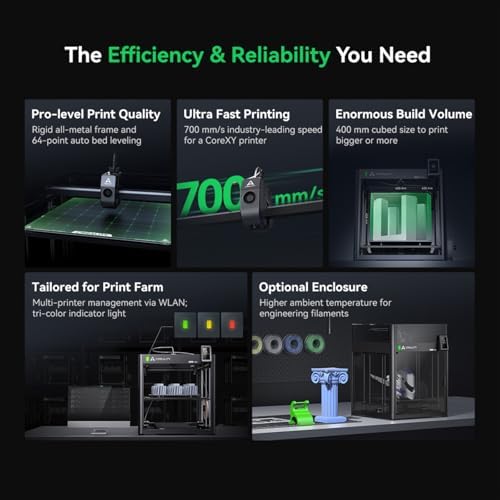
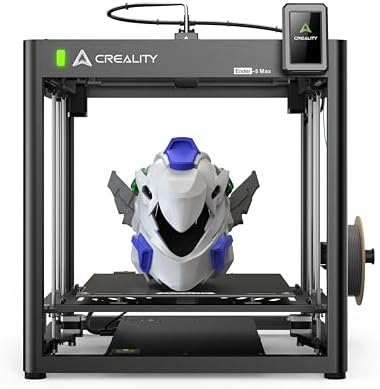
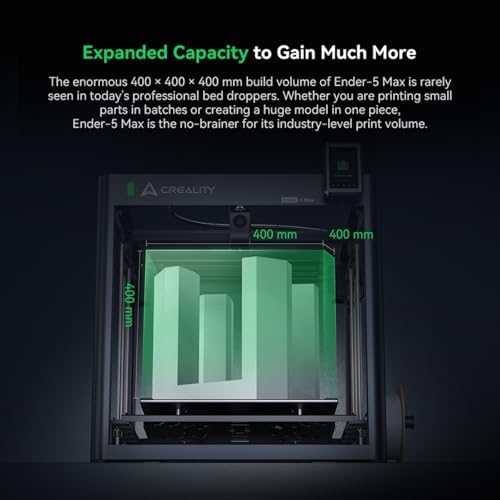
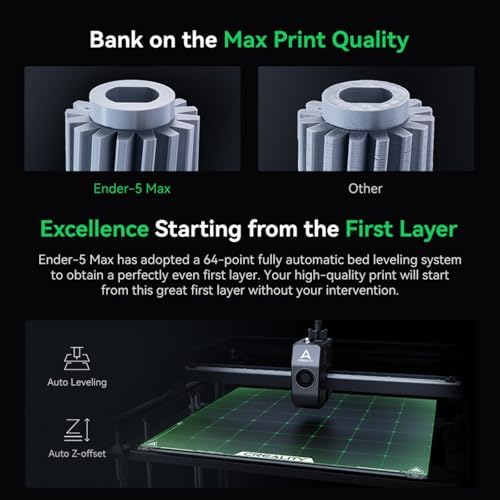
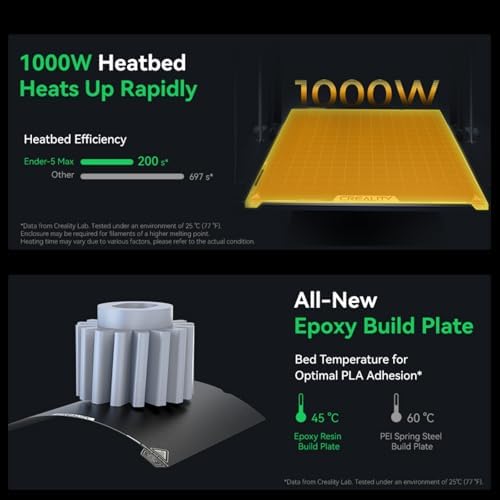
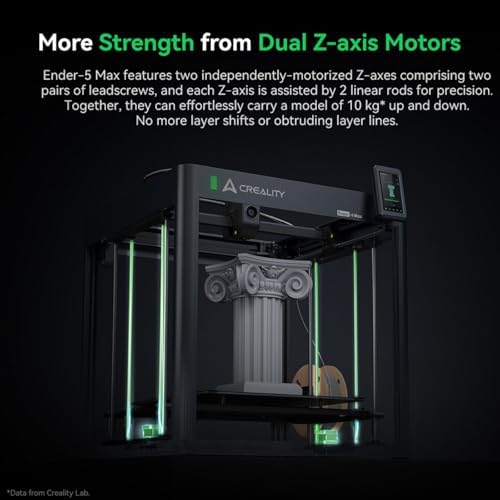
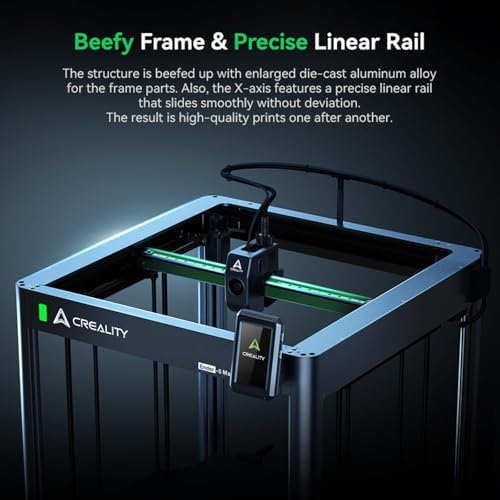
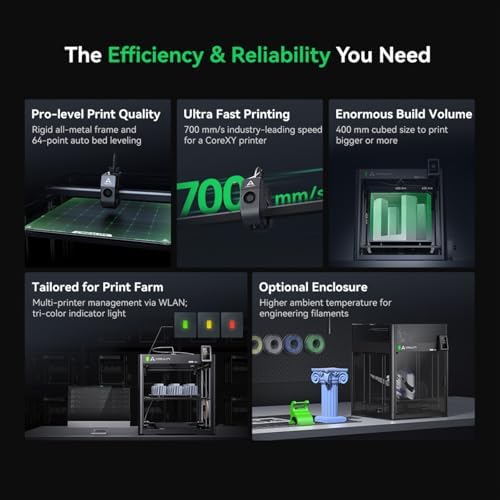
About this item High-Speed Printing: Time is money! The Ender-5 Max delivers incredible speed, printing at up to 700mm/s (typical speed of 500mm/s for optimal quality). Powered by 42-76 stepper motors on both the X and Y-axis, your production efficiency will reach new heights. Enormous Build Volume: With a massive 400mm x 400mm x 400mm build volume, the Ender-5 Max allows you to create larger objects or batch print multiple small parts simultaneously. Now, you can print household items like storage boxes and trash bins that smaller printers can’t handle. Premium Quality: The Ender 5 Max features a sturdy all-metal…
| Size | Creality K1C, K2 Plus Combo, Ender 5 Max |
|---|---|
| Compatible Devices | Laptop, Personal Computer |
| File Format | STL,OBJ,GCODE |
| Operating System | Windows / masOS |
| Compatible Material | Acrylonitrile Butadiene Styrene, Polylactic Acid |
| Connectivity Technology | Wi-Fi |
| Item Dimensions D x W x H | 28.35"D x 25.55"W x 33.46"H |
| Item Weight | 57.1 Pounds |
| Enclosure Material | Metal |
| Nozzle Primary Material | Metal |
| Nozzle Tip Material | Metal |
| Brand | SainSmart |
| Manufacturer | SainSmart |
| UPC | 810168142470 |
| Customer Reviews | 4.2 4.2 out of 5 stars (99) var dpAcrHasRegisteredArcLinkClickAction; P.when('A', 'cf').execute(function(A) { 4.2 out of 5 stars |
| Best Sellers Rank | #110,250 in Industrial & Scientific (See Top 100 in Industrial & Scientific) #137 in 3D Printers |
| UNSPSC Code | 23261500 (Rapid prototyping machines) |
| ASIN | B0DT6JTPR7 |
| Built-In Media | Creality Ender 5 Max 3D Printer |
| Country of Origin | China |
| Item Height | 33.46 inches |
| Warranty Description | One-year warranty |
| Color | black |
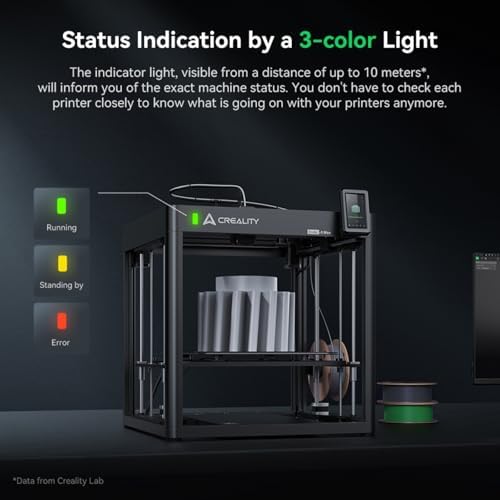
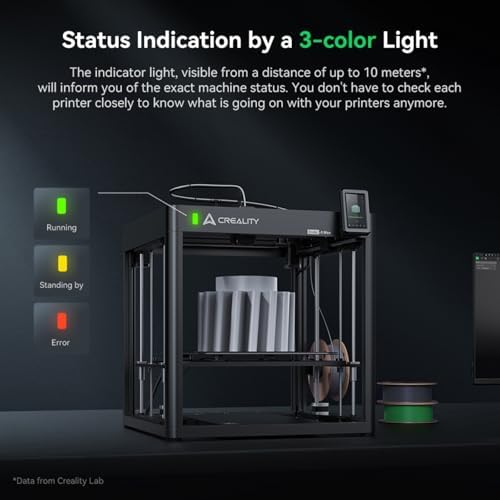
| Feature | 3D Printing Farms: Ender-5 Max allows you to manage multiple printers through the Creality Print slicer over WLAN, streamlining your workflow. Its 10-meter tri-color status indicator light provides real-time updates on each printer’s status, so you can easily monitor your entire farm from a distance, ensuring efficient and organized production. |
10 reviews for Creality Ender-5 Max 3D Printer, Large Build Volume 400 * 400 * 400mm, Up to 700mm/s Printing Speed, X-axis with Linear Rail & Dual Z-axis Motors, Creality OS Smart Control for Print Farm : Industrial & Scientific
Only logged in customers who have purchased this product may leave a review.
JKJK –
Revolutionize Your 3D Printing Experience with the Lightning-Fast K1 Printer!
The media could not be loaded.
Our Journey with the High-Speed Marvel – A Family AdventureWhen we set out to find a 3D printer that our family could enjoy, the K1 immediately caught our attention. We were on the hunt for a machine that could not only meet our needs but also keep up with our enthusiasm for faster prints.Unboxing and Setup: One of the most exciting moments was unboxing the K1. Our 11-year-old son took the lead, and we were delighted to find everything neatly packed. No loose parts and the inclusion of handy tools and a thumb drive made the experience even better. Setup was a breeze, involving just the removal of three screws and the installation of the touch panel. The printer’s build quality was immediately evident, giving us confidence in its durability. The enclosed design stood out, promising better temperature control during prints. With a combination of ball screws in the Z-axis and belt drive for other movements, the printer felt rock-solid.Power-Up and Initial Prints: As soon as we powered up the K1 and connected it to the network, we were greeted by a reassuring self-check feature. We were eager to explore the printer’s high-speed capabilities, and so, we dove right into it. No more waiting around; we wanted to see how quickly our creations could come to life. Gradually increasing the printing speeds, we were astonished by the results. The K1 easily doubled our previous printing speed while maintaining or even improving print quality. This was a game-changer for our son, who had grown impatient with the time his previous printer took.Great Customer Service: We must give credit to the fantastic customer service from Creality. When we had a few questions about setting up the software, they responded promptly, and their assistance made our journey all the more enjoyable.The Joy of Speed and Family Bonding: One unexpected delight of the K1 is how our kids love watching it in action. They’re fascinated by how fast it prints, and it’s become a family pastime to gather around and marvel at the intricate creations taking shape before our eyes. Our 11-year-old son, in particular, couldn’t be happier with how quickly his projects come to life. Whether it’s crafting a custom rubber band car or printing a dice tower for his board games, he’s now able to see the results almost in real-time.In conclusion, the K1 has transformed our 3D printing experience into a family adventure. It’s not just a printer; it’s a source of creativity and a catalyst for quality time spent together. While we anticipated a learning curve, the K1’s outstanding performance and the excellent customer support from Creality have made this journey even more enjoyable. Our kids are thrilled with the speed at which their ideas materialize, and as parents, we couldn’t be happier with the bonding opportunities it provides.
2 people found this helpful
Theo –
Crazy fast printer with a premium look and feel.
Out of the box impression. Nice build quality. This printer looks and feels premium. I was able to successfully print good looking models after the initial setup. Very little assembly is required to get the printer ready to print.Make sure you update the firmware before your first print. My printer’s firmware was multiple versions behind. Not sure if I was sent old stock but the latest firmware fixes bugs and printing issues.At first the printer was acting weird such as the led light was flashing on and off while printing but I realized that I forgot to change the power supply of the printer from 220V to 110V. After making the change the printer behaved as expected.My issue with this printer is the amount of time it takes to start a print. The printer does bed leveling and some calibration every time I start a print. Unchecking the calibration option in the menu does shorten the time a bit but not a lot. I haven’t timed this whole process but it does add a few minutes to printing process. Another thing I’m not fond of is the cheap spool holder that is included. It sits in the back of the printer which makes it hard to access depending on your setup. The spool holder also adds friction to the Bowden setup because the filament spool does not spin freely (no bearings) as it should. Might cause under extrusion. Otherwise, it is a sweet printer. It does what it is advertised to do. I’m happy with it.
2 people found this helpful
Tyler V. –
it’s their flagship line? are you kidding?!
I found out even though this was brand new the printer was an older original version of the k1. They have updated the extruder about 3 or 4 times in iterations instead of fixing the issues right .When it works it prints great. I have constantly had issues with under extruding and proper nozzle heating. the thermal couple will think its at the proper temp but it seems to be off. I measured the nozzle at 200 C when it was set at 270 C.support will help but they are slow and they will make you waste hours of your time trying this then try that before sending new parts.
4 people found this helpful
Kirsten Thomas –
Awesome 3D Printer
Easy to use! Open and can use within minutes!
Doctor Wizard –
Competes with Bambu
I shopped long and hard before buying this printer. I’ve had a simple old Ender 3 for several years and got tired of fiddling with it. Don’t regret the experience with the Ender cuz I learned A LOT. But now that I understand the process, I wanted a printer that “just works” and this fit the bill. I’ve had it for 2 months and it has been going non-stop with great results. Well, other than the screws that came loose from the bottom of the heatsink causing it to scratch my bed. I carefully looked at every brand and model of printer in this size and price range and was leaning hard towards the Bambu Labs which I think is the king of “just works” and still the one I would recommend to most people. But the deciding factor for me for this one is the open source firmware which can be upgraded to the full version of Klipper without voiding the warranty. (And it’s cheaper with comparable specs.) That however would not matter for most people but if it matters to you, then this is the printer to get. If you could care less about open source, then get a Bambu or perhaps FlashForge Adventurer.
4 people found this helpful
Mercyman –
AI camera doesn’t work all the time.
It’s very particular about its files. Doesn’t like other software besides creality brands. Still working out the bugs. Great learning experience
Craig P.Craig P. –
Creality K1 3d printer
First impressions:The printer came well packed and there was nothing loose. The printer came with a good assortment of tools and a thumb drive. There is some setup, but it is minimal. Three screws have to be removed and the touch panel installed. Basically it is almost ready to go out of the box. The fit and finish looks real good and it is solid. The enclosure is a nice feature and should be able to control enclosure temperature better than my old open air printer. The z axis is three ball screws and the rest is belt drive. Everything seemed to be solid.Power up:Everything powered up well and once connected to the network the self check feature gave me confidence everything was good to go. I skipped the creality cloud setup, but may revisit it later to see some of the features. There was a lot of features with the cloud, but I stuck with Cura because that is what I normally use. So far I have been working up speeds from what I used on my old printer. I did not feel comfortable just flooring it out of the box. So far I am dialing in the PLA setup and the results have been very good. I am at twice the speed I use to print at with better quality. I am looking forward to pushing it a little more and reducing my typical print times.In all I am really impressed with the machine and look forward to the using it. Being a new machine there will probable be some growing pains and I have not looked at firmware releases or upgraded yet. I am also confident in Sainsmart supporting the product just like so many things I have purchased through them in the past.
One person found this helpful
Mark –
Love the features!
I love my new Ender! I love the automatic leveling feature and the ease of changing filament and sending files through the WIFI. I also love the larger plate making larger prints possible. The quality of the prints is much better. I am so glad I bought this machine.
Stewie –
Good printer but 0 customer support
I’m going to save you a TON of frustration. If you are in a country that uses 120V you will need to switch the power supply from 240 to 120v. The switch is located on the left side of the machine all the way at the bottom. It is a small square hole and you can see the switch if the shine a flashlight inside. Just use the supplied screwdriver and you are good to go. I did not see anywhere in the instructions to do this step nor did customer support mention anything about it.When I got the printer I followed step by step in the instructions. Going through the initial self test and the printer kept restarting at the hot bed step. My first thought was a power supply issue. So I looked everywhere for a switch or panel with any sort of markings and in the instruction manual; Nothing. I finally asked ChatGPT and it said this particular model had and auto sensing power supply and did not need to be switched. I looked for what felt like an eternity to find an actual phone number for support instead of just an email. So I called in. Worst English I could possibly imagine. I explained the issue and instead of her telling me to check the switch she said I need to email customer support since she didn’t know how to help. So I emailed in. And again, instead of just telling me to check the power supply switch that it does in fact have, they wanted me to do a list of things before they would even attempt to help. Photo of serial number, original purchase receipt, video of the issue happening, and list of steps I’ve tried to fix it. So I just sent it back thinking I got a bad one and not wanting to deal with less than helpful customer support. New printer did the same thing. So after doing my own research I found a YouTube video of a guy that went through the same thing I did. Super easy fix. You would think that 1. they would put that very necessary thing in the instructions and 2. That the tech support line/email should just tell you about checking that switch first thing before going through all the other bull#@$&. Very disappointing start. I am not looking forward to figuring out an actual issue.As far as the actual printer goes its plug and play. I did not have to mess with settings much at all. Creality filament works great without doing anything which is great. Other filament types I found require a hotter nozzle temp than they have programmed in.
2 people found this helpful
kurt –
This is how support is supposed to work.
I am so thankful for Odile and the SainSmart team. They were excellent to work with when I received a faulty K1C. I was truly upset with how the manufacturers support was anything but help. After months of back and forth with them I felt they pushed me off on the SainSmart team since the purchase was made thru them. I’m so thankful they did. Odile worked with me thru the whole process and was understanding to my frustrations. Because of him an their team I now have a functioning K1C. Excellent customer service support highly recommend SainSmart.