
No products in the cart.
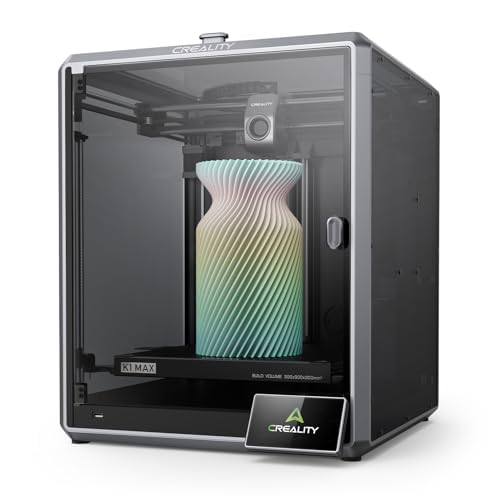
Creality K1 Max 3D Printer, 600mm/s Max High-Speed 3D Printers with Auto Leveling, Dual Cooling, Smart AI Function and Out-of-The-Box, Large Printing Size 11.81×11.81×11.81in : Industrial & Scientific
$963.03
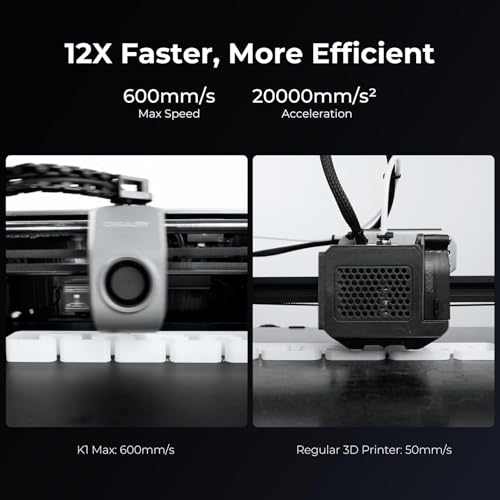
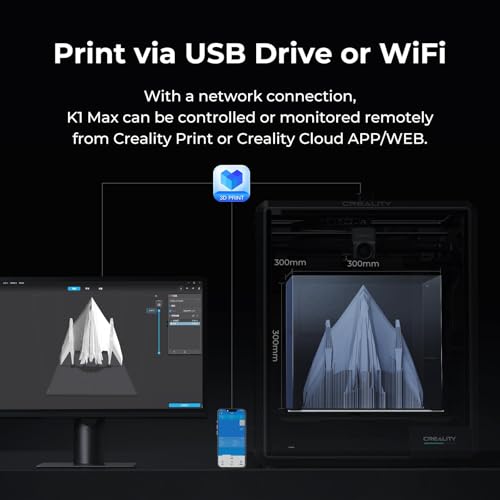
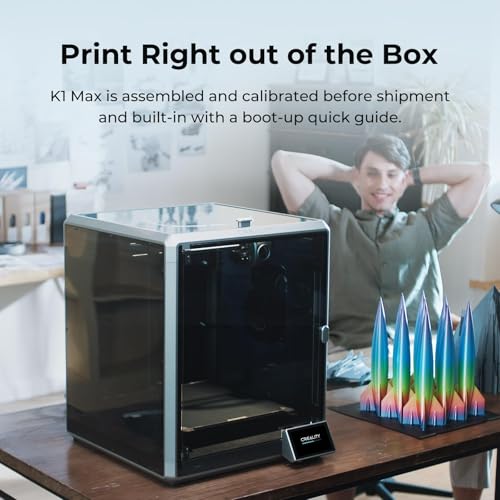
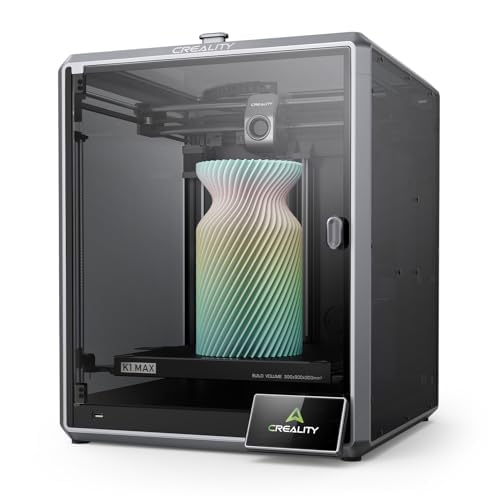
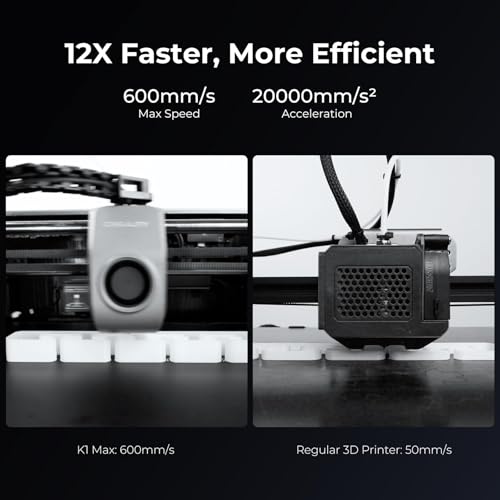
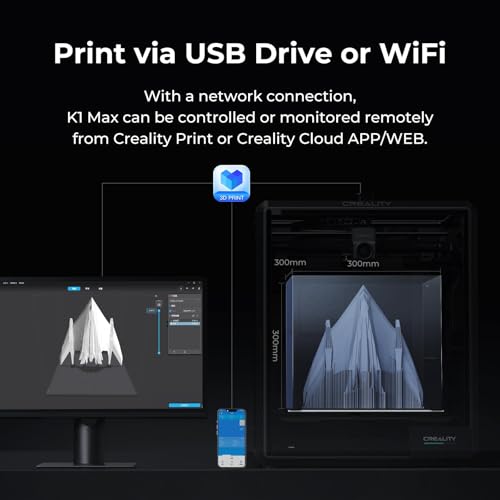
About this item 600MM/S HIGH-SPEED PRINTING - The Creality K1 Max 3D printer is designed for efficiency, boasting a maximum speed of 600mm/s and 20000mm/s² Acceleration, which is 12 times faster than a regular FDM 3D printer. Perfect for professionals and beginners 11.81x11.81x11.81in LARGE PRINTING SIZE - The K1 Max boasts an impressive printing size of 300×300×300mm, allowing for multiple models to be printed simultaneously, significantly increasing printing efficiency. Additionally, its print volume to printer size ratio can reach up to 25.5%, the biggest compared with similar-sized printers SMART AI LIDAR & CAMERA - The 1μm resolution LiDAR will scan…
| Model | K1 MAX, Creality K2 SE, Creality K2 SE Combo |
|---|---|
| Compatible Devices | Laptop, Personal Computer, Smartphone |
| File Format | GCODE |
| Operating System | Windows 10, macOS, Linux |
| Printing Technology | FDM |
| Compatible Material | ABS, PLA, PETG, PET, TPU, PA, ASA, PC, PLA-CF, PA-CF, PET-CF |
| Connectivity Technology | USB, Wi-Fi |
| Nozzle Temperature Maximum | 300 Degrees Celsius |
| Item Dimensions D x W x H | 22.05"D x 18.11"W x 18.11"H |
| Item Weight | 24.95 Kilograms |
| Color | Black |
| Brand | Creality |
| Global Trade Identification Number | 00198549026954 |
| Manufacturer | Creality |
| Customer Reviews | 4.3 4.3 out of 5 stars (261) var dpAcrHasRegisteredArcLinkClickAction; P.when('A', 'cf').execute(function(A) { 4.3 out of 5 stars |
| Best Sellers Rank | #6,379 in Industrial & Scientific (See Top 100 in Industrial & Scientific) #16 in 3D Printers |
| UNSPSC Code | 23261500 (Rapid prototyping machines) |
| ASIN | B0F59YR8CP |
| Item Height | 24 inches |
| Enclosure Material | Metal |
| Nozzle Primary Material | Brass |
| Nozzle Tip Material | Brass |
| Feature | AFTER-SALE SERVICE – There are more than 20 engineers for after-sales service and provide 24/7 customer service with 1-vear limited and technical assistance. Please contact us via "ask a question' directly to get professional assistance |
10 reviews for Creality K1 Max 3D Printer, 600mm/s Max High-Speed 3D Printers with Auto Leveling, Dual Cooling, Smart AI Function and Out-of-The-Box, Large Printing Size 11.81×11.81×11.81in : Industrial & Scientific
Only logged in customers who have purchased this product may leave a review.






S. Sabo –
GET IT
We started our 3D printing journey with an Ender 3 V2, thinking it was the go-to beginner printer. But after a few frustrating weeks, we returned it and took a chance on the Creality K1 SE—and wow, we haven’t looked back since.From the moment we unboxed it, the K1 SE felt like a premium experience. Setup was intuitive, the interface is clean and responsive, and the build quality is leagues ahead of what we expected at this price point. It’s fast, quiet, and shockingly reliable.We did run into one hiccup early on—the Unicorn nozzle was stuck and wouldn’t budge. Turns out, it just needed a bit of grease. Once that was sorted, it’s been smooth sailing ever since.Print Quality & Reliability- Filament adhesion is flawless. The bed grips like a champ—no warping, no lifting.- We’ve run 30+ prints since that first one, and not a single failure. That’s unheard of in the hobby.- The motion system is buttery smooth, and the auto-le- veling is spot-on every time. Beginner-Friendly, Yet PowerfulIf you’re new to 3D printing, skip the trial-by-fire with super budget models. Spend a little more for a lot better experience. The K1 SE gives you a quality experience right out of the gate. It’s forgiving, fast, and doesn’t require constant tinkering to get good results. The 600 mm/s print speed is efficient, precise, and awesome.Creality really nailed it with this one. Whether you’re printing functional parts, toys, or artistic models, the K1 SE delivers consistent, high-quality results with minimal fuss. It’s not just a printer—it’s a confidence booster.
22 people found this helpful
hobbyist –
Great upgrade from Ender3 v2 – prints very well – much less fuss – some things not as expected
First off:Prints great right out of the box. Prints fast. Great for the price. So far we are very glad we chose this printer to supplement our Ender 3.Manufacturer responds very well to product questions.Creality slicer has a lot of tunable settings and has a good set of built in calibration tests with tutorial.We have been using this printer for about 3 weeks.Things to know:The magnetically attached build plate has a wiper pad and alignment notches. Both great features, however this may limit your build plate options. Creality support can help if you have questions in regards to this.You pretty much HAVE TO USE GLUE STICK (this requirement is plainly printed on the build plate and…. they give you a glue stick). What they do not tell you is that you need glue as a “release” agent. Without glue, if you decide to cancel a print early and there are just a few layers on the bed, you will not be able to remove it from the build plate any easy way that we have found.Glue hint: If you need a nice surface on the bottom of the print, clean bed and use fresh glue application, and then clean the glue residue off of the bottom of the print. Otherwise you will see patterns from previous prints on the bottom surface.When you send a print, you have the option to bypass calibration. Do not bypass calibration, especially for the first print any time after the printer has been powered off.The control panel in this printer only provides essential functions. The Creality slicer is where all of the stuff is.Amazon site product descriptions for our exact item were not entirely accurate:Sadly… the really cool segmented articulated cable guide shown in one of the slides is not a real thing.Also there is text in one of the slides that indicates easy nozzle change.The manufacturer has an official video where the model is like the one we received. Search for: “Service Tutorial K1 SE Replacement Nozzle” which covers both of the above so you will know more about what to expect.Part of the greatness of our Creality Ender 3 is its almost primitive diy approach with custom firmware and a really complicated control panel and custom firmware and tons of upgrade options and knob tweaking and the fun of messing with stuff. You could totally take it apart and put it back together an not be nervous about it.In comparison:The K1 SE seems like something best meant to be used “as is”, with Creality slicer and firmware. You can still mess with stuff, but that would be mostly through the Creality slicer.I think it is still “open source” as advertised, but you would have to be careful as this is a much more complex machine than something like the Ender 3.
20 people found this helpful
Running Bear –
Minimal setup, maximum performance.
First impressions. Wow. I’m coming from a cr10 clone that was problematic to say the least. This thing is an absolute beast. print times cut down. I have a small test square I print for testing, the cr-10 took 22 minutes, the k1se, 5. Setup is easy, check your voltage switch. Mine was on 220. Initial calibration takes something like 15 minutes because the machine self calibrates. I like the Creality software. Can’t wait to be able to get some projects finished. WiFi print, yes, mine has the wire for the camera, that’s my next fix.
3 people found this helpful
Jonathan Replogle –
Constant Nozzle / Extrusion Head Clogs
I am currently on the 5th try of printing something that seems reasonably easy to print with PLA, and this is the 5th head clog. I have researched and tweaked and modified the slicer settings, first and subsequent layer heights, speeds, temperature, and everything else and it keeps clogging in the extrusion head. The only fix is constant disassembly of the extrusion head to remove the melted PLA right next to the gears. No matter how I adjust the slicer settings, the head will get clogged on the first or second layer print. The only thing that I have been able to successfully print is a small boat used in the initial setup. Spent a great deal of money after reading reviews and doing my research, and this seemed like a quality product.
8 people found this helpful
Daniel PeperDaniel Peper –
Great value, far superior than the Ender 3. 100% would buy again and recommend to others.
The media could not be loaded.
Paid less for this K1 SE than the Ender 3 V3 KE. A much better value. I’ve had several Ender 3’s and this K1 SE blows them out of the water on all aspects. The speed is incredible. Having a print done in under an hour is unthinkable with the Ender 3. What used to take all day/night now takes a couple hours. I was hesitant at first, surely at these speeds the quality will suffer… Nope, the quality is better and more consistent. I added the AI webcam and being able to monitor prints remotely is life changing. I’ve had this thing going almost constantly since I first turned it on, it just prints and prints and prints. I read that Creality Hyper PLA would be required, but its worked with every PLA I’ve put in it. My only complaint is that when the main fan kicks on, it is LOUD. See video for speed and sound comparison with an Ender 3 S1.
8 people found this helpful
Manofgod –
Great for newbies. What are these files for though?
Took me a few hours to set up because the directions aren’t very clear and in one place. You have to watch the video and read the book but can’t just do one of them. Other than that works great and I really like the print from my phone feature. One thing I can’t figure out is, it comes with files pre-sliced. Benchy is one, which was my first print. But it has others and I can’t find info for them anywhere. Especially the one titled “accessory”. It looks like a cool little addition to the machine and I’d like to use it if I can, but I have no idea where it goes or what it does. If someone could help me with that it would be very appreciated. I’ve done a few prints and the machine works great. It had an issue with printing the base of supports on one print but it ended up making it easier to remove so idk if that was intentional lol but it worked out great so I’m considering it an intentional feature. I would recommend this printer to any newby.
7 people found this helpful
Meowmeow –
It’s worth every penny
I don’t give 5 star reviews very often, but i have to for this printer. I am a beginner. I bought the ender 3 as my first printer and it was horrible. My prints never turned out and no matter what adjustments I did, nothing ever fixed them. I was almost about to give up on this hobby. I decided to give this printer a shot before I called it quits. I have been extremely happy with this purchase. Assembly was as easy as pulling it out of the box and plugging the screen in. That’s it. I got it all plugged in and the filament loaded and decided to print a tool tray as my first print. I was nervous. I was wondering if I just blew 260 bucks. At the end of the print, I realized I hadn’t blown the money. My print turned out flawlessly. I am stoked. I’ve been printing non stop since. If you are a beginner and you’re wondering if this machine is right for you…. I’m here to tell you that it is. Its affordable. Its sturdy. Its quiet. The interface is easy to understand. The only thing that could make it better, is if it printed multiple colors at once. I know they have attachments, but they are a little out of my price range.
7 people found this helpful
Sergio González Torres –
A pretty good printer with a great upgrade path
Do take note, this is NOT in the Bambu Ecosystem. It will take some wrenching around but for the price, it is a great starter and has room for improvements.Let’s start with what it is. It is a skeletonized version of the K1C, that already comes with all of the upgrades to the K1 platform. As a skeletonized printer, you will mainly focus on filaments that do not require an enclosure. It comes with some HyperPLA which is pretty nice but consider it just for calibration and grab some more rolls with it.If you do buy it for US and US-standard nations, be sure to check on the left for the small power supply switch and flick it to 115V.Stock, it can only print either wirelessly or if you so choose to, with a USB drive you can plug in the front. The wireless option has a LAN mode or you can upload to the cloud.The thing you should also do before printing something you would care about is tons and tons of calibration. I first checked with the Benchy file that comes with the printer to see how would it look like, then decided to move to the Autodesk test. With the stock 0.4mm nozzle, it tends to sag quite a bit on bridges, and struggles with 15 degree slopes. Both of those could be solved with bridges if possible but that would also take more filament.After the little tune (I moved to Orca slicer, copying over the settings from Creality and tuned them there, did 2 prints of the Autodesk test and a single basic bridging test), it prints beautifully with my 0.4mm nozzle and had zero issues. I also ordered 0.6 and 0.8mm nozzles, both of which are supported.One of the issues why I gave this 4 stars (I guess 4.5 if I could?) is the lack of support for the 0.2mm nozzle that Creality released this year, which does increase dramatically the print time but also the quality so you aren’t stuck sanding and filling in your models). As of 9/6/2025, they have only added 0.2mm support for the K2 Max, so you have to copy all of those settings, then you can start to adjust them.I had no issues with clogs or the bed levelling, but the stock settings could be better.This is where it actually shines. The printer has some nice fundamentals, but it can be heavily upgraded over time. First off, remember how I said it was just a skeletonized version of the K1C? You can add extra panels on the sides, top and a door on the front for that. You can add cameras for time lapses and AI detection of failed prints. You can add multi-filament printing if you wish (I would say it should be used to quickswap filaments once one runs out because multicolor printing is wasteful).The wiper process can also be changed to be a bit better and prevent clogs, root it and get access to more settings that are in newer versions of Klipper, etc.It is very capable stock, but it is a solid base for a printer you can upgrade over time.Oh, and you better order more filament. You will need it.
2 people found this helpful
Steve’s bay 3 garage –
A great printer with a few quirks
I was looking to get a newer version of my Creality Ender 3 which I’ve had for over 5 years (I checked my Amazon order history to confirm). I saw this Creality printer on sale for nearly the same price as the Ender series model I was looking at. This appeared to have great features such as wi-fi, auto leveling, and a rigid support frame. I ordered it and it came extremely well packaged. Unboxing and Assembly was straightforward and easy with the directions from the enclosed manual.Now for the quirks:- The user manual that you are first directed to on-line is a quick start guide, a more detailed manual is available by navigating to the K1 SE page. I couldn’t figure out several things until I saw the detailed on-line manual. For example the open-close lever is in the detailed manual but not the quick start guide. Find the detailed guide before you start to print!- EXTEMELY IMPORTANT! Check the power supply voltage. Mine was set to 220 volts. Switch it right away to 110 volts before plugging in. Use the small screwdriver suppled to reach into the slot and slide the switch over.- Slicing software required me to upgrade from the older version of Creality slicer I had been using to the latest version as the K 1 SE was not available on the older version. Software was totally different and I am having to unlearn the old and learn the new. Functions I used in the old version are now a new label and are in new menus. Some I haven’t found.-Speed, this thing is blazing fast. Maybe too fast for some prints and depending on what I print I may put it at 50% speed.- Accuracy seems to be ok. On some 20mm test pieces I measured at 20.00mm to 19.90mm with most being 0.05mm undersize. Likely I need to learn how to adjust the material shrink factor. Which means learning the new slicer software.- Wi-Fi; sending files, running and monitoring from my computer is great. I did need to go to my home wi-fi and “bind” the IP address to the printer (there is an on-line explanation for this and how to do it.).- Auto leveling and cleaning seem to work very good. However it takes a few minutes. Because printing is so fast, on a small model it took longer to level and clean than to print.- Noise level is about the same as my older Creality Ender 3, I can tolerate it, others may object as the fan is a different pitch.Bottom line, this is a great printer, don’t get me wrong. Overcome a few quirks and it’s a 5-star unit. I wish I could afford the Ender 3 I was looking at as well to compare but for now I’m satisfied with this one.
One person found this helpful
Aaron –
Fast, reliable, and fun — great for beginners and kids
I got this Creality K2 SE 3D printer for myself and my 6-year-old son, and we love it. We’ve been printing almost 24/7 since the day we got it (it’s been a few months now) and we’ve had zero issues. It’s incredibly fast, surprisingly quiet for the speed, and feels solid and well built.The initial setup threw me off because the printer wouldn’t power on. Turns out, there’s a switch on the side that toggles between US and EU power standards, and mine came set to EU by default. Once I flipped it to US, it powered right on and worked perfectly. So if yours doesn’t start at first check that switch!As beginners, we also learned pretty quickly that most prints need supports, and successful prints often require a bit of trial and error. My biggest tip for new users: remember that many models require supports, and high-angle or overhang prints won’t succeed without them. Once we figured out the basics, we haven’t stopped printing.If you want a fast, dependable printer that works great for both hobby use and learning 3D printing with kids, this is a fantastic choice.Highly recommended.