
No products in the cart.
Creality K2 Plus Combo 3D Printer, Multicolor Printing with 16 Colors, 600mm/s High-Speed Printing, Dual AI Cameras for Monitoring, Full-Auto Leveling, Large Build Volume 350×350×350mm : Industrial & Scientific
$1,641.29
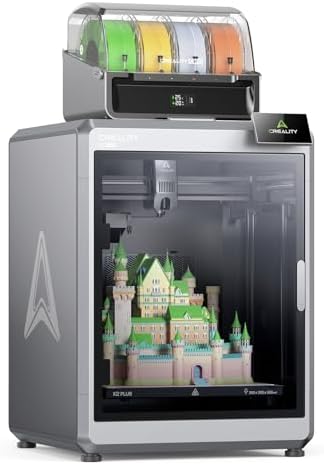
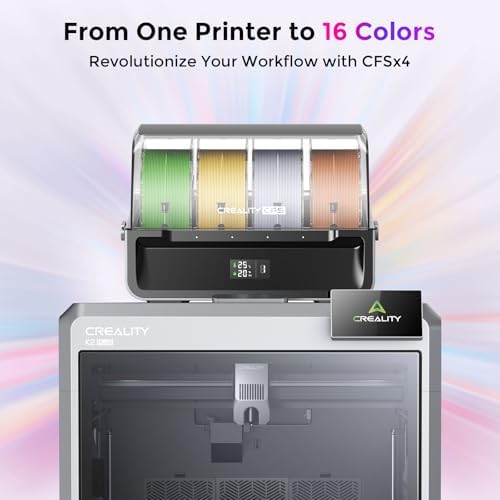
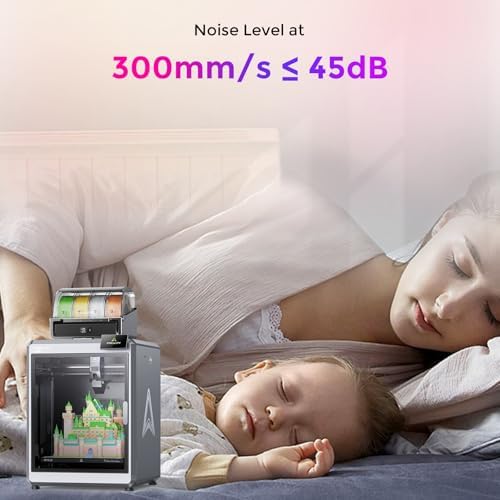
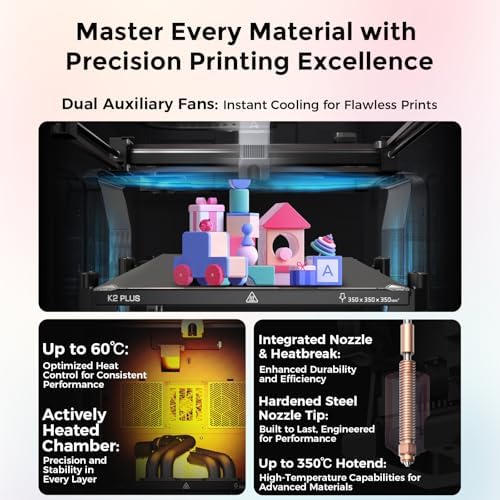
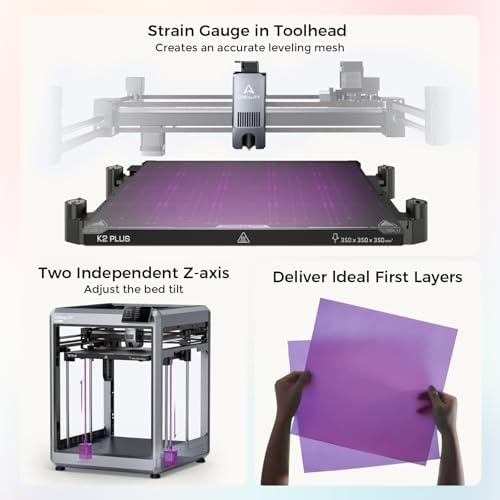
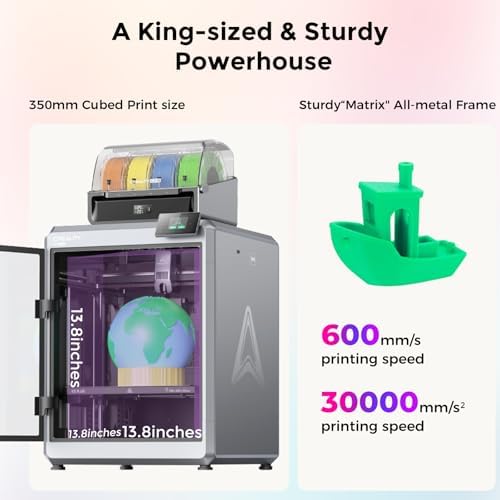
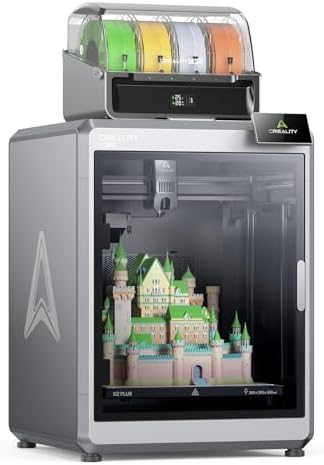
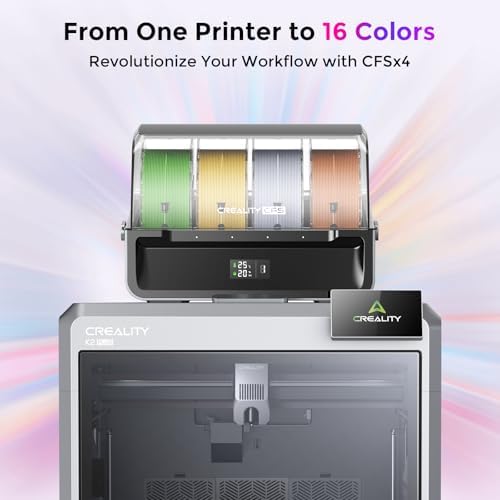
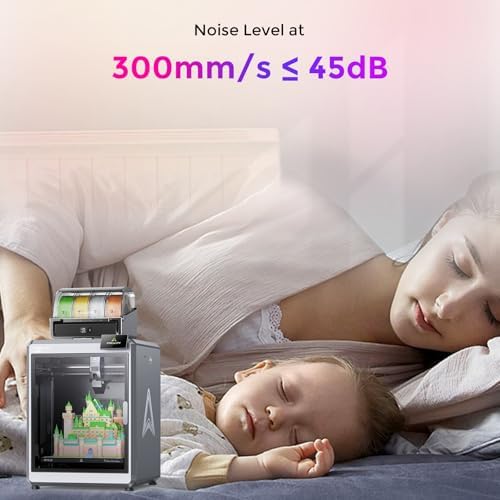
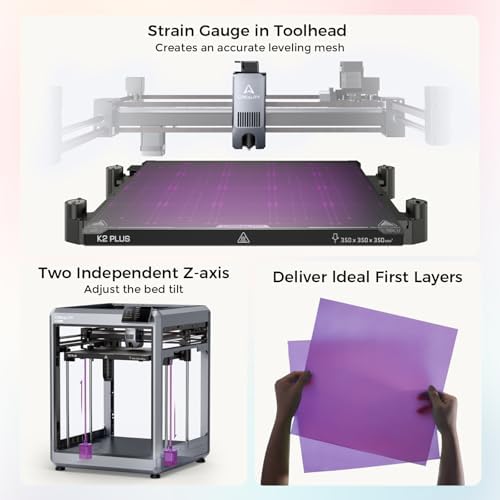
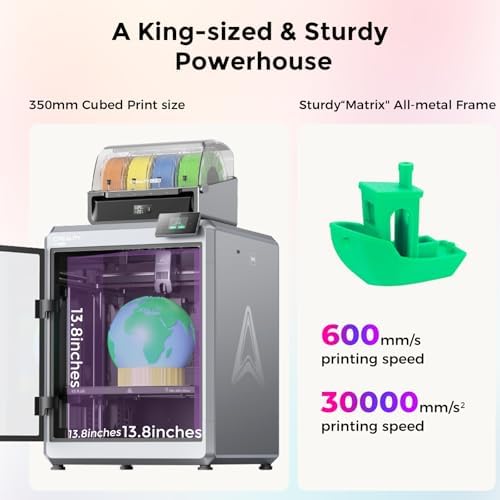
About this item Multicolor Printing with CFS: The K2 Plus Combo includes the K2 Plus 3D printer and one CFS (Color Filament System) unit. The CFS has four slots to hold different filament colors simultaneously. With dynamic mixing, the system enables up to 16-color blending in a single print. Filaments are not included in this combo. Ultra-Fast Speed & High Precision: Achieve an incredible 600mm/s print speed with up to 30,000mm/s² acceleration while maintaining fine details at 0.05mm precision. Despite its speed, the printer operates at just 45dB, ensuring quiet yet efficient performance. Spacious Build Volume: With a 350×350×350mm print…
| Size | K2 Combo, K2 Pro Combo, K2 Plus, K2 Plus Combo |
|---|---|
| Compatible Devices | Personal Computer |
| File Format | GCODE, 3MF |
| Operating System | Windows XP |
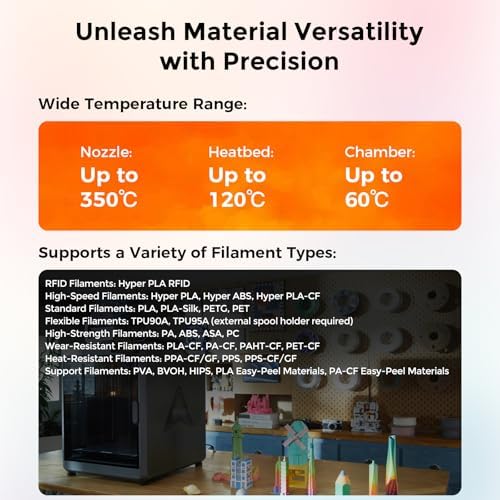
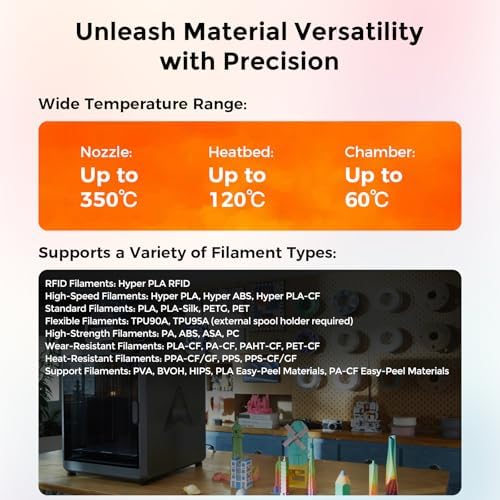
| Compatible Material | PLA, ABS, PETG, PA-CF, ASA, PPA |
| Connectivity Technology | Ethernet, USB, Wi-Fi |
| Nozzle Temperature Maximum | 350 Degrees Celsius |
| Item Dimensions D x W x H | 16.1"D x 18.7"W x 15.4"H |
| Item Weight | 47 Kilograms |
| Enclosure Material | Metal |
| Nozzle Primary Material | Brass |
| Nozzle Tip Material | Brass |
| Brand | Creality |
| Global Trade Identification Number | 00198549018331 |
| Manufacturer | Creality 3D |
| Customer Reviews | 4.2 4.2 out of 5 stars (892) var dpAcrHasRegisteredArcLinkClickAction; P.when('A', 'cf').execute(function(A) { 4.2 out of 5 stars |
| Best Sellers Rank | #14,309 in Industrial & Scientific (See Top 100 in Industrial & Scientific) #31 in 3D Printers |
| UNSPSC Code | 23261500 (Rapid prototyping machines) |
| ASIN | B0DQTQQBZ9 |
| Built-In Media | Blu-ray |
| Country of Origin | China |
| Item Height | 15.4 inches |
| Warranty Description | 2 Years Warranty |
| Color | black |
| Feature | Next-Gen AI Automation & Monitoring: Equipped with dual AI cameras and 18 sensors, the system actively monitors the nozzle and print chamber, detecting spaghetti faults, flow inconsistencies, and errors. This intelligent automation reduces print failures and ensures a hassle-free experience. |
10 reviews for Creality K2 Plus Combo 3D Printer, Multicolor Printing with 16 Colors, 600mm/s High-Speed Printing, Dual AI Cameras for Monitoring, Full-Auto Leveling, Large Build Volume 350×350×350mm : Industrial & Scientific
Only logged in customers who have purchased this product may leave a review.


Love to hunt –
K2 Plus Combo is an amazing machine
This item shipped and arrived fast for a very heavy item. This machine weighs a lot and the box is wide so you may or may not want to have 2 people to carry this into the house and set up. Once in place this machine is very easy to set up and get started whether using a CFS or not. I had an issue with one printer being used but Amazon took care of it. This second K2 Plus Combo has been an amazing printer for me so far. I have printed with PLA, TPU, ABS, PETG, and more without issues or any modification to the drive system or hot end, I am running 100 percent stock on this machine besides a bottom drawer print and a side tool holder. Tip when using TPU feed from the top or side with a dry small roll and it is not sticking together real bad. Don’t waste your time on the spring mod in the extruder it will only give you more headaches. The K2 has put and some amazing prints for me and the quality is top notch especially with me running 300mm’s per second on the 2nd and later layers. The build volume is amazing. The adhesion of the stock build plate is amazing and I do not use any glue or additives on the textured side, only an IPA clean after print. I have printed on the reverse side / smooth of the stock plate and only used glue stick and it worked great for me many times. The enclosure and fans work very well to climate control this printer. I occasionally leave the front door open a little when printing PLA but it is not necessary. The fans like any fan do have some noise but in my opinion this machine is not overly loud when in operation especially with the lid on and door closed. I have only used Creality brand Hyper series filaments because the speeds, heat, bed temp, etc… all all preset and the RFID series preloads all of these. I have used some cardboard rolls on the side without issue and added them into the system and saved so they are always there now when I need them. One thing I could nit pick on is the fact that you are stuck with Creality’s slicer, at least until someone upgrades this system into their slicer. There are many ways to work around this online but I have not rooted mine and will patiently wait. O make sure once you create an online account to take advantage of registering your system on Creality’s website for 1 free year of premium membership. The cost is a bit high on this system try to catch it on sale and check Creality direct for great RFID rolls on sale in singles and bulk. For functionality and what this machine can do I rated it 5 stars.
9 people found this helpful
rodney d saylorrodney d saylor –
Perfection
Phenomenal! Is not too strong. The packaging was elite, setup instructions easily followed. Up and printing in an hour. So far every project nut has been perfect. I could not be happier!!!Update: Have printed 45 very large models with pla and petg, absolutely zero issues. This thing is a dream. Zero issues with the printer or the CFS. Printed the poop chute you can see in the pic as the second thing I printed.
Phil S. –
What a monster!
I’m amazed by this machine. The performance is incredible, the features are exceptional, and the software is stellar.Speed, accuracy, and control are all top notch. If you’ve got the need for a solid printer in this price range, you’d be hard pressed to find something better.
One person found this helpful
mattmatt –
K2 Plus Combo – Expect some teething issues. Solid printer otherwise
UPDATE: The seller helped with the issue below and the problem is now resolved and the printer is running well now. The printer still has some issues, but I have found workarounds that seem satisfactory, so I will give it 4/5 stars for now. As time goes on I may update this review again. Below is my original review shortly after receiving the printer.The K2 Plus Combo printed flawlessly 4 times, THEN I think I have gotten every error possible, from clogged nozzles, to z axis homing issues, to cutter errors, extrusion errors, you name it. Changed the nozzle, so I know it is not clogged as it is brand new, but still get clogged nozzle error. It should be mentioned that nothing bad actually happened to the printer, like I think the first error I got might have been because the extruder might have made the first layer too thin and caused more back pressure than it would have liked. This is usually not a problem and can typically be solved by printing again but with a slight z axis adjustment. No, the error would never clear. The filament failed to retract from the nozzle, despite me trying the feature again and again. Eventually I had to just manually extract the filament which was a real pain in the ass. The wiki was useless and in Chinese, like for example the z homing error basically says did you make sure there is nothing in the way? Of course there is nothing in the way. Wish there was some way to do a factory reset to clear all of these errors, but I don’t see anything. Planning to return soon if it can’t be resolved easily(going to be a real pain to pack this thing up again). The best thing about these turnkey printers is also the worst thing, there aren’t any knobs to tweak. So when it works, awesome, when it doesn’t… well you’re kinda SOL.I’ve been building and running printers for +13 years both as a hobby and a profession so I can say with this experience it seems like a well built printer that has potential, but this level of bugs so early in means there is a lot of work to do before it can be called a finished product.Also it really stinks, there is a lot of volatile chemicals coming off of this thing. I have a huge shop space and it basically filled the entire thing. I came home and my wife could actually smell the printer on me. It made my throat scratchy and is no doubt terrible to be breathing in. Make sure to use in a well ventilated space or let the machine off-gas in one.Their software is super invasive from a privacy perspective. If you’re trying to print anything sensitive or proprietary, do not use the creality slicer, use Orcaslicer instead. It had the K2 Plus settings built in and works fine with it over USB. Connecting to the app and the internet creates a security nightmare so only do it if you really do not care about privacy.Before the cascade of errors, I would have given it 4-5 stars. The printer is fast and precise and you get a lot of bang for your buck. However, these errors basically render it useless, so 1-2 stars is all it really deserves thus far. Reached out to the seller for support. If the situation improves I will update my review.
4 people found this helpful
MWilliams –
Printer Failed Within a Year
Out of the box this product was great, used it to print for about a year. Quality was good, there was no setup or calibration, everything just worked. Aside from the supplies need to deal with the near toxic liquid resin, everything was going great. I liked it so much I bought two, even though the small print area was less than helpful for some of the things I wanted to print.However, here we are a year later and the second one has failed completely. The UV light inside has just stopped working. I store and use the two machines side by side and I can run the cleaning function on each one and it’s VERY clear that the UV light fails to activate on the second printer. I’m just holding my breath now, waiting for the first one to fail.No word from Creality support.
4 people found this helpful
BTDad –
Ready to go right out of the box.
Tis is my first 3d printer and I LOVE it. It came packaged very securely. I was able to print my first object about 90 minutes of unboxing it. The object came out perfect. The instructions are a little sparse, but Creality has a Wiki site that I found quite good. The company also has a site with printable objects that can be downloaded and printed.
2 people found this helpful
timahhks timahhks –
Great Buy.
The media could not be loaded.
Great so far. I’ve created several models. The K2 Plus it’s slightly louder than the Bambu P1S but the printing area is 150mm larger. (350x350x350mm) almost 14 inches.The CFS which allows multiple filaments comes with the attachment to allow 4 CFS to be attached. The Bambu, which also will do multiple AMS, allows only one AMS. I assume you need to purchase the adapter to connect 3 total, for 12 colors. Creality K2 plus allows 16 colors.Printer was well packaged. Semi quick to put together. It’s big. It’s kinda heavy. So two people should move it into place.Once you do the updates and the system check, it’s about an hour before you can print.The software is okay. If you need to make any adjustments to the heat or feed, the very large LCD is where you make it. It’s simple, fast, and easy to do. I add five to ten degrees to the hotend and plate, which allows for better adhesion and less stringing. I’m in a cold area.The print I’m doing now, acquires high detail and accuracy. The K2 Plus is doing well. Very well.The K2 Plus also comes with a set of tools to quickly change the nozzle. Very good idea, they included a 90 degree socket for the nozzle. Also included a spare nozzle. Plus another surprise gift as they call it. It has a bunch of stuff. Too much to go into here.Very good buy.
One person found this helpful
Robert –
Great printer. Amazon had amazing support.
This is a great printer however the delivery was a little bit rough and one of the legs were sheared off however Amazon was very supportive. The printer is well built and extremely easy to use. I have been 3D printing for over 13 years by far the best machine I’ve owned. For ease. You don’t even need to think to make this machine work.
Gaiking –
The Standalone Printer is currently a better option, sadly!
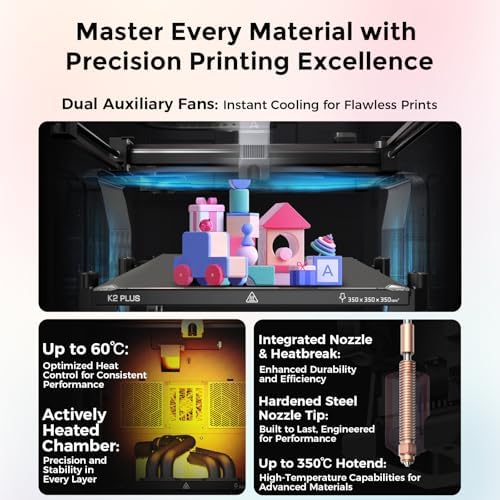
Specifications (Pros and Cons)• Actively Heated Chamber• 350x350x350 Build Volume (Largest fully enclosed FDM Core XY printer available)• Hardened Steel Extruder and Gears• High Flow Nozzle Included• Solid Metal Frame Build• Lidar Advanced AI Print Detection• Automatic Flow Rate and Pressure Advance Calibration• Kit includes the hub for connecting up to 4 CFS devices at once• Built-in Fluidd Software for easy monitoring of advanced machine information and metrics• No option for CryoGrip Pro quality build plates (limited to PEI variants)Package Contents• Tool kit for complete maintenance of the printer• 50/50 PEI Smooth / PEI Textured build plate• Extra High Flow Nozzle• 4 – 0.5 kg spools of filament (Red, Blue, Black, and White)Performance EvaluationThe Creality K2 Plus 3D Printer is highly impressive, with its actively heated chamber and large build volume setting it apart from other FDM printers. The hardened steel extruder and gears, coupled with the high flow nozzle, ensure reliable and high-quality prints. Additionally, the solid metal frame build adds to its durability.The integrated Lidar advanced AI print detection and automatic flow rate and pressure advance calibration make it a sophisticated machine. The built-in Fluidd software allows for efficient monitoring, troubleshooting, and management of machine metrics, enhancing the user experience (Bambu offers no such solution and that is a problem).However, the lack of CryoGrip Pro build plate options is a minor drawback. Although the PEI plates have been reliable, with only two failures in over 200 hours of printing, the CryoGrip Pro plates could further optimize bed adhesion and reduce maintenance needs. Bambu also has their own Supertack plate that is similar and both reduce energy usage and increase reliability, sadly Creality offers no such solution for this feature.A key advantage is the actively heated chamber (a feature not available in the X1C, P1S, or other similarly priced competitors), which allows for the printing of various filaments. It keeps optimal conditions for each filament, eliminating the need for ridiculous vented riser solutions.Creality CFS Filament Management SystemSpecifications• No filament drying option• Built-in Hygrometer LED that displays on the front of the CFS• 4 colors per CFS• Rubber bushings allow for the use of cardboard spools but wear out faster• Not truly optimized yet as filament bleed can create issues with support material invading prints or random color specs after filament changes• Easy maintenance without tools for most servicing of the device• Lagging behind the AMS 2 Pro and Prusa MMU options in many areasPerformance EvaluationThe CFS filament management system has a solid design, allowing for easy maintenance without tools for most servicing tasks. The built-in Hygrometer LED provides valuable information on chamber humidity and temperature, and the system supports up to four colors per CFS.However, the lack of filament drying options and the faster wear of rubber bushings are notable drawbacks. Additionally, the optimization issues, such as filament bleed causing support material problems and random color specs after changes, hinder its overall effectiveness. Compared to AMS 2 Pro and Prusa MMU options, the CFS system still has room for improvement.Overall EvaluationThe Creality K2 Plus 3D Printer stands out with its impressive features and reliable performance, making it one of the top choices for FDM printing. The main limitation is the build plate options, with the CryoGrip Pro plates offering superior bed adhesion.On the other hand, the Creality CFS Filament Management System, while decently designed, lacks optimization and falls short compared to other advanced options. Its ease of maintenance is a positive aspect, but the issues with filament bleed and lack of drying options make it a middle of the road offering.The Creality Cloud Slicer has issues due to a janky implementation. Creality reskinned ORCA slicer to resemble CURA Slicer, resulting in a buggy system that often crashes. While using ORCA slicer is an option, it requires repetitive printer setup and manual color data input due to the proprietary CFS design. I wish they had stuck with ORCA, as this software’s flaws are a major turnoff for me.If I were buying again, I’d get just the printer. It’s excellent, but the software and CFS are not as well optimized as I would like.Creality has improved its brand from one requiring tinkering to one with mostly dependable printers. This benefits consumers, but further progress by the manufacture is needed, to improve the CFS and Build Plate Options.I returned the printer because I couldn’t return just the CFS. Creality Cloud is frustrating for cutting models and slices files slower than ORCA Slicer, PRUSA Slicer, or Bambu Studio. With that said, I would highly recommend the printer, if you purchase it as a stand alone device. One other note, I discovered the rear left corner of the heat bed was dramatically offset from the other 3 corners and that has also created an issue with even wanting to keep the machine itself.
4 people found this helpful
Shanda AndersonShanda Anderson –
Amazing !!!!!
Amazing. My first 3D printer I’ve ever owned. I love it. So easy to setup. I’ve been printing for 2 solid days right when it was delivered. I’m thinking about buying a second one. If you’re looking, stop here and buy one.