
No products in the cart.
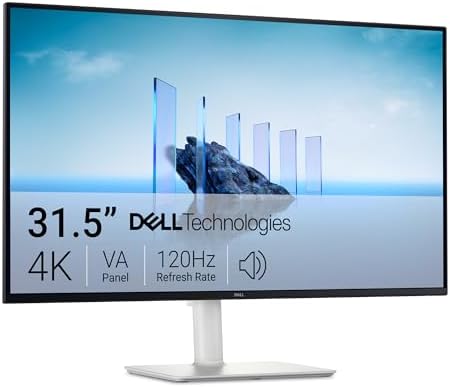
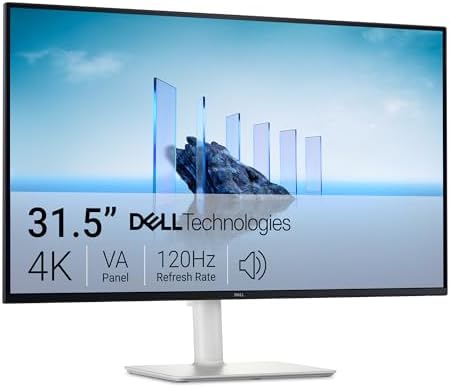
Dell 32 Plus 4K Monitor – S3225QS – 31.5-inch 4K (3840 x 2160) up to 120Hz 16:9 Display, VA Panel, AMD FreeSync Premium, 99% sRGB, 95% DCI-P3, 1500:1 Contrast Ratio, Comfortview – Ash White : Electronics
$445.49
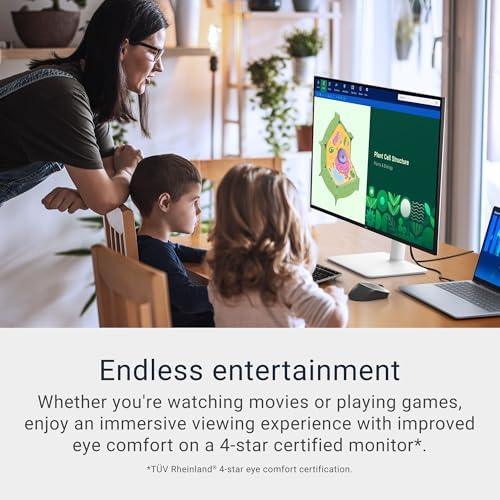
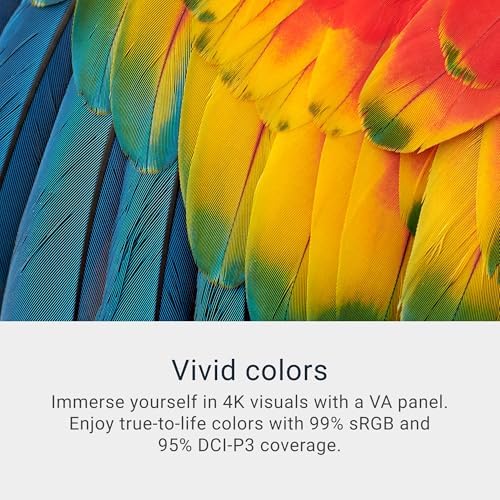
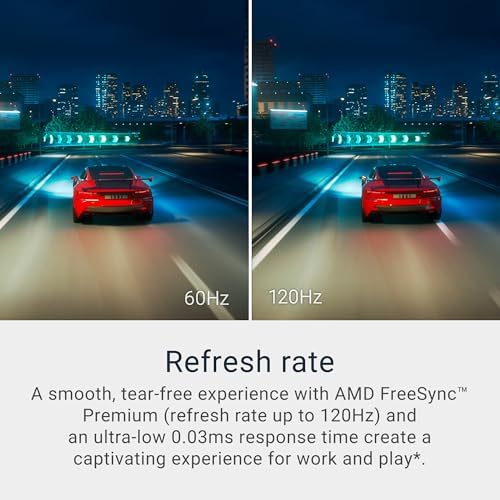
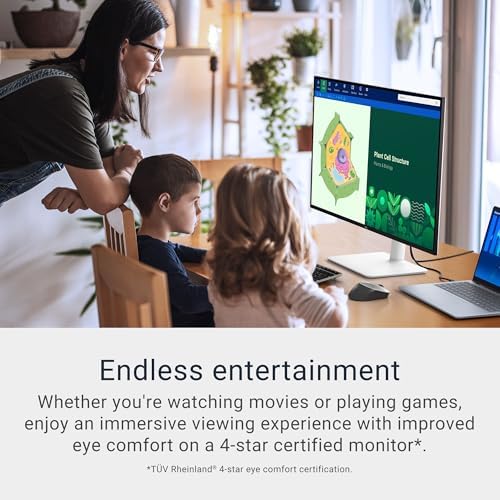
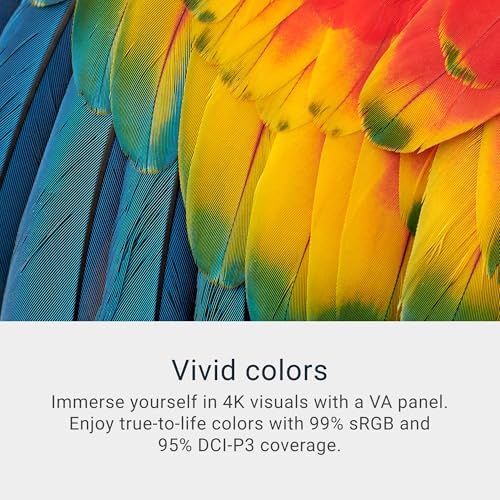
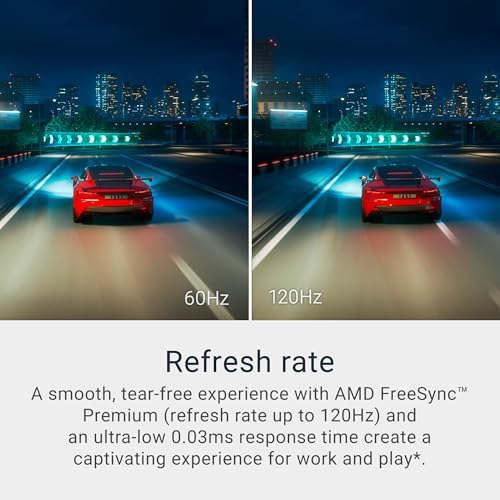
About this item Improved ComfortView Plus: Reduces harmful blue light emissions to ≤35%, for all-day comfort without sacrificing color accuracy. Refresh rate: A smooth, tear-free experience with AMD FreeSync Premium (refresh rate up to 120Hz) and an ultra-low 0.03ms response time create a captivating experience for work and play. Vivid colors: Immerse yourself in 4K visuals with a VA panel. Enjoy true-to-life colors with 99% sRGB and 95% DCI-P3 coverage. The 1500:1 contrast ratio and HDR readiness deliver excellent depth and detail. Re-engineered sound quality: Enjoy more detailed sound with spacious audio featuring greater output power, deeper frequency response and…
| Display Size | 27 Inches, 34 Inches, 32 Inches, 31.6 Inches |
|---|---|
| Size | S2725QC, S3425DW, S3225QS, S3225QC, S2725QS |
| Style | USB-C, HDMI |
| Aspect Ratio | 16:9 |
| Screen Finish | Matte |
| Contrast Ratio | 1500:1 |
| Refresh Rate | 120 Hz |
| Display Type | LED |
| Display Technology | LED |
| Viewing Angle | 178 Degrees |
| Brightness | 300 |
| Pixel Pitch | 139 |
| Color Gamut | 99 |
| Has Color Screen | Yes |
| Picture Quality Enhancement Technology | AMD FreeSync Premium, VA Panel, 99% sRGB, 95% DCI-P3, ComfortView Plus, HDR |
| Screen Size | 32 Inches |
| Item Dimensions D x W x H | 8.73"D x 28.05"W x 17.55"H |
| Item Weight | 19.3 Pounds |
| Resolution | 4K |
| Display Resolution Maximum | 3840 x 2160 Pixels |
| Native Resolution | 3840×2160 |
| Response Time | 0.03 Milliseconds |
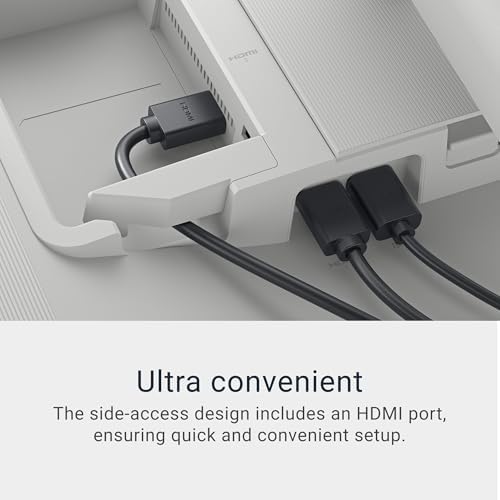
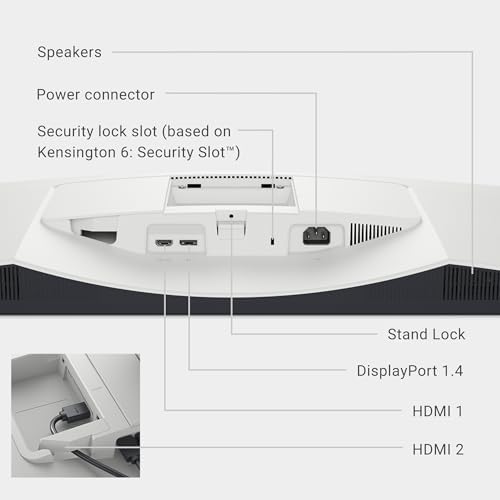
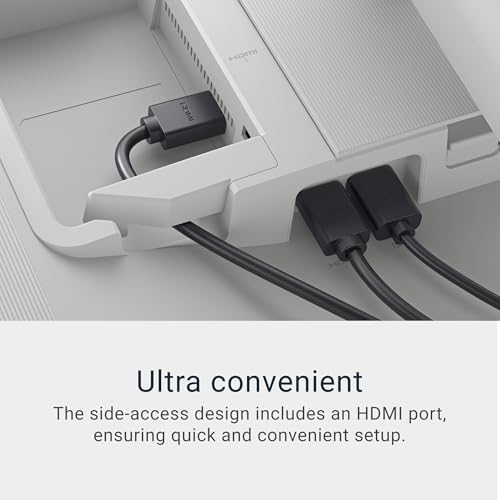
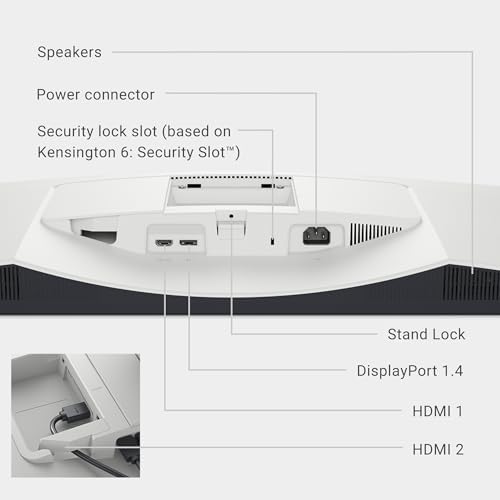
| Total Number of HDMI Ports | 2 |
| Number of Component Outputs | 4 |
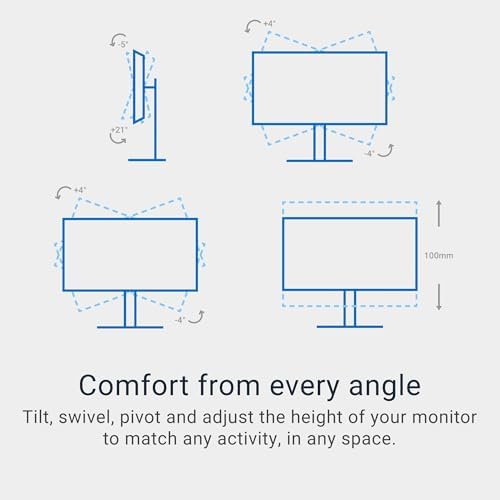
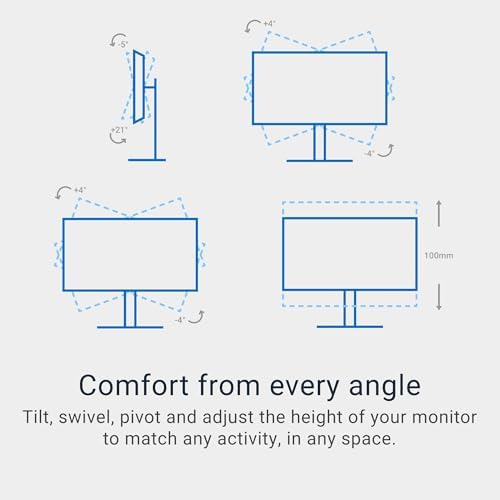
| Additional Features | Adaptive Sync, Anti Glare Screen, Built-In Speakers, Energy Efficient, Height Adjustment, Tilt Adjustment |
| Specific Uses For Product | Business, Desktop, Photo Video Editing |
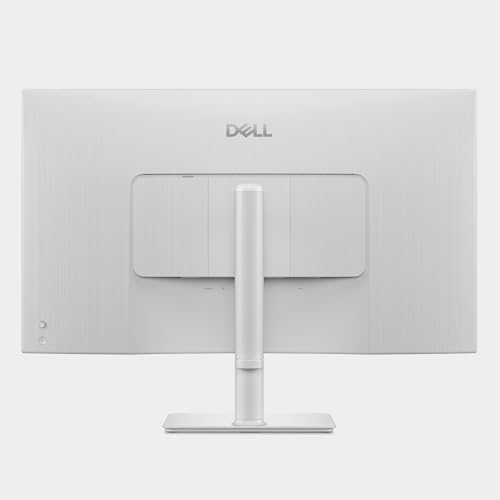
| Color | Ash White |
| Mounting Type | Desk Mount |
| Warranty Type | 1-Year Advanced Exchange Service & Premium Panel Exchange |
| Brand | Dell |
| Model Number | S3225QS |
| Model Name | Dell 32 Plus 4K Monitor – S3225QS |
| Country of Origin | China |
| UPC | 884116485131 |
| Manufacturer | Dell |
| Built-In Media | 1 x HDMI cable – 1.80 m, Monitor, Power cable, QR card, Safety/Environmental/Regulatory Information, Side I/O Cover, Stand riser and base |
| Warranty Description | 1-Year Advanced Exchange Service & Premium Panel Exchange |
| Best Sellers Rank | #208 in Electronics (See Top 100 in Electronics) #10 in Computer Monitors |
| ASIN | B0F1GD9YFN |
| Customer Reviews | 4.4 4.4 out of 5 stars (1,478) var dpAcrHasRegisteredArcLinkClickAction; P.when('A', 'cf').execute(function(A) { 4.4 out of 5 stars |
| UNSPSC Code | 43211900 (Computer displays) |
| Power Consumption | 32 Watts |
| Voltage | 240 Volts (AC) |
| Connectivity Technology | DisplayPort, HDMI |
| Hardware Connectivity | DisplayPort, HDMI |
| Adaptive Sync | FreeSync Premium |
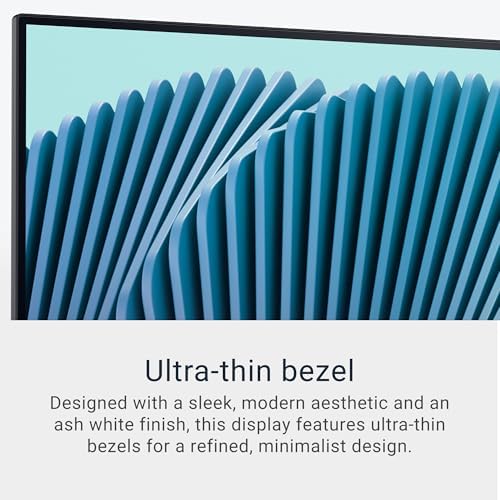
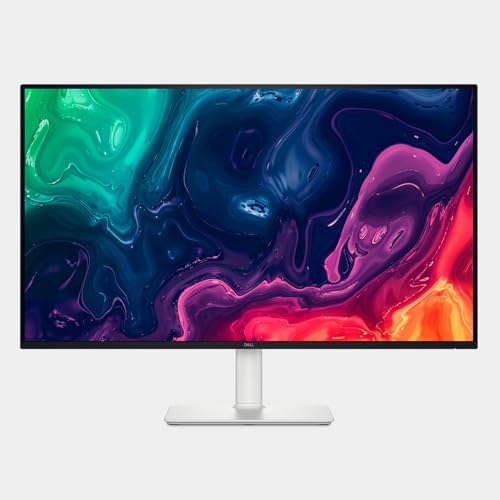
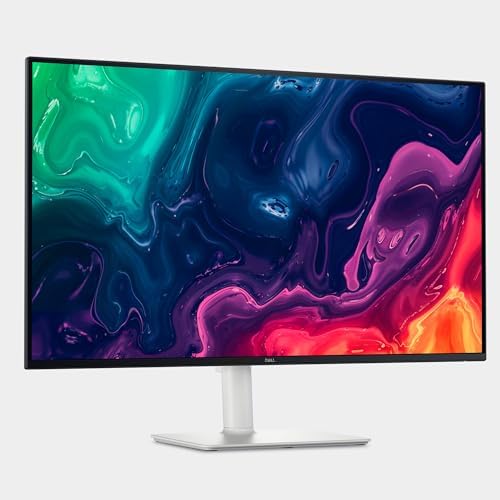
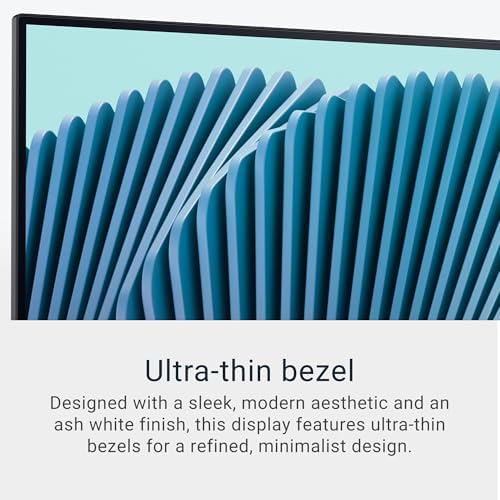
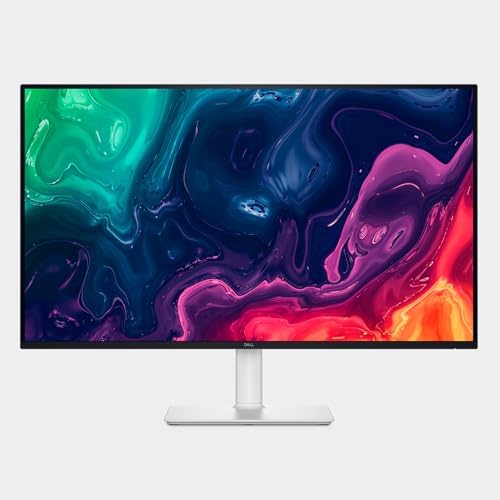
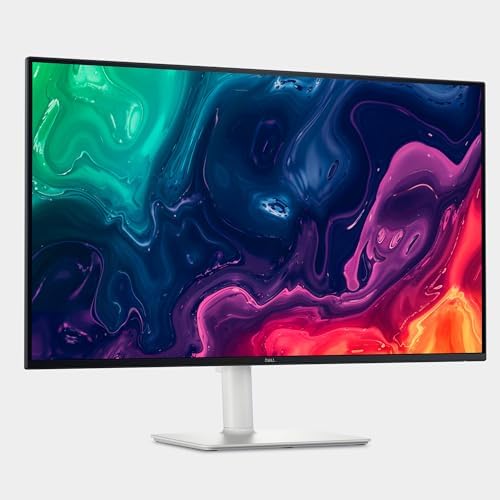
| Feature | Ultra-thin bezel: Designed with a sleek, modern aesthetic and an ash white finish, this display features ultra-thin bezels for a refined, minimalist design. |
10 reviews for Dell 32 Plus 4K Monitor – S3225QS – 31.5-inch 4K (3840 x 2160) up to 120Hz 16:9 Display, VA Panel, AMD FreeSync Premium, 99% sRGB, 95% DCI-P3, 1500:1 Contrast Ratio, Comfortview – Ash White : Electronics
Only logged in customers who have purchased this product may leave a review.


Jose A romo –
Title: Beautiful 4K 120Hz Monitor — Great Value Used
This is a beautiful monitor, and I’ll admit I’m a little biased. A 27-inch 4K display at 120Hz in that clean snow-white design just looks amazing on a desk.Performance is excellent — it runs smooth, looks sharp, and colors are great. I mainly use it as an upgrade for my YouTube channel, and it’s been perfect for editing and everyday use.I picked mine up used for about $230, which is an incredible deal for what you’re getting. If you can find one used through Amazon resale or retail returns, I’d definitely recommend going that route.Overall, great quality, great performance, and a solid price. I highly recommend this monitor.
6 people found this helpful
John M Yelcick –
Fantastic value.
I ADORE this monitor, and that I got it at an exceptional price – $600. Like all OLED monitors, the colors are brilliant, and the true blacks make the picture pop. Two features that are particularly useful for me are a huge plus, and not seen in other monitors are that are even more expensive. 1. Dolby Vision – this allows me to use the monitor as a high-quality TV with the best possible picture quality from my streaming services. I use this monitor as both a TV and as my computer monitor – I have a small space, and this is perfect for both.. 2. The built-in high quality audio. The built in speakers provide quality audio with an amazing simulation of spatial audio that is so good that it is spooky. While the bass could use more “punch,” overall the quality is excellent and more than sufficient for most purposes. The stand is sturdy and provides full adjustment including significant height adjustment, tilt (side-to-side and forward and backward), and rotation. Overall, this is a perfect monitor my use at the lowest price-point for a 4k 32 inch OLED monitor.
18 people found this helpful
William Jones –
Fantastic productivity monitor for those who can’t go back to 60hz.
After upgrading to a 360hz 1440p OLED and giving away my old 144hz 1440p IPS, I needed another monitor primarily productivity and programming as a CS student. But after trying other 27 inch 4k monitors with 60hz refresh rates, it didn’t feel like home. it just made everything feel slower and made me feel less productive. But this monitor ticks all my boxes, it reaches 350 nits brightness which is on par with my old monitor but with noticeably better contrast. You wouldn’t think 1000:1 to 1500:1 makes a difference if you own an OLED that can literally reach infinite:1 but yes, it makes a big difference. Colors look good to me when just eyeballing it next to my 2019 MacBook at a comparable brightness. The resolution at this size is fantastic text and every part of the UI is ultra crisp like my MacBook (honestly even more so, I think ClearType makes a big difference). Viewing angles are great. The matte coating does produce some grain which is noticable if you are in a dark room viewing full white screen within a foot away but it’s by far not the worse i’ve seen and with dark mode I legitimately cannot notice it and the reflection handling is pretty great.Now the refresh rate… wow. 4k on 27 inches with 120hz is just, stunning. Just feels like the way navigating a desktop is meant to feel. It honestly feels like a crime we use 60hz for literally anything, it makes everything just feel way more responsive. Response times are okay, absolutely fantastic for a productivity however for gaming with a mouse it wouldn’t be my first pick. It’s not my use case but I feel I should mention it. There is quite some noticable ghosting in games but I am coming from an OLED so I am probably particularly sensitive to noticing it. It’s FreeSync compatible which is just great but I would spend a bit more to get faster pixel response personally if you are going to ever play FPS games with keyboard and mouse on it. But if you are getting it for playing on a controller or console then you’ll probably be pretty happy and I would choose it over a another gaming focused monitor with 1000:1 contrast even with it’s relatively slower response time (it’ll be lightning fast compared to any LCD TV). People recommend getting and gaming on much slower VA MiniLED panels all the time so that’s worth mentioning.My only true complaint for my use case is there is a slight amount of vignetting on the right side of the panel which is only noticeable if I purposely move a light mode window to the edge and back again, watching it closely. I literally never notice it during actual work since I use dark mode but even if I used light mode I doubt it would bother me much if at all. No noticable flicker, IPS glow is very minimal with no noticable hotspots. Overall pretty great panel for the price and I couldn’t imagine wanting much more out of a productivity monitor.
109 people found this helpful
Karl3993 –
Great value, very good picture, perfect for my purposes.
This is an excellent monitor for my purposes. It was very easy to set up (it took less than 15 minutes), it is nice looking, filled with features, and has a great picture. I am sure I will use it a lot, and can even envision purchasing another.
Wilson –
Good monitor
I’ve been using the Dell S2725QC for a few days now and I’m really happy with it. The 4K resolution is very sharp and the colors look great right out of the box. Text is crisp, which makes a big difference for work and browsing.The USB-C connection is super convenient — one cable powers my laptop and handles display at the same time. The stand feels solid and is easy to adjust for height and tilt.Overall, it’s a clean, modern monitor with excellent picture quality and great connectivity. Definitely worth the money for both work and everyday use.
4 people found this helpful
Junior D –
Beautiful screen and amazing price! Mac compatible!
This monitor was connected to a Mac mini m4 and just looks amazing. Colors pop on the screen itself and just so easy to look at. Amazing price and compliments any office for sure. You will not be disappointed. The size is 27 inches and provides a lot of room for pictures and spreadsheets; connectivity and compatibility to a Mac was just that easy. This Dell monitor is very well made and the white case looks so gorgeous.
2 people found this helpful
A Friend –
Excellent monitor
I purchased the monitor mainly for IT work and also for trading so I can get candle stick charts on on a large display. I originally purchased two FHD monitors and the quality was so bad and the sound was below par. I winded up returning and carefully hunting for something affordable and solid. I found this, checked reviews and made the purchase. I am blown away. The picture quality is like the OLED TVs you see at Costco. Also the sound us so good and crisp that I won’t be needing additional speakers. I tested 4k+ videos and OMG it is a new addiction. The graphics is better than my new macbook Air and also my new Lenovo workbook performance laptop which is a high end with i9 core and Nvidia GPU 8GB graphics card. I see incredible details on the monitor versus laptop screen.I am super satisfied with thisbpurchase.One odd issue is I am not able to control the brightness on the monitor and it us grayed out for me. I checked other peoples reviews and no one else complained so I think it migh lt just ve my case. I will figure it out.Also I notice when I am on the highest resolution settings. The refresh rate would go above 60hz. If I change it to a lower resolution it can go higher. I need to investigate this. One other reviewer mention the monitor prompted him for an update so I will explore that as well.
3 people found this helpful
Bob Sacamano –
Yes
As another reviewer noted, the cardboard used in the box has a terrible smell. They should obviously address that. The monitor itself I also agree with reviews regarding color shift. To me it’s not terribly significant side to side, however you can see the screen get noticeably washed out when moving up/away from the screen. Viewing angles aren’t the best but honestly this is a common occurrence. I don’t know about the quality of this particular VA monitor, just that IPS monitors in general tend to and SHOULD have better viewing angles. I’m pleased with it overall but it’s still something to consider. I think it gets bright enough, I was more concerned before I changed the color settings because next to an IPS monitor the white was more yellow. They’re different panels though and the IPS monitor is smaller and lower resolution. I think the colors look good – great and the monitor itself gets bright enough unless you have a very bright environment where I could see ‘potential’ for issues. What really surprised me was the bump in clarity. I understand some monitors are sharper but having nothing similar to compare it to, I’m satisfied with the resolution and it absolutely blows away a 1080 monitor. The speakers are excellent. They’re not a replacement for dedicated speakers but they can certainly be used as such. It’s not necessarily the quality but the loudness. They get LOUD. The quality is also very good. They’re approaching the sound quality of a good, large TV. The interface is operated via button on the back and slightly annoying but easy to use and functional. A prompt came up on the screen to download additional software to customize the display. I honestly didn’t know a monitor does this, I’m assuming through Windows update. I haven’t done that yet and I’m satisfied with the quality enough that I might not get around to it. Setup was easy enough although I found it odd that there was no instruction manual whatsoever in the box. Not mine at least. Light bleed around the edges is practically non existent (on this panel) and the colors and resolution are good. I haven’t noticed any flickering or dead pixels. BTW the monitor is flipped in the manufacturer box and Amazon placed it front of the box side up, which is logical and they probably don’t know it’s upside down in the box, but so that means it constantly got dropped directly on the screen whenever it was set down. They also shipped it inside another box for whatever reason so the package was massive. I’ll update this review if anything odd starts happening but as of now I’m satisfied with it and would recommend it.Pros:ResolutionSpeakersDisplay colorsDesignSizeCons/not the best:Huge Amazon box 🤔BrightnessColor shiftNoxious packagingNo instructionsPrice
21 people found this helpful
MadCarpenter –
A Big, Good Looking Monitor
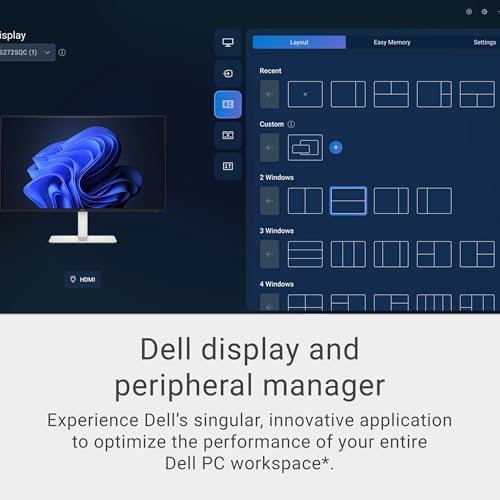
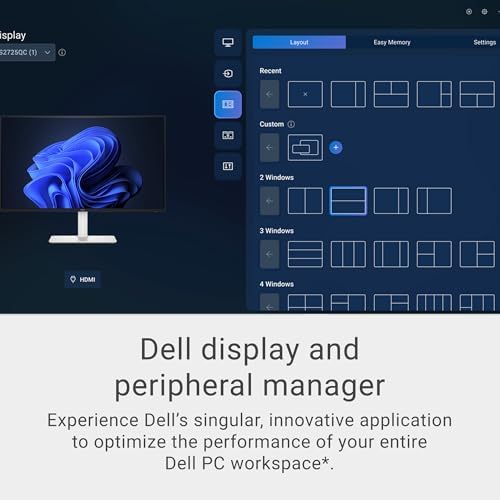
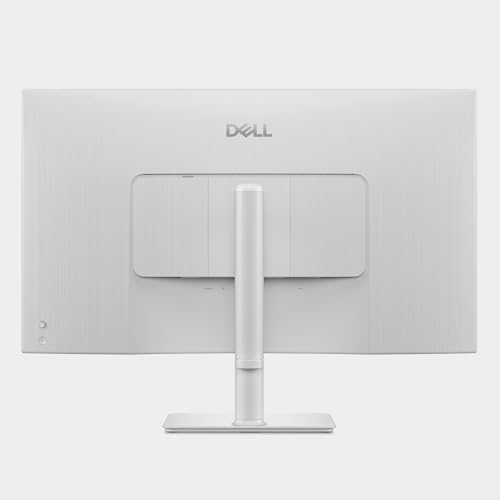
TL;DR: Very nice big monitor, no problems. After a week of adjusting to it, and fiddling with my desktop PC to transition from a perfectly satisfactory Acer 27″ 1440 100Hz 1ms IPS monitor to this new 32″ 4k 120Hz 4ms Dell, I’m very satisfied with it.Out of the box, Dell’s ‘Custom Color’ setting seems already well calibrated; colors are not overly saturated cartoons, skin tones are lifelike. The panel appears so bright in my non windowed, small desk lamp lit home office that I’m able to reduce Brightness setting to 35%, which helps its already deep blacks become even more impressive. Contrast set to 85%, Sharpness 70%, Dark Stabilizer to setting 1, HDR Off. The right side, back-of-monitor joystick function is highly intuitive and easy to use compared to the confusing button pushing sequence of other types of monitor interfaces. (Though I also downloaded Dell’s mouse driven, desktop monitor adjustment app from their website, I’ve yet to need it.)Viewing 1080 live streamed broadcast of NFL games shows no motion blur at its 120 Hz refresh rate, and the 4ms response time appears to be a non factor for my applications, since I’m not a gamer. Netflix 4k material is stunning on this Dell, and I have mixed feelings about HDR’s effects; I usually leave it Off. Viewing and reading web content is comfortable, with similarly responsive mouse scrolling and sharp text/graphics to my previous 1440 monitor. I enabled 120Hz refresh rate in Windows, and had to tweak appearance settings in both Windows 11 and Chrome’s browser for font and text size and page zoom to maintain similar, comfortably legible open tabs’ sizing to page ratios as my old screen’s smaller size.Coming from IPS monitors, the typical off axis color alteration of this VA type panel when viewed even slightly from the side is a kind of disappointing tradeoff for its 50% better contrast ratio. Appearance becomes washed out quickly unless seated in the sweet spot directly in front of it, but I’m getting used to it. The monitor’s very stable stand offers generous adjustments including height, rotation and tilt, and setting a slight panel tilt upward helps to maintain best viewing angle while seated, reminding me of how amazingly sharp and beautiful this display is. I can now comfortably watch this larger screen from 3 to 4 feet away to enjoy a more immersive view of sports and movies.It was considerably discounted for Black Friday, and arrived in an enormous, comically oversized but lightweight plain brown box to conceal its identity. It wakes reliably fast from sleep, its power cord is just that; not another cumbersome adapter brick, and I’m quite happy with its performance thus far.
Captain Francisco –
Okok, I may be bi-polar O.o (sorrrrrry!)
UPDATE THURSDAY Oct 16 —Hi hi! Ok so yeah… Ummmm It was an issue with meh dongle, not the monitor 😀 lol, I just ummm… Get a little “manic” and over-do it 😀 lolol, ok, so Monitors good, still yellowish tint but that’s largely cause I’ve been too lazy/busy to f’ with it, otherwise super clean, just, umm, yeah. 😀 Will update again if anything actually does go wrong lololol!UPDATE Mon Oct 13 – DAYS past return window….Ok so yeah, nope, don’t get this, all the text suddenly just out of nowhere began to distort, it’s continuing to get worse as I type this. holy crap. lol. wtf. I better get a refund or replacement.Gonna be rambling tl;dr — I can’t do the color-sync… at least, I’m trying to set the colors to be natural and not so yellow tinted, it’s causing migraines, otherwise, GORGEOUS monitor…So I’ve recently come into some money, mostly, got too sick from COVID and lost my house, so, the money from losing something I’ll likely never afford again, anyways, it’s been about a decade since I purchased a monitor, or rather, my pops RIP, gifted me his monitors which were DELL, very well built like this monitor but totally ugly gray and black and they worked fantastically, they still work fantastically! My want was for the 4k right? Ok. So this monitor, feels as hefty and as well built as those nigh-decade-lasting ones.The picture quality is phenomenal, but the color, is way way way way off, it doesn’t make sense, this is my second one, third if you count my now returned 34” version, which is mostly being returned due to some misinformation via the ChatBot and my being manic and not as aware as I should’ve been I think, still though, gotta get your chatbot up to the job 😉 lol, I SHOULD be able to rely on it especially in this context(I build the LLM stuffs to 🙂 but anyway, that gave migraines I think due to the non-4k resolution(I’m still confused about that and feel so stupid cause, I, I should know lolol? But I am confused, I feel ashamed lol) and the yellow tint… Gah I’m so sad I love these monitors they’re gorgeous so freaking well built, but that yellow tint does not agree with my eyes and I can’t figure out how to remove it and have it match the LG I got also, yes, yes, I went on a “buying spree” not intending to but, like, spending over $100 on anything, I feel like, you deserve to get what you’re expecting when your expectations are simply that which are told to you, rather, I’m only ever expecting what’s in the specs, I’m not over-zealous, just, strict and perhaps petty, also totally lost track of what I was saying so I’ll wrap up here lol.If I can fix the yellow hue/tint (? lol?) this will become a 5+ rating. If not.There’s no reason for it to not be salvageable so if it isn’t, will drop stars. As the disappointment I feel with how beautiful and well made and how good the quality of the picture is, being scrapped because some color lock exists, is so absurd. I hope I’ ve just been experiencing some dumb and it works out. lolCause omg compared to the same priced LG which is only 60hz(btw I personally don’t notice any difference, I think I’m getting too old for my age (covid f’d me up, bad ) and the way I’m afraid that were I to bump that monitor it would shatter, lol, but it’s picture, specifically is white, is pristine! But damn ugly. lolSorry for writing so weird, hoping one day my brain returns…. ☺️😞
9 people found this helpful