
No products in the cart.
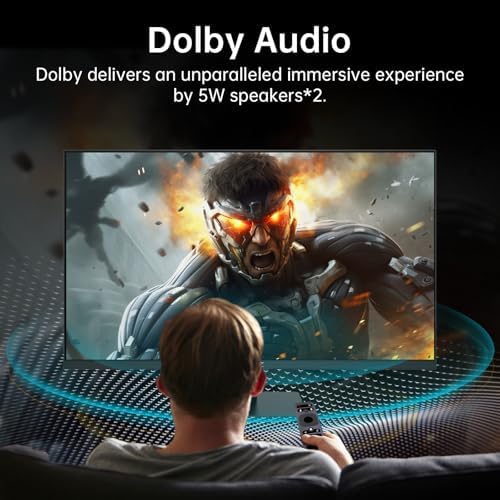
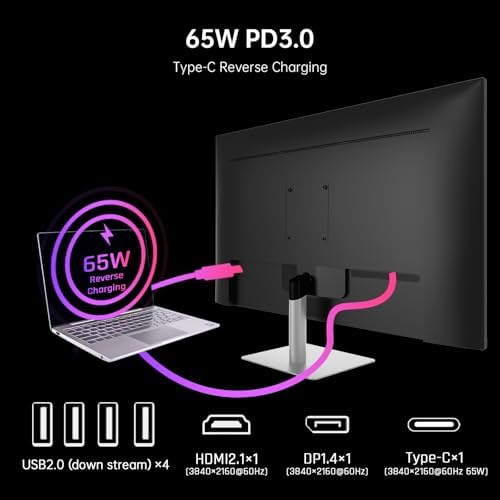
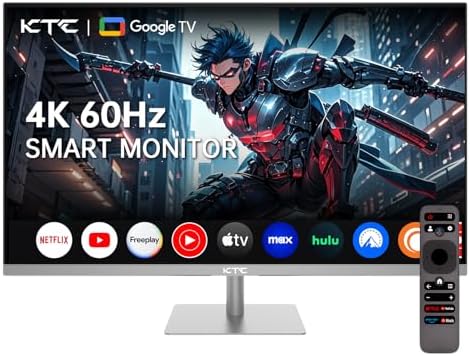
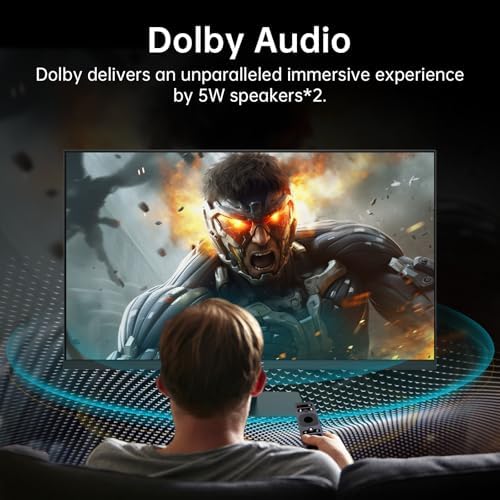
KTC 32 Inch 4K Smart Monitor with Google TV System 3840 * 2160P Netflix Licensed Type C 65W PD Speakers 5W*2 Dolby Audio Hey Google Voice Remote HDR WiFi Bluetooth VESA Tiltable 32 in Smart TV : Electronics
$323.99
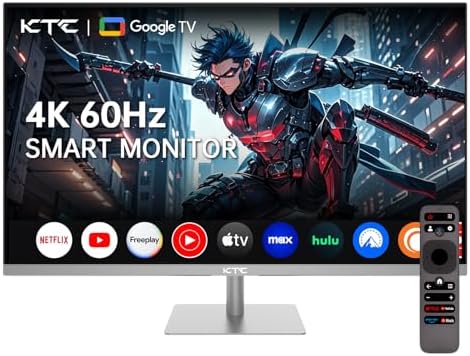
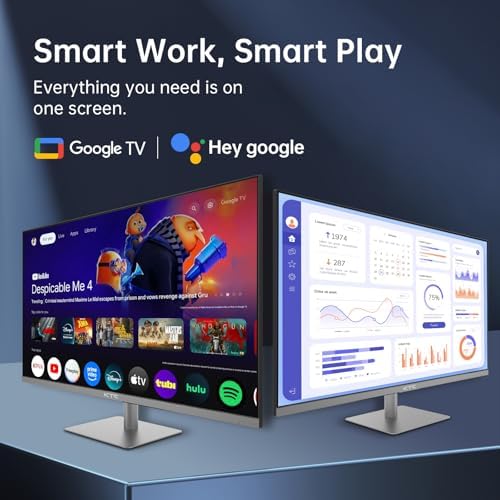
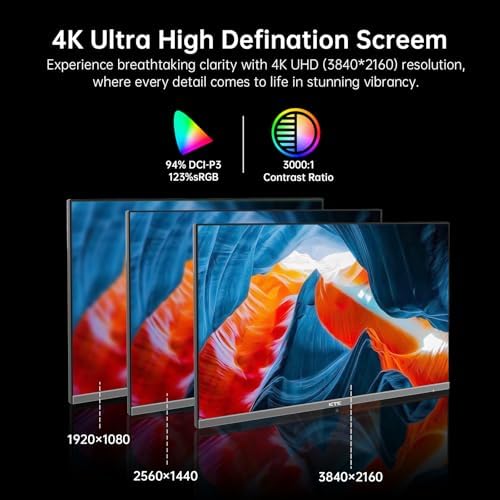
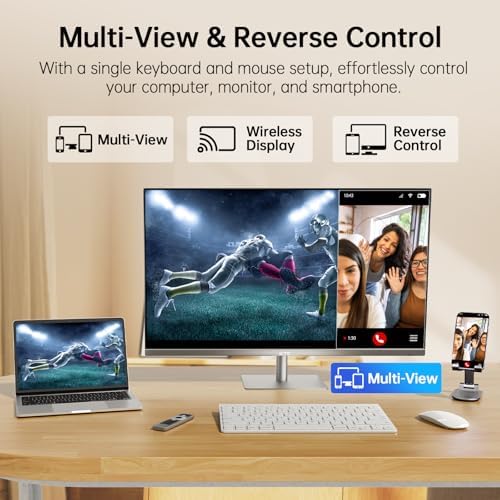
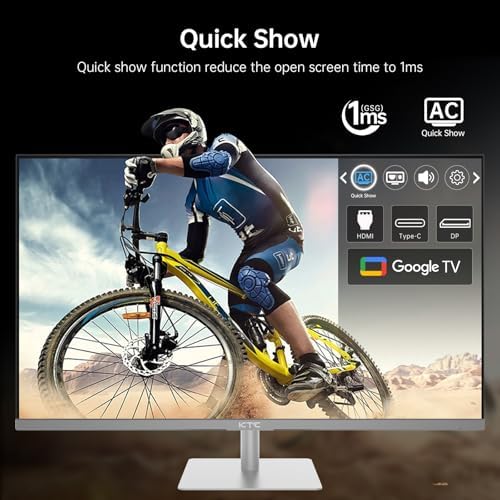
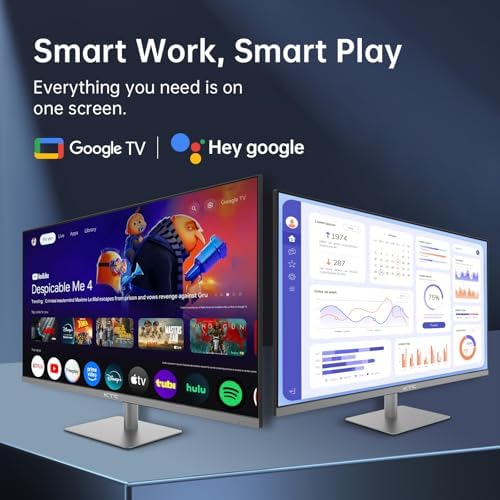
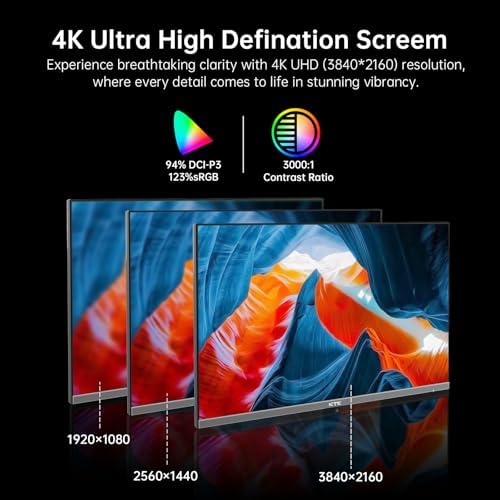
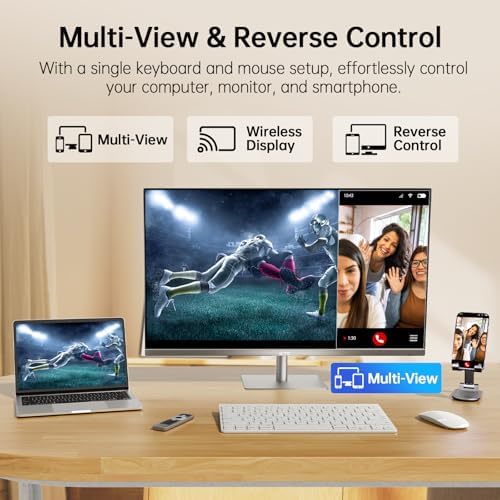
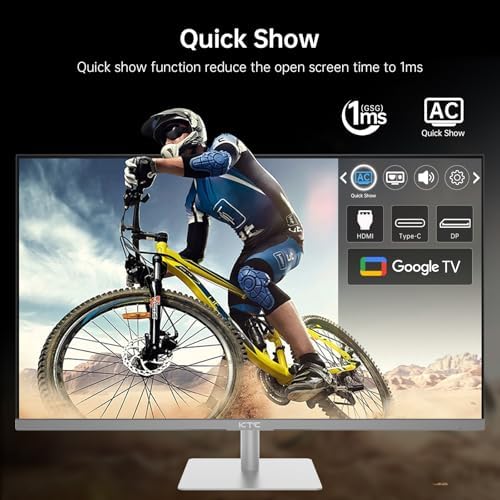
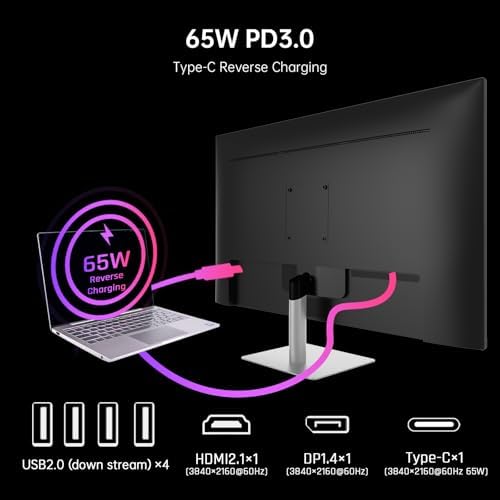
About this item [Stunning 4K Resolution] Immerse yourself in breathtaking visuals with the A32Q8 32 Inch 4K Smart Monitor, which features an impressive UHD resolution of 3840x2160P and 60Hz refresh rate. This 2160P monitor delivers vibrant, rich colors and incredible detail that cater to all your viewing needs, whether you're watching movies, playing games, or working on graphic design projects. [Integrated Google TV System] Stay effortlessly connected and entertained with the built-in Google TV System, which offers seamless and user-friendly access to all your favorite streaming services. With a few simple clicks, you can browse through a vast library of…
| Size | 27 inch, 32 inch, 24 inch, 31.5 inch, 24.5 inch, 34 inch |
|---|---|
| Style | QHD 100Hz., OLED QHD 240Hz 0.03ms GTG, Curved 1000R QHD 240hz, 24DY720, QHD 1500R VA 180Hz, Curved HVA QHD 165Hz 1ms, 4K 60Hz Smart Monitor, 24.5, Dual Mode 4K 160Hz & FHD 320H, Fast IPS QHD 165Hz 1ms GTG, QHD 180Hz Mini LED HDR1400, Fast IPS UHD 160Hz 1ms GTG, 27'' 180Hz FHD, QHD 180Hz HDR400, VA WQHD 165Hz 1ms, FHD 400Hz HDR 400 |
| Aspect Ratio | 16:9 |
| Screen Finish | Matte |
| Contrast Ratio | 3000:1 |
| Refresh Rate | 60 Hz |
| Display Type | LED |
| Display Technology | VA |
| Viewing Angle | 178 Degrees |
| Pixel Pitch | 1.97 |
| Has Color Screen | Yes |
| Picture Quality Enhancement Technology | HDR10 |
| Screen Size | 32 Inches |
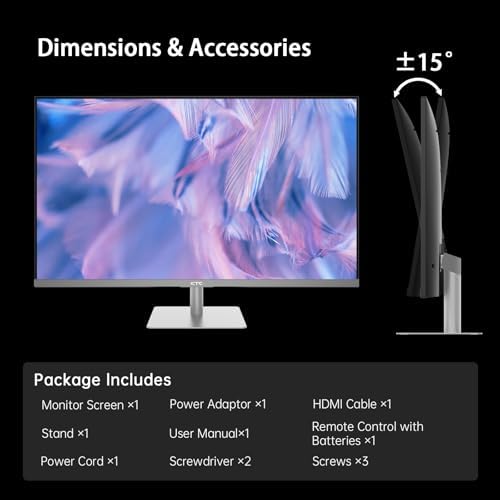
| Item Dimensions D x W x H | 7"D x 28"W x 19"H |
| Item Weight | 6.2 Kilograms |
| Resolution | 4K |
| Display Resolution Maximum | 3840 x 2160 Pixels |
| Native Resolution | 3840×2160 |
| Power Consumption | 168 Watts |
| Voltage | 24 Volts |
| Connectivity Technology | Bluetooth, DisplayPort, HDMI, USB Type C, Wi-Fi |
| Hardware Connectivity | DisplayPort, HDMI, USB, USB Type C |
| Additional Features | Adaptive Sync, Built-In Speakers, DLNA, Eye Care, Flicker-Free |
| Specific Uses For Product | Business, Entertainment, Gaming |
| Color | 1 |
| Mounting Type | Desk Mount |
| Compatible Devices | Desktop, Gaming Console, Laptop, Smartphone, Tablet |
| Warranty Type | 3 Years Manufacturer Warranty |
| Shape | Rectangular |
| Brand | KTC |
| Model Number | A32Q8 |
| Model Name | A32Q8 |
| Country of Origin | China |
| Manufacturer | KTC |
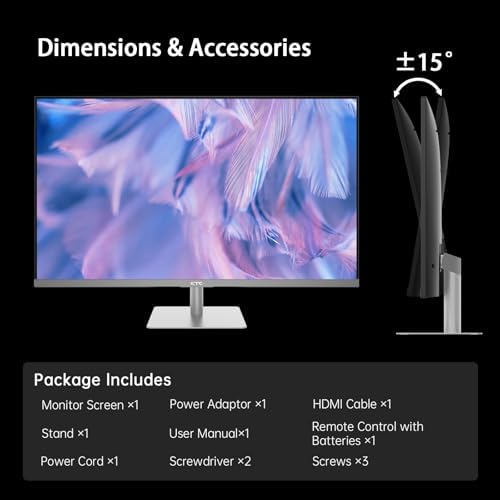
| Built-In Media | 32 inch UHD Smart Monitor*1 Base*1, Adaptor*1 Power cord*1, HDMI cable*1, Screwdriver*2 Screws*3 Remote control*1, UG*1 Spindle*1 |
| Warranty Description | 3 Year Warranty Service |
| Best Sellers Rank | #1,443 in Electronics (See Top 100 in Electronics) #50 in LED & LCD TVs |
| ASIN | B0DR8NGBLD |
| Customer Reviews | 4.4 4.4 out of 5 stars (3,338) var dpAcrHasRegisteredArcLinkClickAction; P.when('A', 'cf').execute(function(A) { 4.4 out of 5 stars |
| UNSPSC Code | 43211900 (Computer displays) |
| Response Time | 5 Milliseconds |
| Total Number of HDMI Ports | 1 |
| Total Usb Ports | 4 |
| Number of Component Outputs | 7 |
| Total USB 2.0 Ports | 4 |
| Feature | [User-Friendly Feature] Increase your productivity and comfort with the advanced Low Blue Light technology embedded in this smart monitor. This feature is specifically designed to reduce eye strain during extended periods of use, making it an ideal choice for both work and leisure activities. You can comfortably engage in long hours of use, whether you're working on projects or enjoying leisure time. |
10 reviews for KTC 32 Inch 4K Smart Monitor with Google TV System 3840 * 2160P Netflix Licensed Type C 65W PD Speakers 5W*2 Dolby Audio Hey Google Voice Remote HDR WiFi Bluetooth VESA Tiltable 32 in Smart TV : Electronics
Only logged in customers who have purchased this product may leave a review.
Mason LaMaster –
Great OLED monitor for a high percentage of gamers
The cheapest and best OLED monitor for those wanting an introduction to OLED Monitors. The size of the screen is good for standard gaming, and the 1440p allows for very nice high definition gaming. 240 hz gives a nice competitive advantage, and the speakers allow you to play games as if you were watching a movie theatre. If you are looking to try out the supposed high quality of OLED gaming, I can’t recommend this product more.
One person found this helpful
Crazy Logic Error –
Very nice monitor
I was looking for a 1080p 165hz+ to play some fps. I have a 32 inch 1440p and a 28 inch 4k that are very nice as well. The 32 inch 1440p does 144hz with vrr. But the 4k is on 60hz.I had read up on this and noticed that the only review I found on this said the monitor would not do vrr with hdmi. I was going to use display port anyway and with the discount and % off it was decently below $100. Took the chance.This monitor honestly looks way better than I thought it would. Colors are great. My 32 inch is a Dell that reviews very well and has nice color. It is calibrated. And this looks really good compared to that. As good? No. But really good.Not only that but the 24 inch screen does not over pixelate like I thought it might.I played some games over display port and the monitor had no issues. No tearing, no lag, not noticeable ghosting, or any of that. Ghosting bothers me which is why I gave my wife my a 1440p VA monitor I had. Looked great until the action started. And it messed with me.The refresh rate combined with vrr worked like it should. But what about hdmi. The monitor comes with an HDMI cable. But I did not use that. I used a nice ultra high speed hdmi I already had laying here.First, I tested on Xbox Series X. It did show vrr. Allowed 120hz. And the monitor was showing this. I did Fortnite which has some drops here and there and even with those odd drops it has to the 90s for me it was smooth. Though mostly it stuck right near 120. But it did allow vrr and 120hz over hdmi.On to pc. I hooked the same HDMI to my PC and it was showing 60hz. I went into AMD Adrenaline and toggled on VRR. Then I went to Windows settings and changed the Hz to 180. All good. Windows, AMD, and this monitor (H25T7) all show 180Hz. I then did a game test.I jumped on PUBG as that game has frame drops and is all over for me on all my systems. This particular PC however does not have stutter I have seen on other PCs though. The frame rate in lobby was showing over 400. But that is static basically. In the game this FPS was anywhere from 92 (lowest) to over 200. Was mostly around 160 Hz. I did not notice any issues. It was smooth as you could want.Overall I was surprised by this monitor at this price. I was on the fence about taking the chance. But then I figured if the ghosting was bad or vrr did not work well I would just use it as a monitor for chats and such.Note: Windows automatically put his monitor as a 10-bit panel. And so did AMD Adrenaline. I did not mess with those. So the color settings are at 10-bit RGB 4:4:4 Full.
93 people found this helpful
“”“” –
Best Mini LED 1440p for the price
Bought at $250 and it’s an incredible value for that price. The Mini-LED HVA panel with the super bright HDR1400 looks absolutely beautiful, especially in a dark room. I’d argue it rivals the color contrast and brightness of the LG OLED C series TVs, at a fraction of the price.I had concerns before buying that this monitor would not be good for productivity use due to black smearing, ghosting, and bad text clarity. However, none of that is at all an issue if you stick to the high HDR brightness this monitor advertises. The grey-to-grey response times and clarity are perfectly suitable for both casual gaming and getting document-based work done. If there is any black smearing at high brightness levels, I don’t notice it.That being said, for those who are light sensitive and need to turn down the brightness below 65% for comfortable use, be warned that black smearing (ex: white text on a black background flickering while moving) will be a major issue with this monitor.It’s very sturdily built, both the base and stand are reinforced with metal, and the on-board joystick to configure the monitor is easy to use. Comes with a DisplayPort 2.1 cable.For mini LED 1440p 120+ Hz monitors, you really can’t get much better!
3 people found this helpful
kly411 –
Fit for purpose – gaming
For gaming at 2K, it does great as long as you have a GPU that can push it well. Mine doesn’t have any dead pixels or backlight bleed. Colors are great. Outside of gaming, it’s the typical matte IPS experience but Windows at least renders OS details well. I wouldn’t want to watch or work with video on this at any length as it looks pretty poor but 2K is still a niche resolution, so this doesn’t come as a surpise to me. The menu is a bit tricky. The physical toggle on the back has so little resistance and no clickiness that I ended up pressing it in all directions and finding the shortcut menus before, later, accidentally pressing it straight in to get the full menu. Though it is indeed height adjustable, the max height is a joke. You’ll likely want some sort of platform or riser. For the price and general quality, especially if you are specifically looking for sub 27 inch 2K, I think it is a good value.
4 people found this helpful
SvenFx –
Love it. Incredible value for money. No cons just pros
Wow. This is a great monitor. I got the 32” 4K with usb c. I love the picture quality. Far exceeded my expectations for the money. It also has Google tv which as it turns out is really cool. My other devices are Apple TV so this is my first google tv. Everything is integrated perfectly and I can go from working on my Brilliant monitor to watch tv. I’m really happy with this monitor and wonder why I waited so long to Buy a large 4K monitor. Getting a 27”For my wife.
Ramon CortesRamon Cortes –
Extremely Fast Monitor + Beautiful Colors!
Super Fast Monitor! The colors are rich, vibrant, and pretty accurate. Out of the box the monitor is actually 360 hz. To activate the 400 hz, you need to over clock it. I did notice some things, not necessarily a deal breaker though. First, it seems I may have gotten a newer model, bc usually upon reviews for this 400 hz monitor the colors are that of like a mac. The logo was also different. Just minor changes though nothing crazy. Mine was all black and instead of if the words KTC it had their logo instead. Just something to be aware of. Me personally, I like this look I got better. Also, I noticed when viewing from like the sides or above, the monitor appears to get lik darker? Also something that almost made me remove a star but not sure because maybe it was a skill issue for me was how much of a pain it was to set up the stand. It was extremely difficult to have it perfectly aligned and not have it lean forward. Maybe just a skill issue for me though. Otherwise, this is a very good and competitive monitor for gaming. Definitely worth the price even without it being on sale. If you see this on sale, just know you’re getting an amazing deal.
6 people found this helpful
Teal –
Great PS5 gaming monitor
I previously purchased another monitor for my PS5, the visuals were muted and HD lagged. I exchanged for this monitor and the difference was night and day. The graphics are sharp and the colors are vibrant. Monitor can glide up or down and can be tilted for viewing at different heights. Easy set up. Very pleased with monitor so far.
XcapeArtixXcapeArtix –
Moderately good monitor
The overall design is standard plastic with a fairly thin bevel along the top and sides. It’s actually nearly identical to a flat 34″ monitor I have from 7 years ago. But it’s lightweight. I hardly notice the light from the LED ring on the back of the monitor – it’s pretty dim. There seem to be no settings to control the LED light, other than turning it on/off.When waking up from sleep, the monitor takes a full 3-5 seconds to turn on after my laptop is awake. A few times, the KTC monitor did not turn on at all. I had to manually turn the monitor off, then back on. So that’s not so great. This was not an issue with the last 34″ UHD wide monitor that is about 7 years old (which I still use), so it’s not the laptop causing the long lag time in waking up.StandThe stand is sturdy enough to prevent the monitor from being knocked over by accident; however, if the desk shakes, the monitor shakes slightly more than my other 34″ that is connected to a desk mount. My main issue with the stand is that it does not lift the monitor very high, only about 6.5 inches between the surface of my desk and the bottom of the stand. So the top 3.5 inches of my laptop obscures the bottom of the KTC monitor. And the laptop covers about half of the length of the monitor. That’s quite a lot of monitor being blocked from view, a very annoying situation when working with programs that place controls along the bottom of the screen.Screen / Image QualityI did have to adjust the color, brightness and contrast to get a closer match my laptop, which has a very bright, high-end display. Out of the box, the color and contrast of the KTC monitor appear washed out and too gray to me. After increasing brightness, saturation and contrast, I had to bring the black point down quite a lot to get something that does not appear to have a wash of light gray over the colors. As a result, I find my “Custom” color setting way better than any of the pre-installed color modes offered in the settings menu.GamingI don’t game off this monitor; however, with a Thunderbolt 4 to DisplayPort cable, I’m getting full resolution at full refresh rates. I don’t need the high refresh rate, but the monitor deliveries in these aspects.Overall RatingI’ve had the monitor for less than 2 weeks from the time of writing this review, so perhaps my opinions will change over time.I think this monitor is fairly good for its price range, so I’m giving it 4 out of 5 Stars. If compared to higher end monitors, this would probably be 3 out of 5 for image quality.Also, I purchased during a sale of over 30% off. That put it at about half the price of many other monitors at this level, which is pretty good. Knowing the image quality now, I don’t think I would buy this monitor at full price. At a discount, totally worth it.I do a lot of 3D and video editing work, so color and clarity are important, but not essential. This monitor is in no way a monitor that should be used for exact color correcting or color matching. But, for doing things like creating textures for 3D assets, game engine editors, and video editing where perfect color is not so important, then this monitor works well.
43 people found this helpful
Andrés Cardona –
¡Una revelación en calidad-precio!
Este monitor KTC ofrece una experiencia visual impresionante con su resolución QHD y un rendimiento fluido gracias a sus 100Hz, siendo una opción inmejorable para usuarios que buscan un gran salto de calidad sin gastar mucho”.Lo Mejor del Monitor KTC QHD 27″ 100HzCalidad de imagen superiorLa resolución QHD (2560 x 1440) en un panel IPS de 27 pulgadas ofrece una nitidez excelente y detalles nítidos.Los usuarios alaban los colores vívidos y precisos gracias a una amplia gama de colores (99% sRGB) y compatibilidad con HDR10, lo que lo hace adecuado para la edición de fotos y videos.Según los expertos, ofrece un contraste decente para un panel IPS, con buenos niveles de negro que superan a otros monitores económicos.Rendimiento fluidoLa frecuencia de actualización de 100Hz proporciona una fluidez notablemente mejorada en comparación con los monitores estándar de 60Hz, reduciendo la fatiga visual y mejorando la respuesta en juegos casuales y uso de oficina.Es compatible con AMD FreeSync y Nvidia G-Sync, lo que ayuda a eliminar el screen tearing (desgarro de pantalla) y el stuttering para una experiencia de juego más suave.A pesar de un tiempo de respuesta de 7ms, los usuarios reportan un rendimiento fluido en juegos probados, sin ghosting perceptible.Diseño y características adicionalesSu diseño minimalista con biseles estrechos y un acabado mate que reduce los reflejos es muy apreciado por los compradores.Incluye tecnologías de baja luz azul y Flicker Free para mejorar la comodidad ocular durante un uso prolongado.La conectividad es versátil, con puertos HDMI 2.0 y DisplayPort 1.4, permitiendo una fácil conexión a diversos dispositivos.
KGKG –
Pros vs Cons comparison
It came down between the KTC 24 H24T7 vs the SANSUI 24.5 ES-G25F6Q Pro.The Sansui had much faster input switching speeds, higher refresh rates as well as dual (newer) HDMI and dual DP.Although the KTC had a smaller screen it was brighter and the HDR appeared to be crisper compared to the Sansui. Would have much preferred the KTC come with dual DPs instead of dual HDMIs. The KTC has a very slow input change but is more aesthetically pleasing. The KTC has a very small bump on the side of the front bezel so when using two KTCs together, they come close but it’s about a hairline of a gap so it’s not 100% side by side. I use these for work and while at 2K resolution, they work perfectly. They both look washed out when dropping down to 1080p. I ended up sticking with the KTCs primarily because of the stand height adjustments. Pictures attached.